Dependency Conflict: When Your Dependencies Disagree
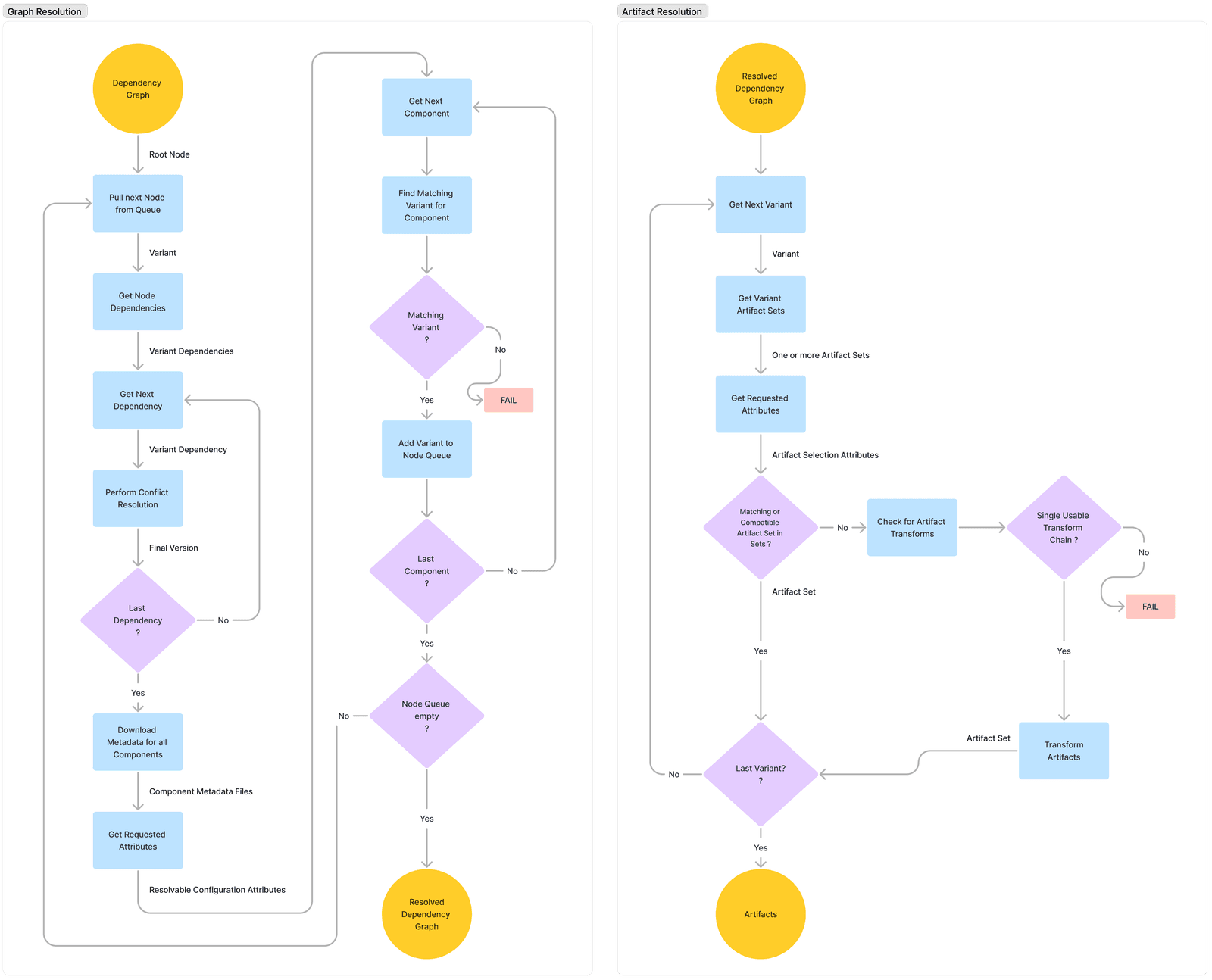
A dependency conflict occurs when two of your project's dependencies require different, incompatible versions of a shared library. This is common in any project with a dependency graph, forcing your build tool to pick one version, which can introduce subtle…
WHY IT EXISTS: Modern software is built by composing libraries, which in turn depend on other libraries. This creates a complex graph of dependencies, often called a dependency tree. Conflicts are inevitable when different parts of this graph evolve independently and require different versions of a common component.
THE MENTAL MODEL: Imagine your project needs Library A and Library B. Library A depends on common-utils v1.0. Library B depends on common-utils v2.0. This forms a diamond shape: your project is at the top, A and B are in the middle, and common-utils is at the bottom. Your build tool can only include one version of common-utils in the final application. That's the conflict.
HOW IT WORKS: Build tools use various strategies to resolve conflicts. Maven uses a "nearest wins" strategy, picking the version closest to your project in the dependency tree. Gradle, by default, picks the highest version number. This automatic resolution is convenient but risky. The chosen version might have breaking API changes that cause runtime errors (like a NoSuchMethodError in Java) for the library that required an older version.
WHEN TO USE IT: You don't "use" a dependency conflict; you resolve it. You must actively manage your dependencies when one occurs. Common resolution techniques include: first, using dependency constraints to force a specific version of the transitive dependency; second, applying exclusion rules to tell your build system to ignore a transitive dependency from one of your direct dependencies; and third, using a Bill of Materials (BOM) to import a curated set of versions known to work together.
WHEN NOT TO USE IT: You should never ignore a dependency conflict, even if your build succeeds. A silent, automatic resolution by your build tool is a ticking time bomb. It might seem to work during compilation but can cause subtle bugs or crashes at runtime when a specific, now-incompatible code path is executed. Always inspect your dependency tree and make an explicit resolution choice.
ONE CANONICAL EXAMPLE: A classic Java example: Your project depends on library-A which uses guava:21.0. You also add library-B which uses guava:31.0-jre. By default, Gradle's resolution strategy will select the higher version, 31.0-jre. If library-A called a method that was removed after version 21.0, your application will compile but crash at runtime with a NoSuchMethodError when that code is executed.
Read the original → docs.gradle.org
Get five bites like this every day.
Tezvyn delivers a daily feed of 60-second tech bites with quizzes to lock in what you learn.