Insight Statements: Frame Problems, Not Solutions
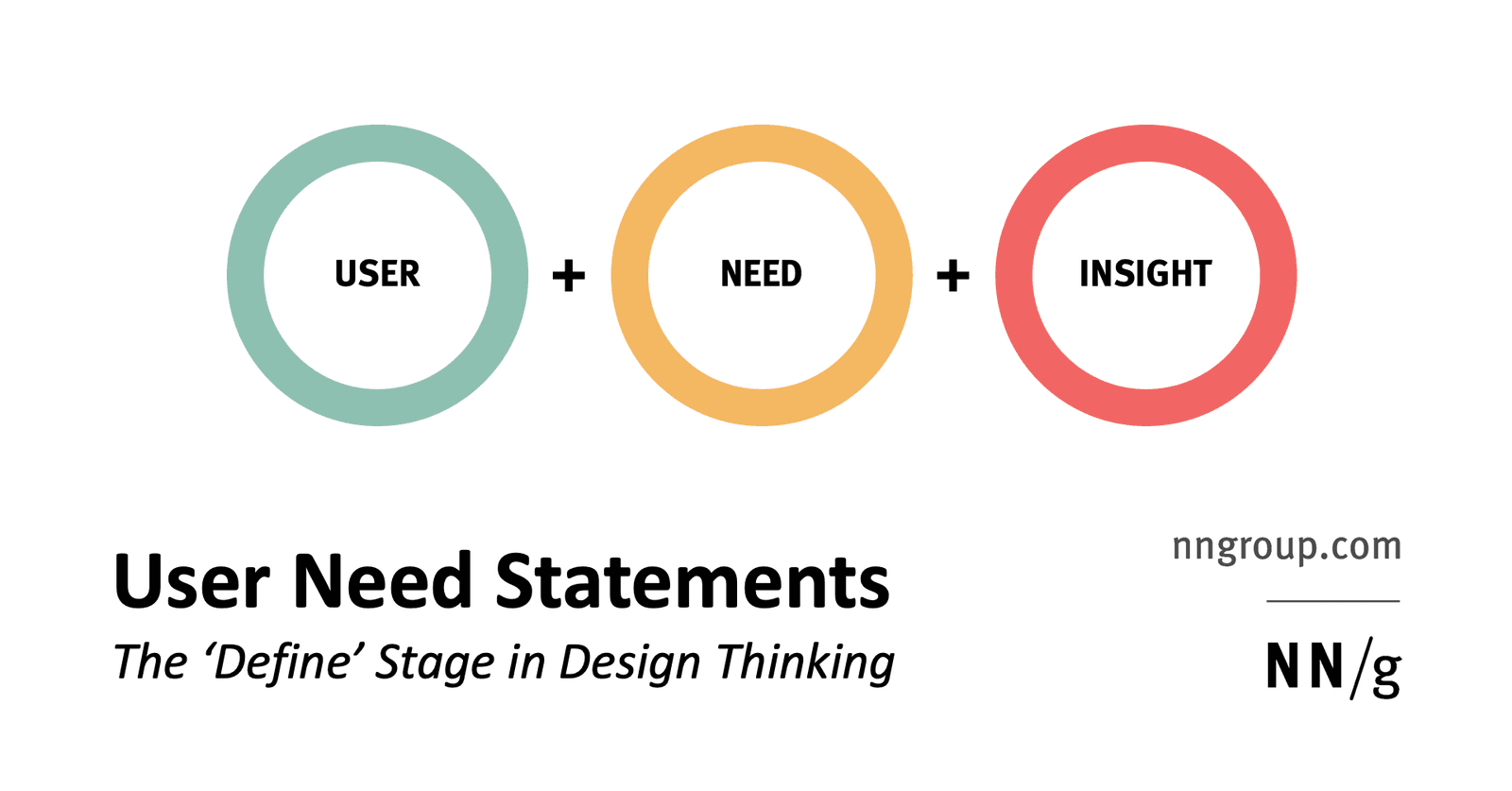
Insight statements frame what users must achieve, not how. Teams use them in design thinking's define stage to align on the right problem before ideating. The footgun is writing solutions like 'needs a dashboard' instead of goals like 'needs to compare'.
Why it exists
Product teams naturally jump to solutions. A great solution to the wrong problem still fails. User need statements were created to force a deliberate pause between research and ideation so teams agree on what they are solving before they spend resources building the wrong thing. They condense hours of research into a single shared anchor that prevents feature creep, scope disputes, and misalignment between stakeholders who were not in the room during interviews.
The mental model
Think of an insight statement as a treaty between research and design. It captures the problem as a verb, not a noun. Users do not need a dropdown or a dashboard; they need to select from options or digest varied information in one place. By explicitly banning specific solutions from the statement, you keep the design space open for later ideation. The statement acts as a success metric for the entire process, not as a requirements ticket.
How it works
The format has three parts combined into one sentence. First, name a specific user with a short descriptive tagline, like Alieda, a multitasking tech-savvy mother of two. Second, state the need as a real user goal phrased with verbs, not features or technology. Third, add the insight or goal, which is the meaningful outcome rooted in empathy. The full pattern reads: A user needs something in order to accomplish a goal. The need must come from actual research observations, not team assumptions, because users often cannot articulate their own underlying needs and will ask for faster horses instead of cars.
When to use it
Use insight statements during the define stage of design thinking, immediately after user research and before brainstorming solutions. They are especially valuable when multiple stakeholders have conflicting opinions about what to build, when a team needs a single shared problem definition to evaluate ideas against, or when scope creep threatens to pull the team in competing directions.
When not to use it
Do not use them as development tasks, user stories, or epics. They are not delivery artifacts for engineers. They also fail if you insert solutions into the need slot, if you invent needs without research, or if you treat them as final specifications. If your statement contains the words dashboard, button, API, or faster horse, you have slipped back into solution mode and need to reframe.
One canonical example
Alieda, a multitasking, tech-savvy mother of 2, needs to quickly and confidently compare options without leaving her comfort zone in order to spend more time doing the things that really matter. Notice the user is specific and memorable, the need avoids interface nouns entirely, and the goal expresses an empathetic human outcome rather than a product feature.
Interview question
After user research, a team prepares insight statements for the define stage. Which approach best aligns with their purpose?
- a.Reframing 'needs a dashboard' into 'needs to monitor trends' before brainstormingCorrect
- b.Drafting statements that specify UI components to reduce ambiguity for developers
- c.Finalizing statements as sprint requirements to hand off to engineers
- d.Prioritizing needs by technical feasibility to narrow scope before ideation
Why? this is the answer
Insight statements deliberately frame needs as verbs (monitor) rather than solutions (dashboard) to keep the design space open before ideation. Option B incorrectly inserts solutions, while D confuses the statement with a delivery artifact.
Just read this? Test yourself on what you have been reading.
Read the original → nngroup.com
- #ux-research
- #design-thinking
- #product-strategy
- #problem-framing
- #user-needs
Put your scrolling time to good use
Learn one idea, try a quiz and save useful cards for revision. Tezvyn makes it easy to learn and stay current in your tech field, a few minutes at a time.
The iPhone app is on the way
We are building it. Until it lands, nothing here is held back from you: every interview card, your saved cards, streaks and the job board all work in Safari, plus hundreds of free practice quizzes of thirty questions each. Sign in and it all carries over to the app the day it arrives.
Want it as an icon? Tap Share at the bottom of Safari, then Add to Home Screen. It opens full screen and the cards you have read stay available offline.
We are hiring for this. Open roles that interview on ux-research — each one lists the topics its interview covers.
See open roles