Multi-Factor Authentication (MFA): Defense in Depth for Logins
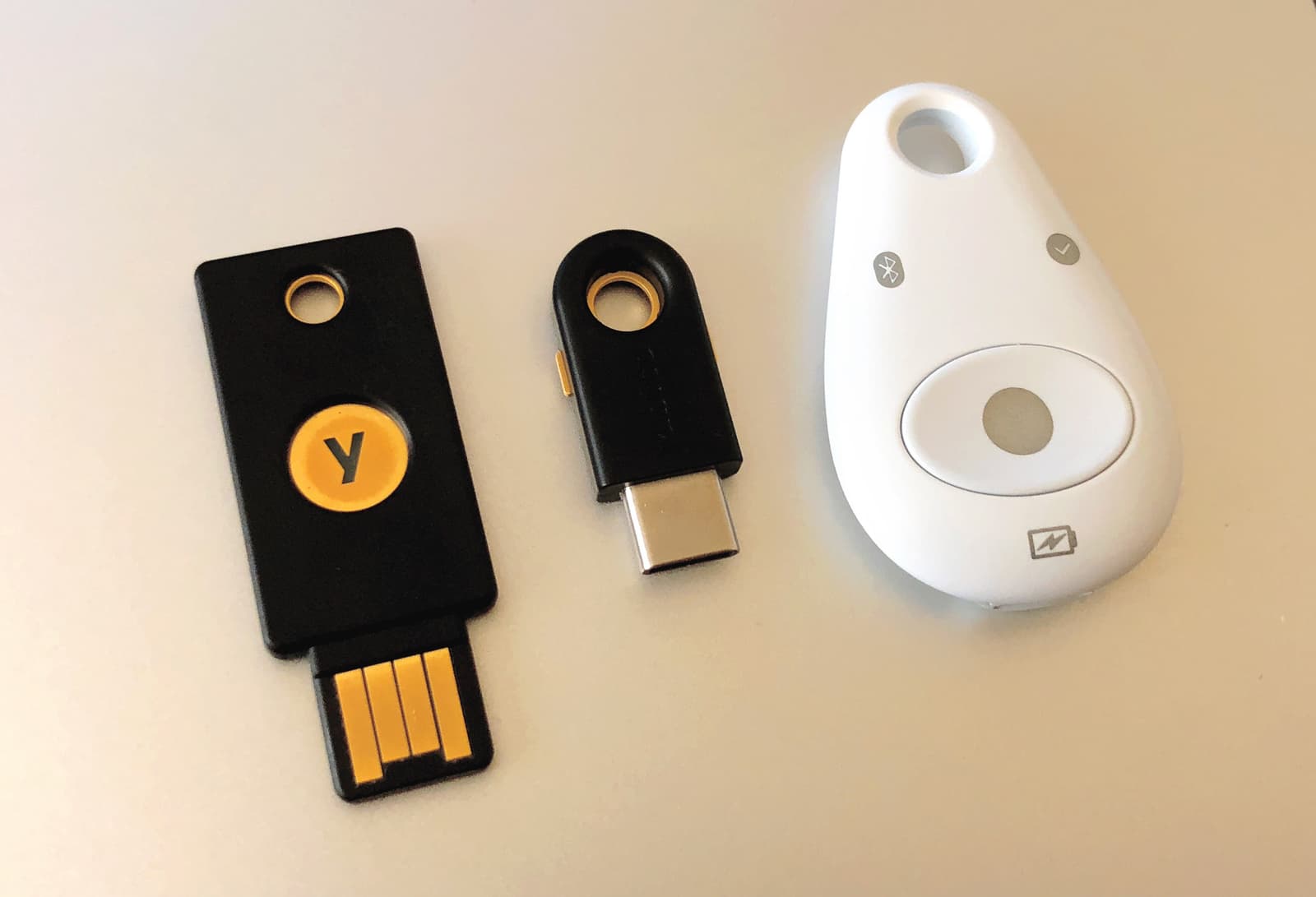
MFA adds a second layer of security on top of your password, like needing a key and a secret handshake. It's crucial for protecting sensitive accounts like email and banking from attackers who have stolen your password.
WHY IT EXISTS: Passwords alone are a fragile defense. They can be guessed, phished, or exposed in data breaches. Multi-Factor Authentication was created to solve this problem by assuming a password will eventually be compromised. It adds another layer of security to prevent an attacker with a stolen password from gaining access to sensitive personal or financial data.
THE MENTAL MODEL: Imagine securing a vault with two different locks that require two different types of keys. An attacker might steal your first key (your password), but they still can't open the vault without the second, different key (your second factor). MFA works by combining independent pieces of evidence, or "factors," to prove your identity.
HOW IT WORKS: A user must provide two or more factors from three distinct categories. The categories are: something you know (like a password or PIN), something you have (like a mobile phone running an authenticator app or a physical USB security key), and something you are (a biometric like a fingerprint or face scan). When logging into a service, after you enter your password (the first factor), the system will challenge you for a second one. This could be a time-sensitive 6-digit code from an app, a push notification you approve on your phone, or touching a physical key.
WHEN TO USE IT: MFA should be enabled on any service that stores sensitive information or controls access to other systems. This is critical for primary email accounts (which are often used for password resets), cloud provider accounts (AWS, GCP, Azure), financial and banking applications, and internal corporate systems. It is the industry standard for protecting high-value accounts from unauthorized access.
WHEN NOT TO USE IT: It's rarely a bad idea, but MFA can introduce friction. For extremely low-risk, public-facing applications with no sensitive user data, forcing MFA might be overkill and harm user adoption. However, even in these cases, it should be offered as an optional security enhancement for users who want it. The trade-off is always between security and convenience.
ONE CANONICAL EXAMPLE: Securing a cloud administrator account on AWS. The administrator first enters their username and password. AWS then prompts for an MFA code. The admin opens an authenticator app on their phone, which displays a 6-digit code that changes every 30 seconds. They enter this code into the AWS login prompt. Only with both the correct password and the current code is access granted to the management console.
Read the original → en.wikipedia.org
Get five bites like this every day.
Tezvyn delivers a daily feed of 60-second tech bites with quizzes to lock in what you learn.