robots.txt: The Web's 'Keep Off The Grass' Sign
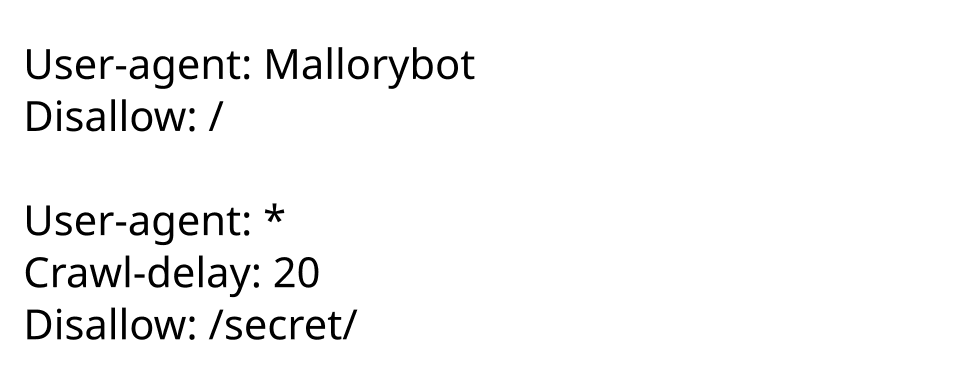
robots.txt is a public file suggesting which parts of a site web crawlers shouldn't visit, like admin areas. The footgun: it's a polite request, not a security wall. Malicious bots will ignore it, so never use it to hide sensitive data.
WHY IT EXISTS: Websites needed a simple, standardized way to communicate with automated web crawlers. Without it, crawlers might index sensitive or low-value pages (like admin logins or infinite calendar views), waste server resources, and pollute search engine results. The protocol was created to give site owners some control over crawler behavior.
THE MENTAL MODEL: The robots.txt file is a public set of polite suggestions for well-behaved web robots, like those from Google or Bing. It's like posting a sign at the entrance of a library indicating which sections are off-limits for photography. The rules are public, and adherence is entirely voluntary. It is a convention, not a command enforced by a technical barrier.
HOW IT WORKS: A crawler wanting to visit a website first looks for a file at https://www.example.com/robots.txt. This file contains directives. The User-agent directive specifies which bot the rules apply to (e.g., User-agent: * for all bots). The Disallow directive lists paths the bot should not access (e.g., Disallow: /admin/). Bots read this file and are expected to honor the rules in their subsequent crawl requests.
WHEN TO USE IT: Use robots.txt to prevent indexing of low-value or duplicate content pages that can harm your SEO, such as internal search results, filtered views, or printer-friendly versions of pages. It is also useful for blocking access to development areas or to reduce server load by preventing bots from crawling resource-intensive scripts.
WHEN NOT TO USE IT: Never use robots.txt to hide sensitive or private information. Because the file is public and compliance is voluntary, it's the equivalent of writing "secret data is here, please don't look" on a public bulletin board. Malicious actors often scan robots.txt files to find targets. For actual security, use proper authentication and access controls.
ONE CANONICAL EXAMPLE: A common setup for a WordPress site might look like this. User-agent: * applies the rules to all bots. Disallow: /wp-admin/ tells them not to crawl the admin login and dashboard area, as it has no value for public search. Allow: /wp-admin/admin-ajax.php is a specific exception, often needed to let Google's tools test site functionality that relies on this file. This shows how to block a directory while allowing a specific file within it.
Read the original → en.wikipedia.org
Get five bites like this every day.
Tezvyn delivers a daily feed of 60-second tech bites with quizzes to lock in what you learn.