Everything in Flutter & Dart, page 2
Explain map() vs where() on a List and chain them
This tests Dart Iterable laziness and correct chaining. A strong answer states where filters and map transforms, both return Iterables, then chains where before map and converts with toList. A red flag is claiming the original list mutates or omitting toList.
Explain the difference between tester.pump and tester.pumpAndSettle
This tests your grasp of Flutter frame scheduling. pump draws one frame; pumpAndSettle loops until idle, failing on infinite animations. A red flag is treating pumpAndSettle as universally safe or missing why a loading spinner causes timeouts.
Persist a custom Dart object using shared_preferences
Tests JSON serialization bridging custom objects to primitive-only key-value storage. Strong answer: add toJson/fromJson on User, jsonEncode into SharedPreferences as String, jsonDecode on read. Red flag: proposing direct storage or toString hacks.
How do you synchronize app state with GoRouter navigation?
Read auth state in top-level redirect; rebuild GoRouter via refreshListenable on changes; handle deep links in page builders.
How do you handle CPU-bound tasks without freezing the Flutter UI?
Tests whether you know async/await yields for I/O but cannot parallelize CPU work. A strong answer defines Isolates as isolated heaps with message-passing, contrasts them with threads, and shows how compute() wraps Isolate.spawn.
How do you test Flutter platform channels and mock native responses?
Tests MethodChannel mocking in widget tests. Strong answers intercept calls via TestDefaultBinaryMessengerBinding, encode replies with StandardMessageCodec, pump the widget, and assert UI state.
Set up an integration test for a multi-screen login flow
This tests your grasp of integration_test's device runtime versus headless widget tests. A strong answer covers the integration_test directory, ensureInitialized, driving a login flow end-to-end on device.
Compare sqflite and Drift: trade-offs and when to choose Drift
This tests Flutter persistence trade-offs. Contrast sqflite's raw maps and raw SQL with Drift's typed code, streams, and migrations; choose Drift for complex schemas or web targets. Red flag: calling Drift bloat or claiming raw sqflite is always faster.
Fix UI jank from file reads and SQLite inserts using Isolates
This tests whether you know heavy synchronous work blocks Dart's UI event loop past the 16ms frame budget. A strong answer offloads parsing and SQLite inserts to a worker isolate via compute, returning results.
When to use shared_preferences and its primary limitations?
This tests whether you know appropriate local persistence tiers. A strong answer names simple primitives like flags or tokens, notes async disk writes, and warns against large blobs, relational data, or secrets.

Describe the BLoC pattern: Events, States, and widget connection
Tests UI-business separation. Strong answers cast Events as user intents, States as immutable snapshots, and BLoC as a pure reducer. Widgets listen via BlocBuilder and dispatch via context.read. Red flag: mutating state directly or using setState inside BLoC.
Describe a strategy to decouple TextEditingController from global state
It tests your understanding of ephemeral versus app state in Flutter. Keep the controller local, debounce input so finalized values reach BLoC or Riverpod, and let the field own its state while editing.
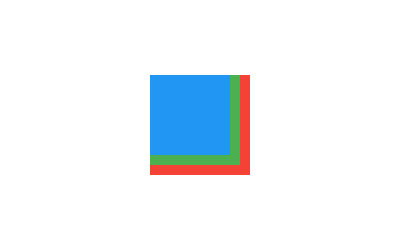
Which widget overlays and centers a loading indicator on an image?
Stack with Image first (bottom), then Center-wrapped indicator; constrain Stack to image.
What is a Dart Completer and when should you use it?
This tests bridging callback APIs into Dart's Future ecosystem. An answer defines Completer as a manual Future producer, explains completing with value or error from callbacks, preferring Future() when possible. A red flag is using Completer for simple async.
How would you implement debounce for a search input using Streams?
This tests Stream transformation and event throttling. A strong answer outlines a resetting timer that only emits after 300ms of silence, referencing debounceTime or DebounceStreamTransformer. Red flag: manual Timer juggling without Stream composition.
What is Flutter tree shaking and how does it reduce app size?
Tests Dart AOT dead code elimination. Covers compile-time dead code removal, smaller binaries, faster startup, and practices like avoiding dart:mirrors and using const constructors. Red flag: confusing it with minification or runtime stripping.
When would you implement a CustomPainter and how does shouldRepaint work?
Use CustomPainter for charts; check fields in shouldRepaint to skip frames; pass Listenable to bypass build layout.

What is a Dart Isolate and how does it differ from threads?
Tests Dart's shared-nothing concurrency model. Define an isolate as an independent heap plus event loop, contrast it with shared-memory threads, and explain UI isolate communication via async message ports.
Explain 'constraints go down, sizes go up, parent sets position.'
Tests Flutter layout protocol and unbounded width errors. Strong answers trace how a child gets infinite width from a scrolling parent and fix it with a bounded wrapper. Red flag: blaming the child without tracing parent constraints.
Which DevTools view diagnoses janky Flutter animations?
Open Performance view; compare UI and Raster bars; flag bars over 16ms; blame UI bloat on builds and Raster jank on shaders or saveLayer.
We are hiring for this. Every open role lists the topics its interview covers, so you can prepare for the real thing rather than guessing.
See open roles