Everything in DevOps & Cloud, page 49
Key Management Service (KMS): Don't Roll Your Own Crypto
A KMS is a secure vault for your cryptographic keys. Instead of storing secrets in code or config, you ask the KMS to perform cryptographic operations for you. It's used for encrypting database fields, signing data, and managing secrets for microservices.

Service Principal: Your App's Identity
A service principal is an application's identity in a specific security context, like a "robot user." It's the local instance that gets permissions, separate from the app's global blueprint. This is how CI/CD pipelines authenticate to cloud APIs.
Encryption in Transit: Protecting Data on the Move
Encryption in transit acts like a locked box for data moving across a network. It secures everything from website connections (HTTPS) to data moving between services inside a cloud network.
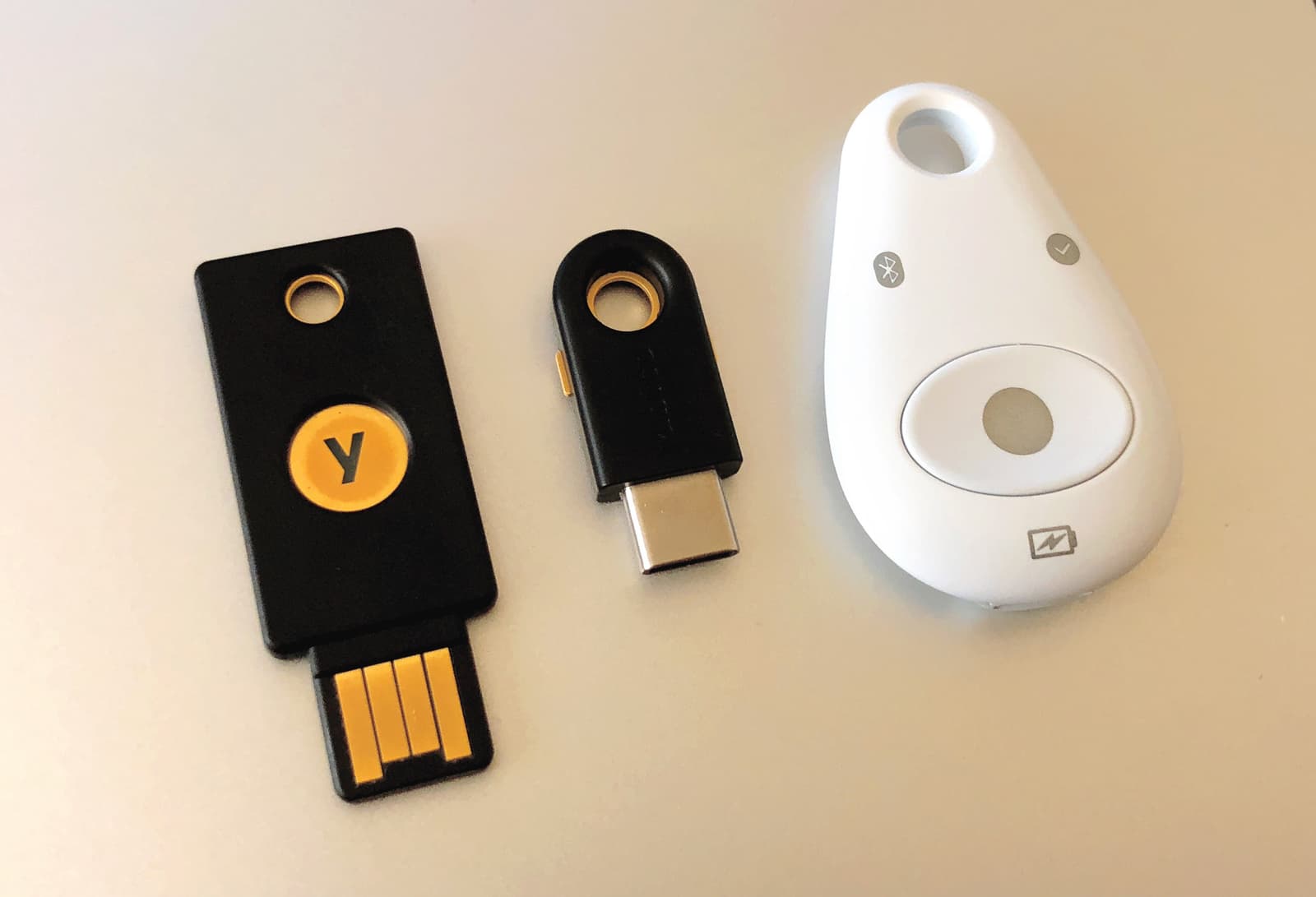
Multi-Factor Authentication (MFA): Defense in Depth for Logins
MFA adds a second layer of security on top of your password, like needing a key and a secret handshake. It's crucial for protecting sensitive accounts like email and banking from attackers who have stolen your password.

RBAC: Manage Permissions with Roles, Not Users
RBAC manages permissions by assigning users to roles (e.g., "editor"), not by giving permissions directly. This simplifies security in large systems like AWS IAM. The footgun is creating overly broad roles that grant excessive, unintended access.
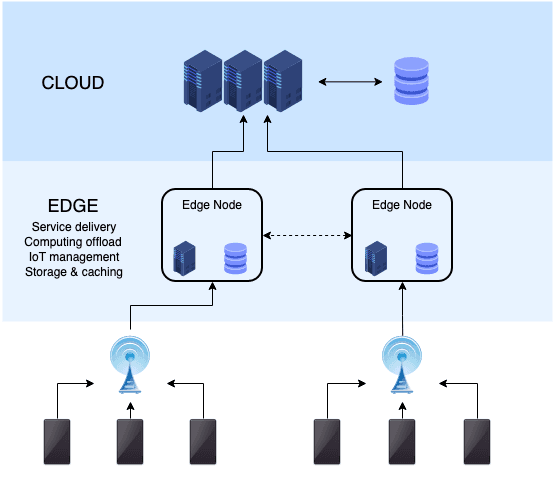
CDN Edge Computing: Code at the Cache
CDN Edge Computing runs your code at the network edge, not just caches files. It's for low-latency tasks like A/B testing or auth checks. The footgun is treating it like a full backend; it's stateless and resource-constrained.
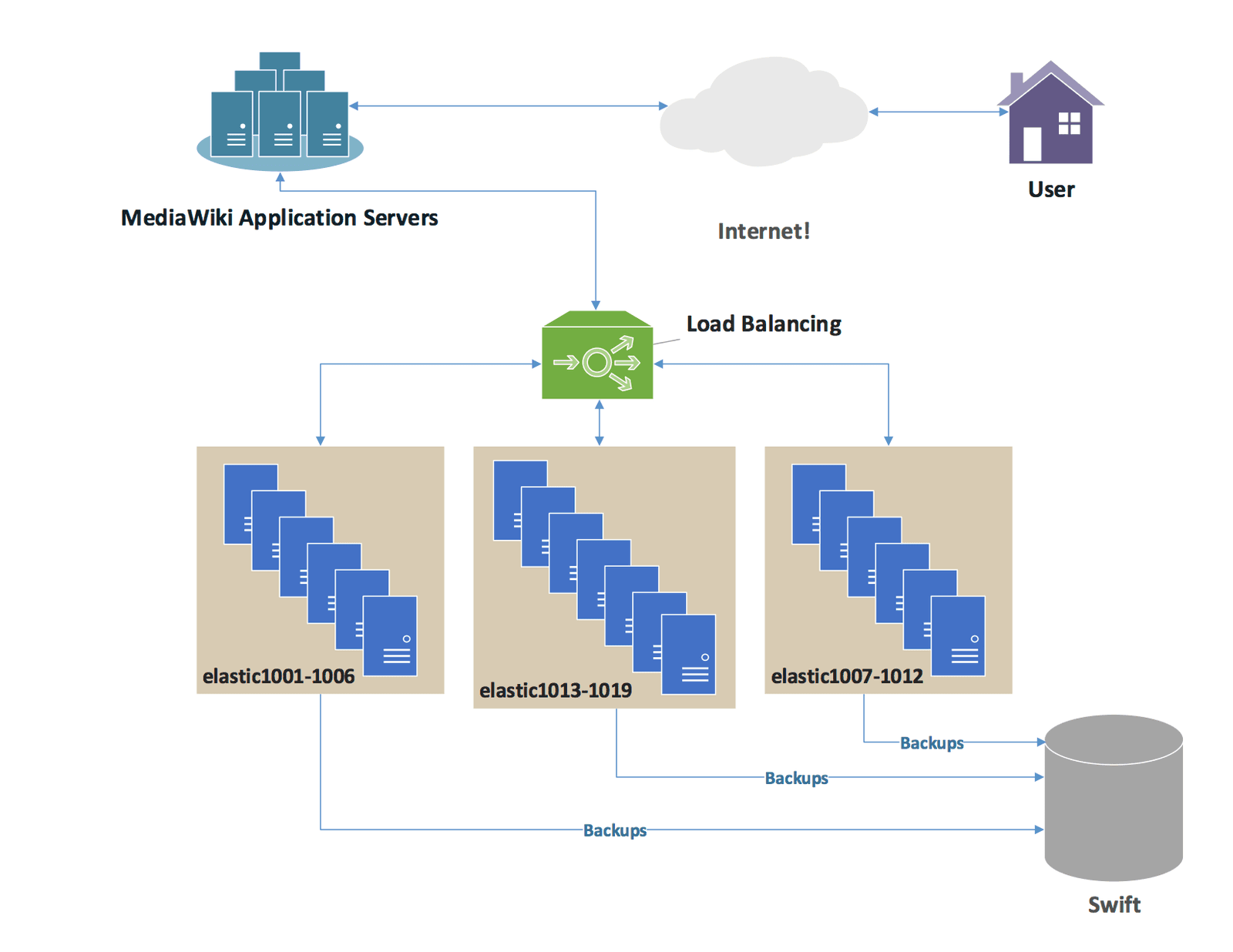
Global Server Load Balancing (GSLB): DNS for High Availability
Global Server Load Balancing (GSLB) uses DNS to route users to the best data center, not just the best server. It considers geography, health, and load to provide disaster recovery and lower latency.
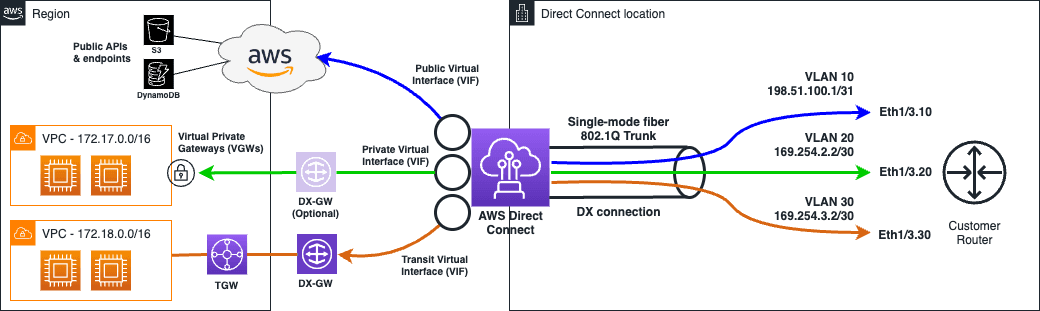
Cloud Direct Connect: A Private Lane to the Cloud
Think of Direct Connect as a private fiber-optic highway from your datacenter to the cloud, bypassing the public internet. It's for stable, high-bandwidth needs like large data transfers where public internet performance is too unpredictable or insecure.
DNS Routing Policies: Directing Traffic with Intention
DNS routing policies are a control plane for your domain, directing users based on location, latency, or server health. Use them for disaster recovery (failover) or canary releases (weighted). The footgun: confusing geolocation with latency-based routing.
Load Balancer Health Checks: Don't Route to Dead Servers
A load balancer uses health checks to ask backend servers "Are you alive?" before sending them traffic. This is essential for any high-availability setup, preventing users from being routed to a crashed or unresponsive instance.
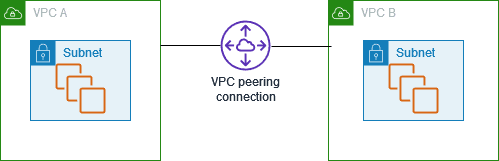
VPC Peering: Connect Private Networks Securely
VPC peering connects two virtual networks as if they were one, letting them talk over private IPs. Use it to share files or access resources between VPCs across accounts or regions without going over the public internet.
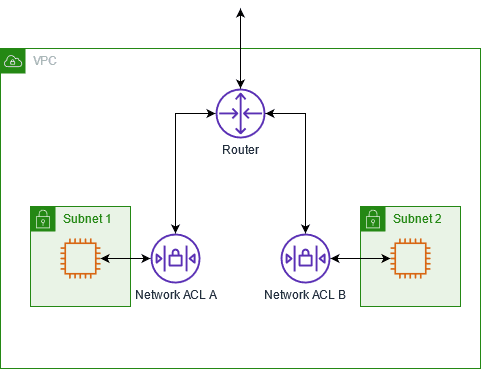
Network ACLs: A Stateless Firewall for Subnets
A Network ACL (NACL) is a firewall for an entire cloud subnet, checking traffic as it enters or leaves. It's used for broad, stateless rules, like blocking a malicious IP from all instances.
NAT Gateway: Your VPC's Outbound-Only Internet Door
A NAT Gateway is a one-way door for your private cloud resources. It lets instances in private subnets initiate outbound traffic to the internet—like for updates or API calls—but blocks unsolicited inbound connections.
Managed Cloud DNS: Offload Your DNS Server Management
Managed Cloud DNS is DNS-as-a-service, letting you publish records without managing servers. Use it for public domains or private name resolution in your VPCs.
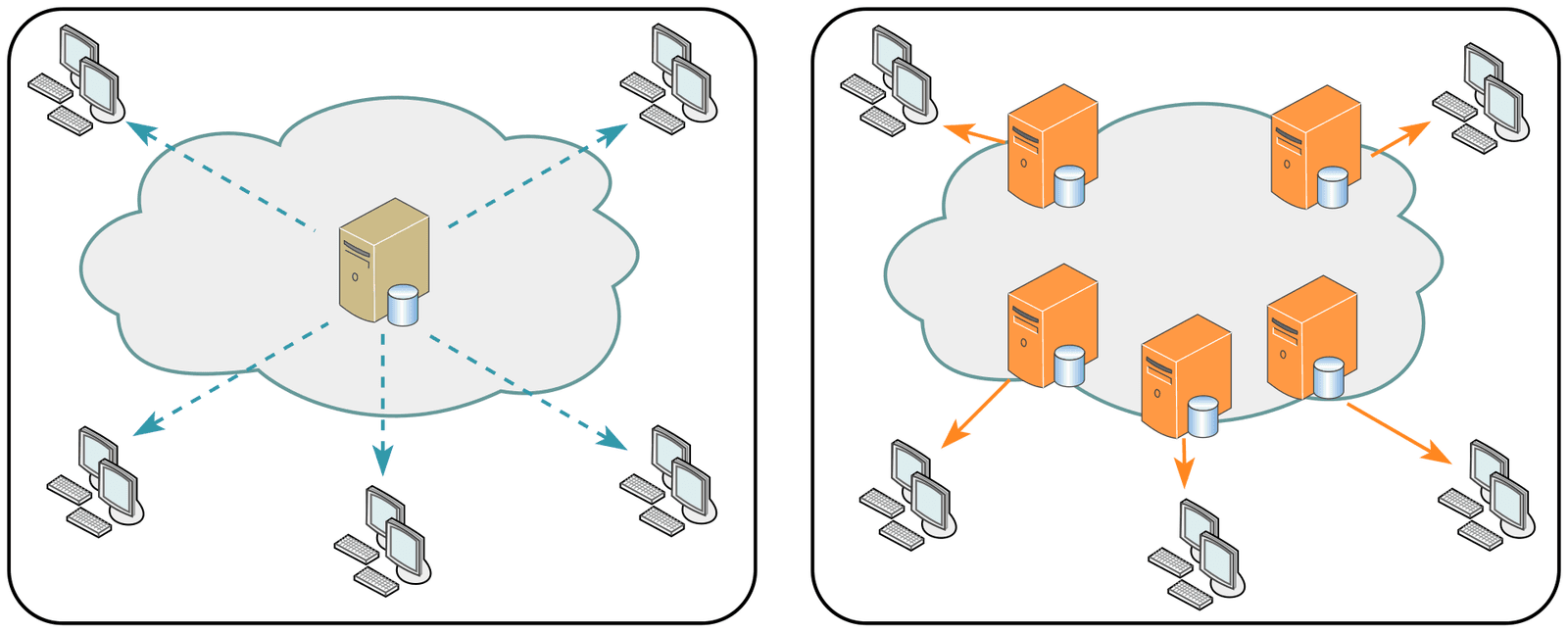
Content Delivery Network (CDN): Serving Content from the Edge
A CDN is like a global chain of convenience stores for your website's assets. It caches copies closer to users for faster delivery, speeding up images, CSS, and video. The footgun: accidentally caching private user data and serving it to everyone.
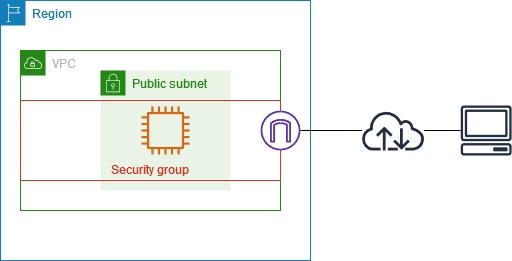
Security Groups: Stateful Firewalls for Your Cloud Resources
A security group is a stateful firewall for your cloud resources, like a bouncer with an allow-list. Use it to let a web server accept traffic or a database talk to app servers. The footgun: opening SSH to the entire internet (0.0.0.0/0).
Cloud Subnets: Your Virtual Network's Neighborhoods
Think of a subnet as a neighborhood in your virtual network (VPC), giving a block of IP addresses to a group of resources. Use them to isolate web servers from databases or apply specific firewall rules.
CIDR: Flexible IP Address Blocks
CIDR groups IP addresses into flexible blocks, replacing rigid A/B/C classes. You use it to define network ranges like 10.0.0.0/16 for a VPC. The footgun: a smaller slash number like /16 means a *larger* network than a bigger number like /24.

VPC: Your Private Slice of the Public Cloud
A Virtual Private Cloud (VPC) is your private, fenced-off section of a public cloud. You use it to launch resources like servers and databases in a logically isolated network, controlling all traffic.
Eventual Consistency: Availability Over Immediacy
Eventual consistency trades immediate correctness for high availability. It's used in distributed systems where being online is critical. The footgun is assuming "eventual" implies a specific timeframe; it only guarantees convergence if updates cease.
We are hiring for this. Every open role lists the topics its interview covers, so you can prepare for the real thing rather than guessing.
See open roles