Everything in DevOps & Cloud, page 50
Storage Gateway: Your On-Prem to Cloud Translator
A storage gateway is a translator, letting your on-prem applications talk to cloud storage without learning its native API language. It presents cloud storage as a local file share or block device, enabling hybrid cloud backups and data tiering.
Presigned URLs: Temporary Access to Private Files
A presigned URL is a temporary, authenticated link to a private cloud storage object, bundling credentials into the URL. Use it to let users upload or download private files directly, bypassing your server. The URL is a bearer token, so set short expirations.
Object Versioning: A Safety Net for Cloud Files
Object Versioning treats every file change as a new version, not a replacement. It's used in cloud storage to recover from accidental overwrites or deletions. The footgun: you pay for all versions, so costs can multiply without cleanup policies.
Encryption at Rest: Securing Your Data When It's Not Moving
Encryption at rest is like locking your data in a safe when it's not moving. It protects raw files on disk if storage is stolen, a default on platforms like Google Cloud. The footgun: it doesn't stop a compromised app with valid keys from reading.

Cross-Region Replication (CRR): Geographic Data Copying
Cross-Region Replication automatically copies data to another geographic region, like a live backup. Use it for disaster recovery, lower latency for global users, or compliance. The footgun: it only copies *new* objects, not what's already in the bucket.
Block Storage Snapshots Are Incremental Backups
A snapshot is an incremental, point-in-time backup of a disk volume, saving only changed data blocks. Use it for disaster recovery to restore a volume's exact state. The footgun: deleting an older snapshot may not save money if a newer one needs its data.
Cloud Storage Tiers: Match Cost to Access Frequency
Storage tiers match data cost to access frequency. 'Hot' tiers are fast and expensive for active files; 'cold' tiers are cheap for archives. Use for data that cools over time, like logs. The footgun: retrieving cold data unexpectedly is slow and costly.
Data Durability vs. Availability: Lost vs. Unreachable
Availability is "can I reach my data right now?" while durability is "will my data still exist tomorrow?". Cloud storage systems are designed for both, but they solve different problems: network outages vs. data corruption.
Cloud File Storage: A Shared Drive on the Internet
Think of cloud file storage as a shared network drive, but managed by a provider and accessible over the internet. It's for shared content, user home directories, and apps needing a traditional file system.
Block Storage: Your Virtual Hard Drive in the Cloud
Think of block storage as a raw hard drive in the cloud. It's the foundation for virtual machine disks (like AWS EBS) and databases that need direct control over their storage. The footgun is treating it like a web-accessible file share; it's a raw device.
Object Storage: Data Without a File Hierarchy
Object storage is like a valet system for data. You get a unique ID for a self-contained 'blob' of data and metadata, instead of navigating a file path. It's the backbone of cloud storage (like S3) for images and backups. The footgun: objects are immutable.
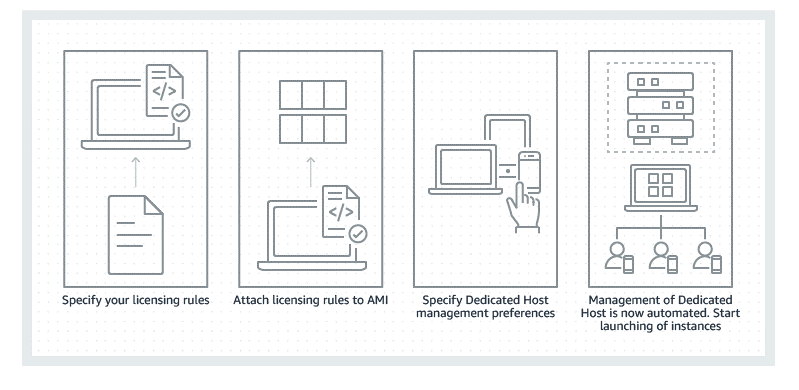
AWS Dedicated Hosts: Your Own Physical Server in the Cloud
An AWS Dedicated Host is your own physical server in the cloud, providing single-tenant hardware. Use it for "bring your own license" (BYOL) software tied to physical cores, or for compliance rules that forbid multi-tenancy.
AWS Placement Groups: Control Where Your Instances Run
AWS Placement Groups let you control where EC2 instances run relative to each other. Use a Cluster group for low-latency HPC, or Spread/Partition groups to reduce correlated hardware failures. The main footgun is picking the wrong strategy for your workload.
Bare Metal Instances: Your Own Dedicated Cloud Server
A bare metal instance is your own dedicated physical server in the cloud—no sharing, no virtualization layer. Use it for workloads needing direct hardware access or for licensing that forbids VMs. The footgun: you trade cloud elasticity for this control.
Spot Instances: Trade Reliability for Huge Cost Savings
Spot Instances let you use spare AWS compute for up to 90% off. They're great for fault-tolerant jobs like batch processing or CI/CD. The footgun: AWS can reclaim your instance with a two-minute warning, so don't use them for critical workloads.
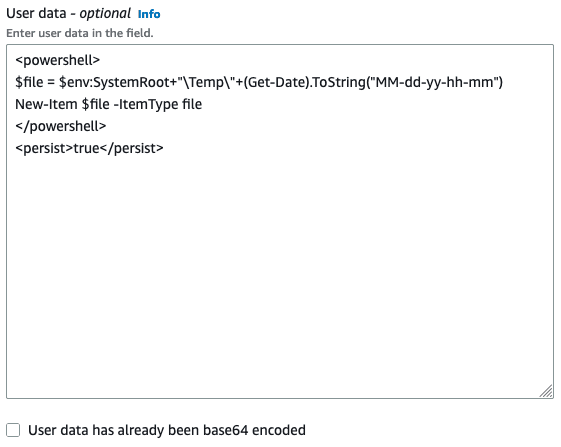
User Data Scripts: Day-One Instance Configuration
User data scripts are your instance's "Day One" instructions, automatically running commands like package installs on first boot. Use it to set up a web server or install agents without manual SSH.
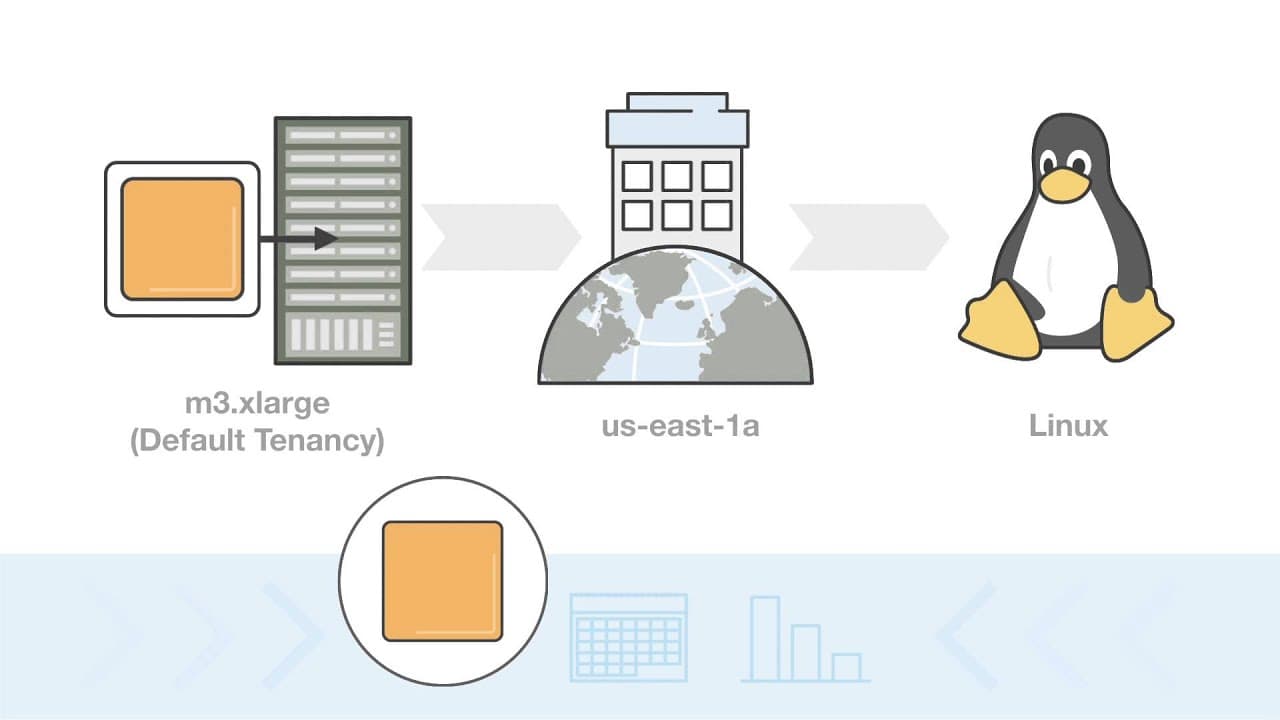
AWS Reserved Instances: Commit to Compute, Save Big
Reserved Instances are like leasing a car instead of renting daily: commit to 1-3 years of compute for a steep discount. They're ideal for predictable, steady-state workloads. The footgun is buying inflexible Standard RIs when your needs might change.
Auto Scaling Groups: Elasticity and Self-Healing
An Auto Scaling Group (ASG) is like a thermostat for your servers, automatically adding or removing instances to match demand and replacing any that fail. Use it for web apps with variable traffic or services that need to self-heal from instance failures.
Cloud Load Balancer: Your App's Traffic Cop
A cloud load balancer is a traffic cop for your servers, distributing requests across a pool of machines to prevent overload. It's essential for scaling apps and ensuring high availability.
Cloud Instances: Renting Servers on Demand
Think of a cloud instance as renting a virtual computer. Instead of buying hardware, you launch a pre-configured virtual machine to run your applications, paying only for what you use. This is ideal for applications that need to scale up or down with demand.
We are hiring for this. Every open role lists the topics its interview covers, so you can prepare for the real thing rather than guessing.
See open roles