Everything in Frontend Dev, page 14
Svelte Keyed each: Identity, Not Index
Svelte keyed each blocks track list items by identity, not index. Without a key, reordering or filtering leaves component state attached to the wrong DOM position. Using the array index as the key silently defeats the purpose and preserves the bug.
Svelte Logic Blocks: Template Control Flow
Svelte logic blocks are compiler directives disguised as HTML comments that branch, loop, and await inside templates. You write {#if}, {#each}, and {#await} directly in markup.
Angular Schematics: Blueprint Robots with Rollback
Angular Schematics draft changes on a virtual file tree before touching disk. Use them to generate components, enforce standards, or run automated migrations. Never write directly to disk inside a schematic or you break atomic rollback.

Matt Pocock's Free React TypeScript Tutorial
Matt Pocock's free React TypeScript tutorial teaches typing for hooks, props, events via hands-on exercises. Covers ComponentProps, useRef, and reading React's type defs to debug errors. Bookmark this if your team is adopting TypeScript.
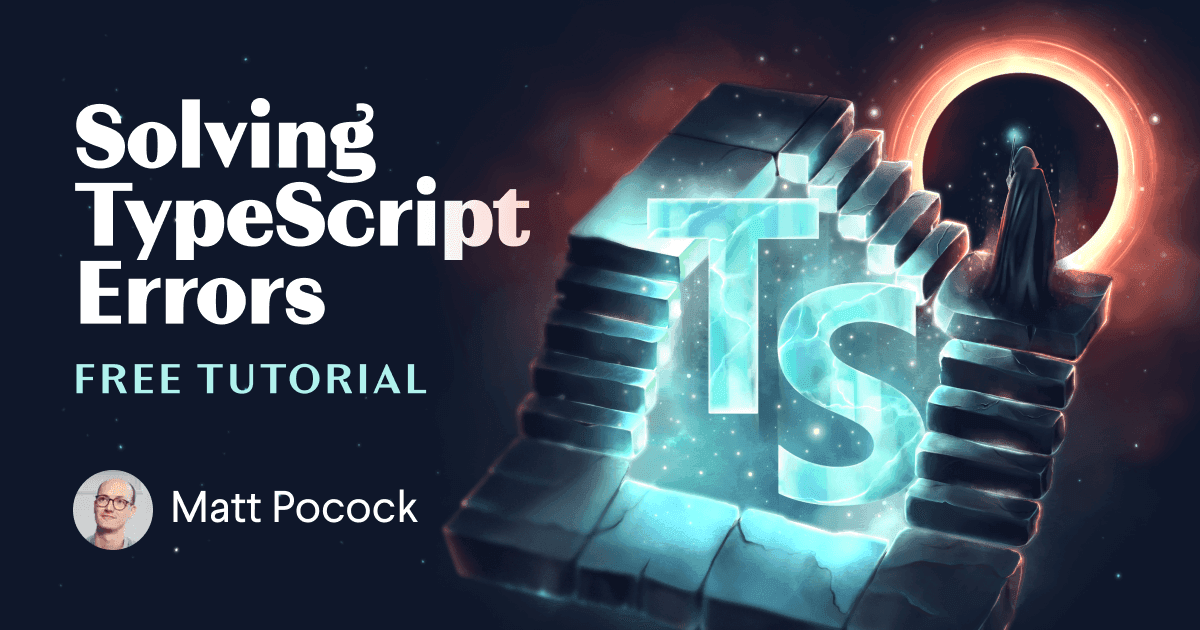
Matt Pocock Tutorial Covers Ten TypeScript Errors
Cryptic TypeScript errors waste hours. Matt Pocock's new tutorial isolates ten common messages from "Type Not Assignable" to "Property Does Not Exist" in interactive exercises. Clone the repo or use Gitpod to build debugging instincts instead of guessing.
Chrome 136 cuts JS startup 630ms with compile hints
Chrome 136 ships Explicit Compile Hints, cutting parse and compile times by 630ms in V8 tests. The //# allFunctionsCalledOnLoad comment triggers eager background compilation for entire files, avoiding main-thread bottlenecks.
Chrome M137 Ships Speculative Deopts and Inlining for Wasm
Chrome M137 adds speculative inlining and deoptimization to V8's WebAssembly engine, cutting Dart microbenchmarks by over 50%. It targets WasmGC, making Java, Kotlin, and Dart faster using JS-style JIT assumptions. Benchmark WasmGC apps on M137 now.
V8 doubles JSON.stringify speed with side-effect-free fast path
V8 doubled JSON.stringify speed with a side-effect-free fast path. Every network and storage serialization of plain objects gets faster with zero code changes. Check your profiles if JSON encoding shows up hot.
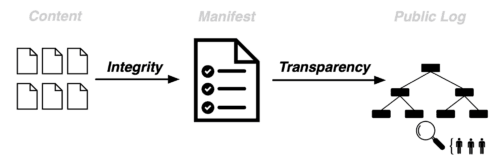
Mozilla WAICT Verifies Web App JavaScript in Nightly
WAICT in Firefox Nightly binds client code to public manifests so browsers reject unlogged JavaScript. This stops compromised servers from silently injecting malicious code into encrypted web apps like Signal. Test it at waict.dev.
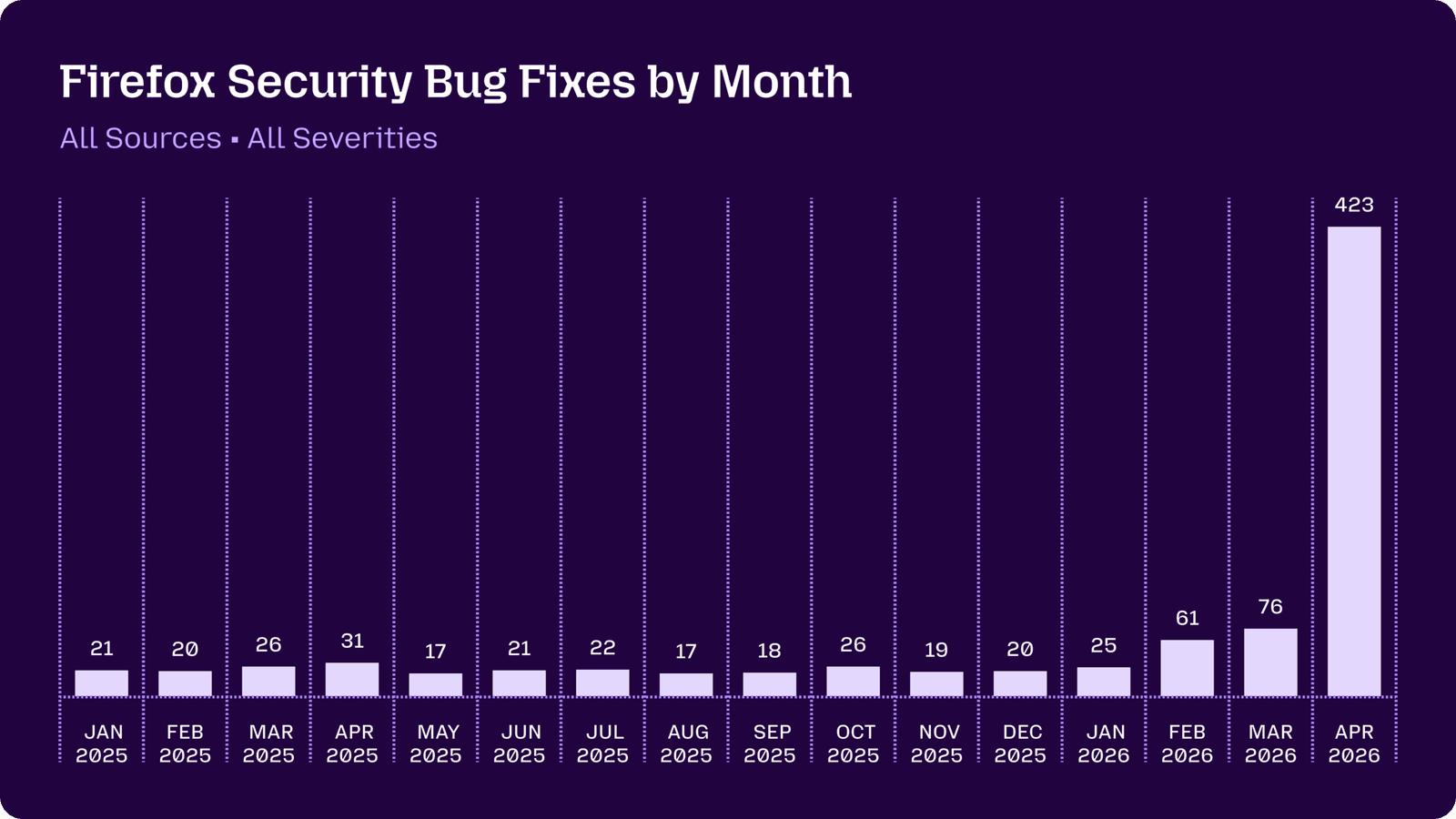
Claude Mythos Cracks Firefox Bugs Fuzzing Missed
Claude Mythos Preview found 20-year-old XSLT and JIT bugs in Firefox that survived years of fuzzing. Mozilla shows AI now catches sandbox escapes and memory corruption. Add LLM security scanning to hardening workflows before attackers adopt them.
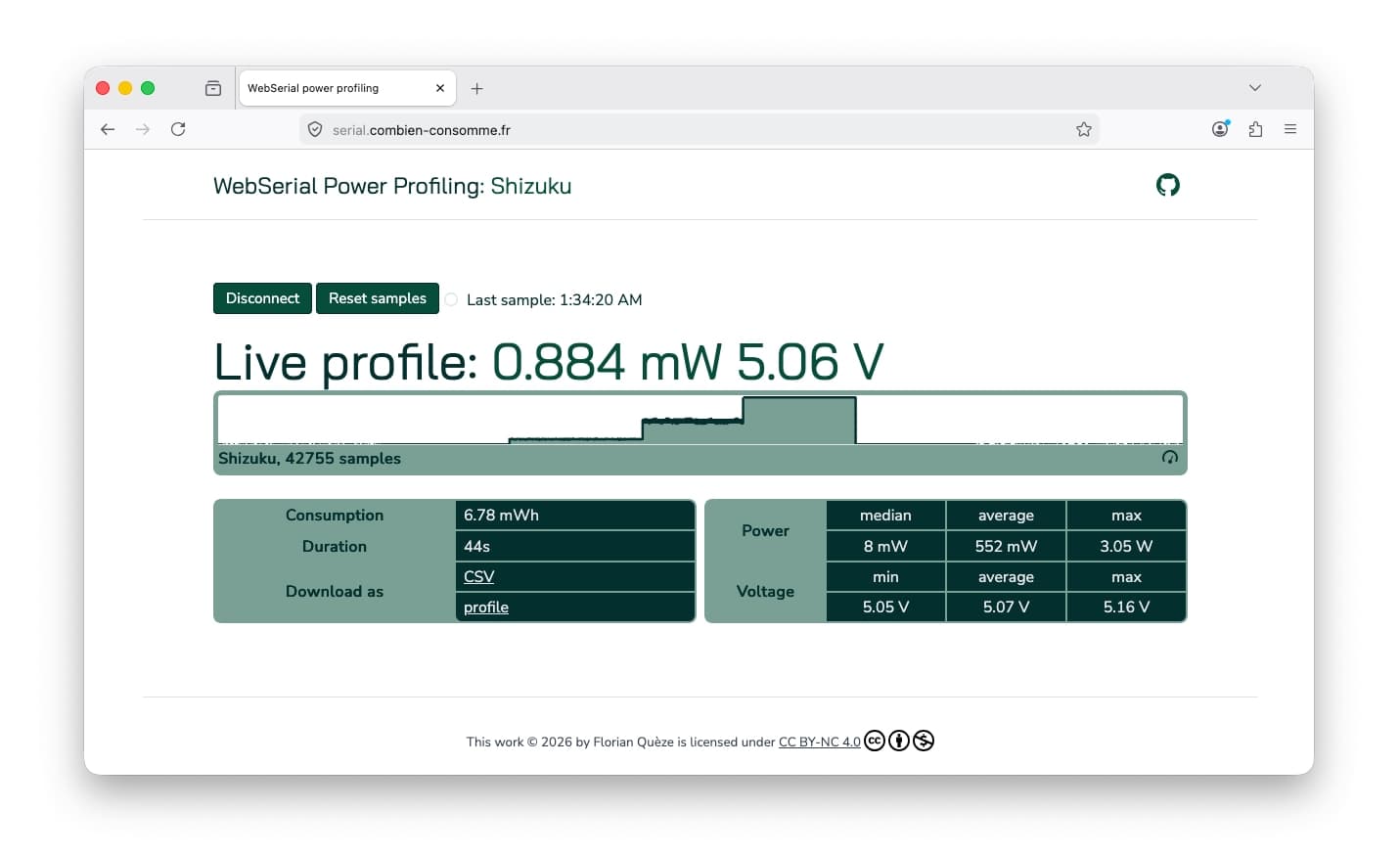
Firefox 151 adds Web Serial for desktop
Firefox 151 for Desktop adds Web Serial support for compatible hardware. It gives web-based device tools another browser to support. Check permissions, operating-system support and actual devices before removing a native fallback.
Type a UMD library for script tags and CommonJS/ESM
Tests TypeScript UMD declarations for dual global and module usage. Use export as namespace MyLib for the global, export = MyLib for require, and declare the API inside a namespace. Red flag: default exports or declare global instead of export as namespace.
How do you write a declaration file for a JavaScript class?
Declare a class in a .d.ts, type the constructor, add instance members, and attach statics on the class.
How does export = differ from export default in TypeScript declarations?
It tests CommonJS to ES module interop in TypeScript. export = maps to the entire module.exports object and must be imported with import = require() or ES interop, while export default creates a named binding. A red flag is claiming they are interchangeable.
Create a CustomEvent with typed detail and a type-safe listener
Tests TypeScript generics with DOM events. Strong answer: generic CustomEvent wrapper, typed detail, listener typed via generic param. Red flag: using any for detail or casting event.target instead of parameterizing the event type.
Type a compose function using generics and overloads
It tests your ability to type higher-order pipelines where each function's output feeds the next input. Use function overloads with chained generics for each arity so TypeScript infers the composed parameter and return types.

Optimize a canvas with thousands of moving objects
Tests GPU-bound vs CPU-bound bottleneck diagnosis. Strong answers: batch draw calls to cut JS-to-GPU overhead, and render to a smaller back buffer to reduce fill-rate cost.
Explain the difference between microtask and macrotask queues
Macrotasks like setTimeout run one per tick; microtasks like Promises drain fully after each task before rendering.
What is the exact output and event sequence of this code?
Tests event loop priority between sync, microtasks, and macrotasks. A strong answer gives Start, End, Promise, Timeout; explains Promise.then is a microtask and setTimeout is a macrotask, microtasks draining before the next macrotask.
How do you derive a PATCH payload type from UserProfile?
Tests knowledge of TypeScript utility types for APIs. A great answer uses Partial<UserProfile> to make all fields optional in one line and connects it to PATCH subset semantics. Red flag: manually rewriting properties as optional or confusing PUT with PATCH.
We are hiring for this. Every open role lists the topics its interview covers, so you can prepare for the real thing rather than guessing.
See open roles