All bites
The whole library, newest first. Filter by what you are here for, or pick a topic if you already know.
8664 bites
Page 17
Explain the validator property in TextFormField and what triggers error display
Tests Form validation lifecycle knowledge. Strong answer: validator returns String? error or null; formKey.currentState.validate() triggers all fields; returned string renders as inline error.
Flutter's build(): Why It Lives on State, Not the Widget
Flutter's build() method turns state into UI. It's on the State object, not the StatefulWidget, to ensure it always paints with the latest data. The framework calls it on init, after setState(), or when dependencies change.
Build and validate a login form with Form and GlobalKey
This tests Flutter's declarative form validation. A strong answer covers wrapping fields in a Form, using a GlobalKey<FormState>, calling validate on submit, and acting only on true.
BuildContext: Your Widget's Address in the Tree
A BuildContext is a widget's address in the Flutter tree, letting it find ancestors like themes or navigators. It's used for Theme.of(context) or Scaffold.of(context). The key footgun: a widget's context can't find its own children, only its parents.
What is a FocusNode and why is it useful in forms?
This tests your understanding of Flutter's imperative focus tree. A strong answer defines FocusNode as a persistent focus target, explains programmatic form navigation, and stresses initState creation and dispose.
StatefulWidget and State: Two Parts of a Whole
A StatefulWidget is an immutable blueprint, while its separate State object holds the mutable data. The widget is disposable; the state persists across rebuilds. Use this for interactive UI like forms or counters.
What gesture conflict exists in a scrollable list with horizontal swipes?
Tests Flutter's gesture arena and slop disambiguation. Diagonal motion triggers both vertical scroll and horizontal swipe; the axis whose delta exceeds touch slop first wins the arena. Red flag: claiming Flutter blocks inner gestures or fires both at once.
Flutter's setState(): Triggering UI Updates
setState() tells Flutter "my data changed, so rebuild the UI." It's not the change itself, but the notification that a change happened. Use it in a StatefulWidget's State class when events modify data your build() method uses.
Implement efficient async username validation in Flutter
Tests async field hygiene in Flutter. Outline: debounce 300ms, cancel inflight requests, decouple loading UI from errors, use reactive_forms async validators or manual streams. Red flag: API calls per keystroke without cancellation, loading treated as errors.
Flutter's State Lifecycle: From Creation to Disposal
A Flutter State object outlives its widget configuration. The framework manages its journey from creation (initState) to permanent removal (dispose), calling methods like build along the way. This governs all StatefulWidgets.
Explain Flutter's GestureArena and overlapping detector scenario
The arena opens on pointer down; recognizers accept or reject; the last accepted member wins.
How do you pass data with Navigator.push and return data with Navigator.pop?
Tests imperative navigation and async result patterns. Strong answer: push via MaterialPageRoute with constructor args; await the Future from Navigator.push; pop with Navigator.pop(context, result). Red flag: using global state instead of the Future result.
InheritedWidget: Propagate Data Down the Tree
InheritedWidget provides data to any descendant that asks, avoiding prop drilling. It's the basis for Theme.of(context) and other ambient state. The common footgun is calling .of(context) from a context that's an ancestor, not a descendant, of the widget.
Navigator.push vs Navigator.pushNamed in Flutter
Tests Flutter navigation patterns and scalability. A strong answer contrasts inline widget construction with centralized route tables, noting pushNamed centralizes routes but complicates type-safe data. Red flag: named routes are always better for large apps.
Flutter's Three Trees: Widget, Element, and RenderObject
Flutter separates UI into three trees. Widgets are cheap blueprints. Elements are the stateful managers that persist across frames. RenderObjects do the expensive layout and painting. Understanding this separation is key to mastering Flutter's performance.
Explain the core responsibilities of RouterDelegate, RouteInformationParser, and Router in Flutter
Tests Navigator 2.0 architecture split. RouteInformationParser converts URLs to typed config; RouterDelegate owns state and builds the Navigator; Router wires them together and handles engine intents. Red flag: conflating parsing and state or omitting Router.
Row and Column: Arranging Widgets Without Scrolling
Think of Row and Column as rigid containers for laying out widgets horizontally or vertically. Use them for simple, fixed layouts like button bars. The footgun: unbounded children like Text will overflow; wrap them in an Expanded widget to fill remaining…
Implement a GoRouter path parameter route and access userId in a widget
This tests GoRouter declarative routing and GoRouterState. Define a GoRoute with path '/users/:userId', read state.params['userId'] in the builder, and handle null-safety. A red flag is parsing the URI manually or using ModalRoute.of instead of state.params.
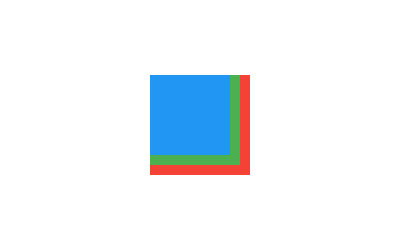
Flutter's Stack: Layering Widgets on Top of Each Other
Flutter's Stack widget lets you overlap children, like layering papers. The first child is at the bottom, the last is on top. Use it for text over images or gradient overlays. The footgun: you can only position children relative to the stack's edges.
Per-tab navigation stacks with StatefulShellRoute
StatefulShellRoute keeps a separate Navigator and preserved state per branch, with a shared shell scaffold.