Add a custom x- field to a FastAPI path operation schema
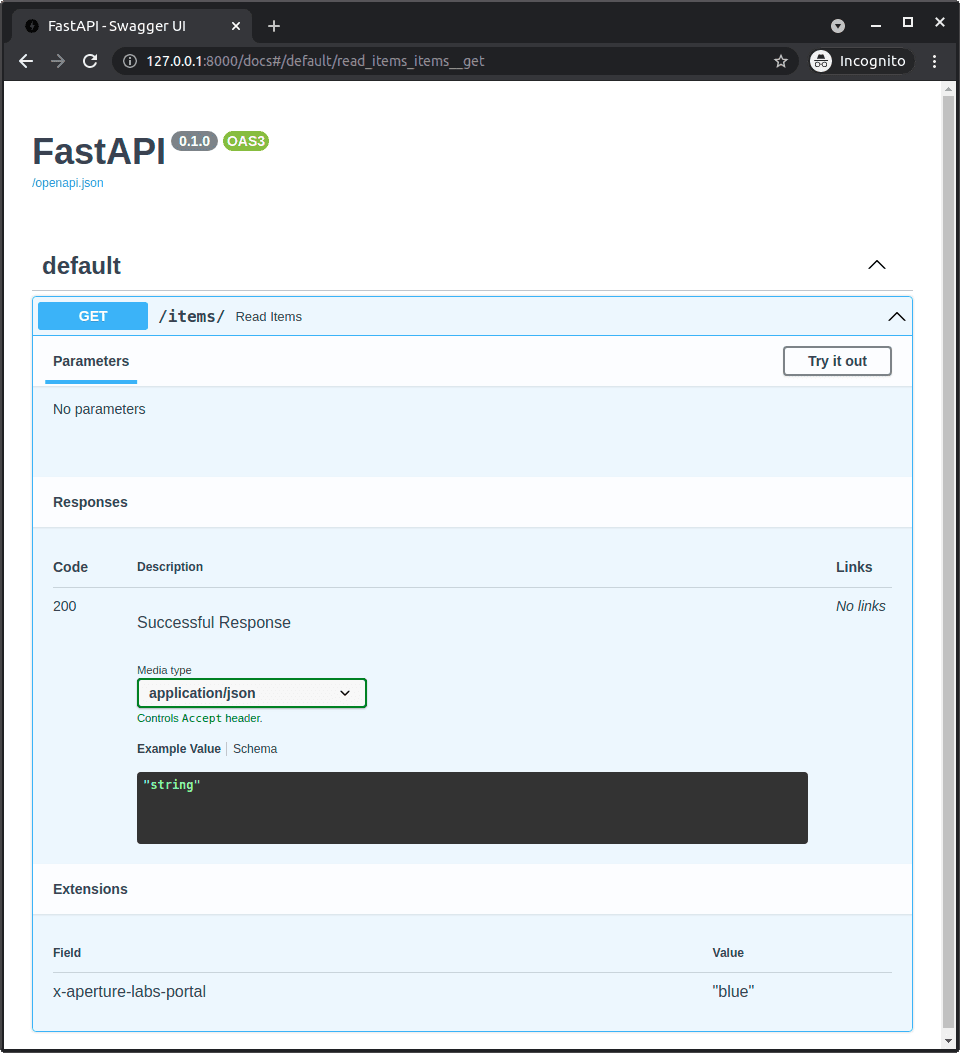
Tests knowledge of FastAPI's built-in OpenAPI extension hook. Answer: cite the path operation decorator's extra-schema dict (OpenAPI Extra) to merge x-internal-id directly. Red flag: proposing manual JSON editing or schema post-processing.
What's really being asked
This question checks if you understand that FastAPI exposes a first-class, decorator-level configuration for per-path OpenAPI metadata. The interviewer wants to see that you know the docs include an OpenAPI Extra section under Path Operation Advanced Configuration, and that you use this built-in hook rather than fighting the framework. It separates seniors who read the advanced docs from those who only know the tutorial basics and would resort to hacks.
The full answer
A strong response hits four things in order. First, name the OpenAPI Extra mechanism described in FastAPI's Path Operation Advanced Configuration docs as the correct place to inject custom fields. Second, explain that it takes a dictionary which FastAPI merges directly into that specific path operation's schema, so the custom field lives next to the route definition. Third, clarify that because the field is non-standard, it belongs in an OpenAPI Extension, which is why the OpenAPI Extensions section exists in the same docs. Fourth, emphasize that this avoids any need to manually edit the final JSON or run a post-processing script after startup.
The mistakes people make
The biggest red flag is suggesting you export the schema, edit the JSON by hand, and serve the static file. Another weak pattern is proposing to override the global OpenAPI schema generator or adding middleware that mutates the schema object on every request. Some candidates suggest using Pydantic model Config or response_model metadata, but those affect schemas for models, not the path operation object itself. A third red flag is saying it cannot be done without a plugin.
What usually comes next
The interviewer may ask how you would apply the same x-internal-id to every route in a router instead of one path. They might ask whether the extra dict overrides standard fields or merges with them. Another follow-up is how to validate that the custom field actually appears in the generated schema during automated testing.
A concrete example
Suppose you have a GET endpoint for internal audits and you want x-internal-id on just that operation. You would use the path operation decorator's extra configuration parameter, documented under OpenAPI Extra, and pass a dictionary containing x-internal-id and your identifier. FastAPI places that key-value pair into the operation object in the generated OpenAPI schema. If you later generate a client from that schema, the custom field travels with the operation metadata without any manual JSON edits or external patching scripts.
Interview question
Which approach lets you add a custom x-internal-id to a single FastAPI path operation schema without manual JSON edits or global overrides?
- a.Pass the field in the path operation decorator's OpenAPI Extra dictionary so FastAPI merges it into that route's operationCorrect
- b.Set the custom field on the endpoint's Pydantic response_model using Config or json_schema_extra
- c.Export the generated OpenAPI JSON, edit it manually, and serve the static file instead of the auto-generated schema
- d.Override the global OpenAPI schema generator to patch the custom field into the final schema object
Why? this is the answer
FastAPI's OpenAPI Extra dictionary is the built-in per-route hook that merges custom keys directly into a specific operation object. Overriding the global schema generator is a common misconception because it is unnecessary for a single route and forces manual reimplementation of default schema generation.
Just read this? Test yourself on what you have been reading.
Read the original → fastapi.tiangolo.com
Put your scrolling time to good use
Learn one idea, try a quiz and save useful cards for revision. Tezvyn makes it easy to learn and stay current in your tech field, a few minutes at a time.
The iPhone app is on the way
We are building it. Until it lands, nothing here is held back from you: every interview card, your saved cards, streaks and the job board all work in Safari, plus hundreds of free practice quizzes of thirty questions each. Sign in and it all carries over to the app the day it arrives.
Want it as an icon? Tap Share at the bottom of Safari, then Add to Home Screen. It opens full screen and the cards you have read stay available offline.
We are hiring for this. Open roles that interview on fastapi — each one lists the topics its interview covers.
See open roles