Add summary and description to a FastAPI endpoint for Swagger UI
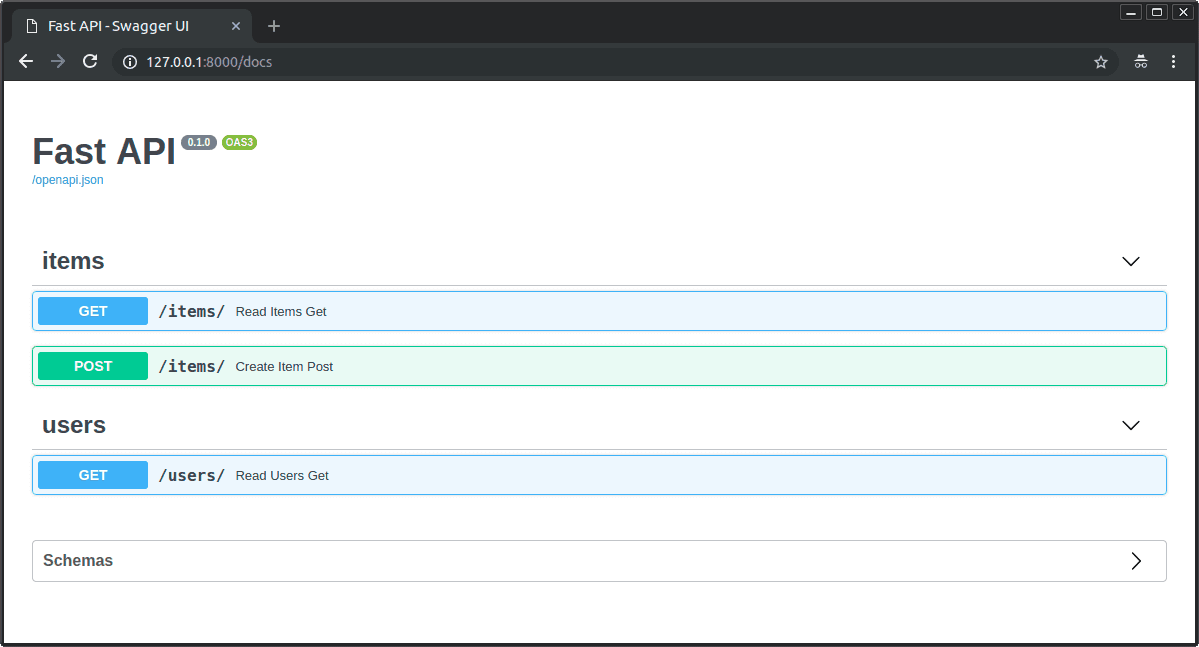
This tests FastAPI path operation decorator configuration. Pass summary and description to @app.get, or use function docstring for description. A red flag is setting metadata inside the function body or confusing docs with Pydantic Field descriptions.
What's really being asked
This question checks whether you understand FastAPI path operation configuration and the distinction between decorator arguments and function implementation details. The interviewer wants to see that you know how OpenAPI metadata is generated and that you are familiar with the developer experience features FastAPI provides out of the box. Specifically they care if you know that Swagger UI documentation for an endpoint is controlled at the decorator level rather than inside the function body.
The full answer
A strong response should mention that you pass summary and description directly to the path operation decorator such as app.get or app.post as keyword arguments. You should note that summary produces the short human readable headline in Swagger UI while description provides the longer explanatory text. You should also mention the docstring shortcut: if you write a docstring under the path operation function FastAPI automatically uses it as the description field in the OpenAPI schema. A senior candidate might briefly note that response_description is a separate parameter for documenting the response itself and that tags help group endpoints in the UI.
The mistakes people make
Red flags include trying to return documentation strings from the function attempting to set these fields inside the function body or confusing endpoint level metadata with Pydantic model Field descriptions. Another mistake is believing you must manually construct the OpenAPI schema or edit JSON to change Swagger UI text. Some candidates incorrectly suggest using Pydantic models or response classes to hold summary text. These errors reveal a misunderstanding of where FastAPI looks for endpoint metadata.
What usually comes next
The interviewer might ask how to add tags to organize endpoints in Swagger UI. They might ask how to mark an endpoint as deprecated. They could also ask what happens when both a docstring and a description parameter are provided or how to customize the response description separately from the main endpoint description. A deeper follow up might explore how to add additional OpenAPI metadata such as operation_id or how to hide an endpoint from the docs.
A concrete example
Imagine an endpoint that retrieves a user profile. You could write at app.get slash users slash user_id summary equals Get user profile description equals Retrieve detailed information about a registered user including preferences and activity history. Alternatively you could omit the description argument and instead place a triple quoted docstring under the function that says the same thing. When you open Swagger UI the endpoint will show Get user profile as the bold title and the longer text underneath. If you also set tags equals users the endpoint appears under the users section in the generated documentation.
Interview question
How do you correctly set the summary and description for a FastAPI endpoint so they appear in Swagger UI?
- a.Manually construct the OpenAPI schema and edit the JSON to include the endpoint text
- b.Add them as Field descriptions to the Pydantic request or response model
- c.Return a dictionary containing summary and description from the endpoint function
- d.Pass them as keyword arguments to the path operation decorator such as app.get or use the function docstring for descriptionCorrect
Why? this is the answer
FastAPI generates Swagger UI metadata from decorator arguments like summary and description, or automatically from the function docstring. Confusing this with Pydantic Field descriptions is wrong because those only document model fields, not the endpoint itself.
Just read this? Test yourself on what you have been reading.
Read the original → fastapi.tiangolo.com
- #fastapi
- #swagger-ui
- #openapi
- #python
- #documentation
Put your scrolling time to good use
Learn one idea, try a quiz and save useful cards for revision. Tezvyn makes it easy to learn and stay current in your tech field, a few minutes at a time.
The iPhone app is on the way
We are building it. Until it lands, nothing here is held back from you: every interview card, your saved cards, streaks and the job board all work in Safari, plus hundreds of free practice quizzes of thirty questions each. Sign in and it all carries over to the app the day it arrives.
Want it as an icon? Tap Share at the bottom of Safari, then Add to Home Screen. It opens full screen and the cards you have read stay available offline.
We are hiring for this. Open roles that interview on fastapi — each one lists the topics its interview covers.
See open roles