Build Dependency Management: Your Project's Recipe
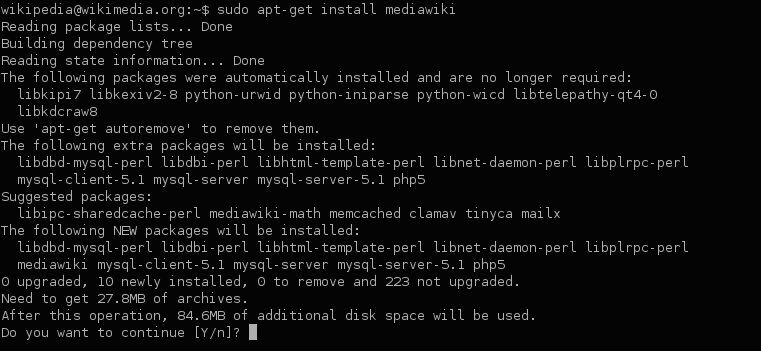
Dependency management is your project's recipe, ensuring everyone uses the same library versions. It's used everywhere from web apps pulling React via npm to Java services using Maven.
Why it exists
Modern software isn't built from scratch. We rely on open-source libraries for everything from web servers to data analysis. Managing these external pieces of code—fetching them, making sure their versions are compatible, and ensuring everyone on the team uses the same ones—quickly becomes complex and error-prone. Dependency management automates this process to ensure builds are consistent and repeatable.
The mental model
A dependency manager acts like a smart shopping list and assembler for your project. You declare what you need (e.g., "I need React, version 18") in a manifest file. The manager then calculates the full list of ingredients, including dependencies of your dependencies (transitive dependencies), fetches the correct versions from a central repository, and installs them for your project.
How it works
The process uses two key files. First, a manifest file (like package.json for npm) where you declare direct dependencies and their version ranges. Second, a lock file (like package-lock.json) that records the exact versions of every single package, including all transitive dependencies, that were installed. When a developer or a CI server runs an install command, the package manager reads the lock file first to install the exact same dependency tree, guaranteeing a consistent environment.
When to use it
You should use dependency management for virtually any software project that relies on external code. It is standard practice for web development (JavaScript, Python), backend services (Java, Go), and data science (Python, R). It is the foundation for creating reproducible and stable builds across developer machines and CI/CD pipelines.
When not to use it
It's rare to avoid it, but you might not need it for a completely self-contained project with zero external libraries, like a simple C program using only the standard library. Another scenario is in highly-regulated environments where all dependencies are "vendored"—meaning copies of the library code are stored directly in your project's repository.
One canonical example
A Node.js developer runs npm install express. This adds express to the package.json manifest and creates a package-lock.json file with the exact version of Express and all its own dependencies. When another developer clones the repo and runs npm install, npm uses package-lock.json to install the identical set of packages, preventing version mismatch errors.
Interview question
How does a dependency manager primarily ensure consistent builds across different environments?
- a.It stores copies of all external libraries directly within the project's repository, a process known as vendoring.
- b.It uses a lock file to record the exact versions of all direct and transitive dependencies for installation.Correct
- c.It automatically updates all dependencies to their newest compatible versions whenever a build is initiated.
- d.It ensures that only the latest stable version of each declared dependency is ever used in the project.
Why? this is the answer
The card states that a lock file records the exact versions of every package, including transitive dependencies, to guarantee a consistent environment across different machines and builds. Options B and D are incorrect because relying on 'latest' or 'newest compatible' versions would lead to inconsistencies if those versions change over time.
Just read this? Test yourself on what you have been reading.
Read the original → en.wikipedia.org
- #dependency management
- #ci/cd
- #package manager
- #build tools
Put your scrolling time to good use
Learn one idea, try a quiz and save useful cards for revision. Tezvyn makes it easy to learn and stay current in your tech field, a few minutes at a time.
The iPhone app is on the way
We are building it. Until it lands, nothing here is held back from you: every interview card, your saved cards, streaks and the job board all work in Safari, plus hundreds of free practice quizzes of thirty questions each. Sign in and it all carries over to the app the day it arrives.
Want it as an icon? Tap Share at the bottom of Safari, then Add to Home Screen. It opens full screen and the cards you have read stay available offline.
We are hiring for this. Every open role lists the topics its interview covers, so you can prepare for the real thing rather than guessing.
See open roles