Composite Design Tokens: Bundling Style Properties
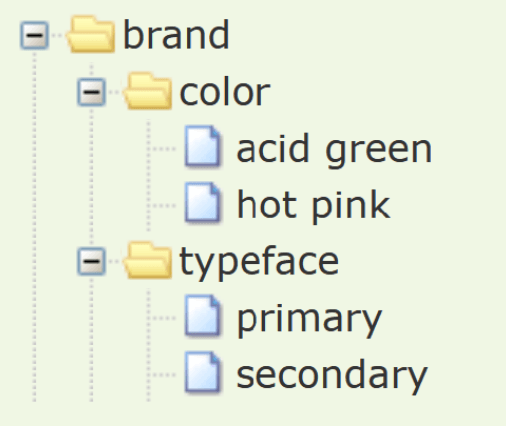
A composite design token bundles multiple style values into a single, semantic unit, like a "style kit" for shadows or typography. Use them to apply complex, multi-property styles like borders or text styles with one reference.
Why it exists
Design systems need to manage not just simple values like a single color, but complex styles composed of multiple properties. Applying font-family, font-size, and font-weight separately for every heading is verbose and error-prone. Composite tokens were created to package these related properties into a single, reusable, and semantic unit.
The mental model
A composite token is a single design token whose value is an object containing multiple properties. It's like a struct or a plain object in programming. Instead of dealing with individual "atomic" tokens for every CSS property, you create a single, named "molecule" that represents a complete style, like a specific shadow effect or a text style.
How it works
You define a token with a specific composite type, like typography or shadow. Its value is an object, not a simple string or number. The keys of this object are the sub-properties (e.g., fontFamily, fontSize for typography; offsetX, offsetY, blur for a shadow). The values of these sub-properties can be raw values or, more powerfully, aliases that reference other atomic tokens.
When to use it
Use composite tokens for any style that is inherently multi-part. The Design Tokens W3C Community Group specification highlights types like border (color, width, style), shadow (offsets, blur, spread, color), gradient (stops, angle), and typography (font family, size, weight, line height). They are perfect for creating high-level, semantic tokens like effect.shadow.card or text.style.body.
When not to use it
Avoid using them for single, indivisible values. A color is just a color; it should be an atomic token, not a composite one. The main footgun is confusing composite tokens with token groups. A group is a namespace for organizing tokens (e.g., color/brand/primary). A composite token is a single, addressable entity with a structured value (e.g., shadow.large). You cannot reference a sub-property of a composite token directly; you apply the whole thing.
One canonical example
Let's define a composite token for a large card shadow. First, we have atomic tokens for spacing and color:
size.space.small: { $value: "4px" }
size.space.medium: { $value: "8px" }
color.shadow.default: { $value: "rgba(0, 0, 0, 0.1)" }
Now, the composite shadow token bundles these using aliases: `effect.shadow.large: {
$type: "shadow",$value: {
"offsetX": "0px",
"offsetY": "{size.space.small}",
"blur": "{size.space.medium}",
"spread": "0px",
"color": "{color.shadow.default}" } }`
A build tool transforms the single effect.shadow.large token into the full CSS box-shadow: 0px 4px 8px 0px rgba(0, 0, 0, 0.1);.
Interview question
Which scenario best demonstrates the appropriate use of a composite design token?
- a.Organizing all color-related tokens within a 'color' namespace.
- b.Storing the hexadecimal value for the primary brand color.
- c.Directly applying only the 'blur' value from a defined shadow token to an element.
- d.Defining a comprehensive text style that includes font family, size, and weight.Correct
Why? this is the answer
A composite design token bundles multiple related style properties into a single, semantic unit, such as a complete typography definition. Storing a single color value, however, is the role of an atomic token, not a composite one.
Just read this? Test yourself on what you have been reading.
Read the original → designtokens.org
- #design systems
- #css
- #design tokens
- #frontend
Put your scrolling time to good use
Learn one idea, try a quiz and save useful cards for revision. Tezvyn makes it easy to learn and stay current in your tech field, a few minutes at a time.
The iPhone app is on the way
We are building it. Until it lands, nothing here is held back from you: every interview card, your saved cards, streaks and the job board all work in Safari, plus hundreds of free practice quizzes of thirty questions each. Sign in and it all carries over to the app the day it arrives.
Want it as an icon? Tap Share at the bottom of Safari, then Add to Home Screen. It opens full screen and the cards you have read stay available offline.
We are hiring for this. Open roles that interview on design systems — each one lists the topics its interview covers.
See open roles