FastAPI: Configure API Metadata for Better Docs
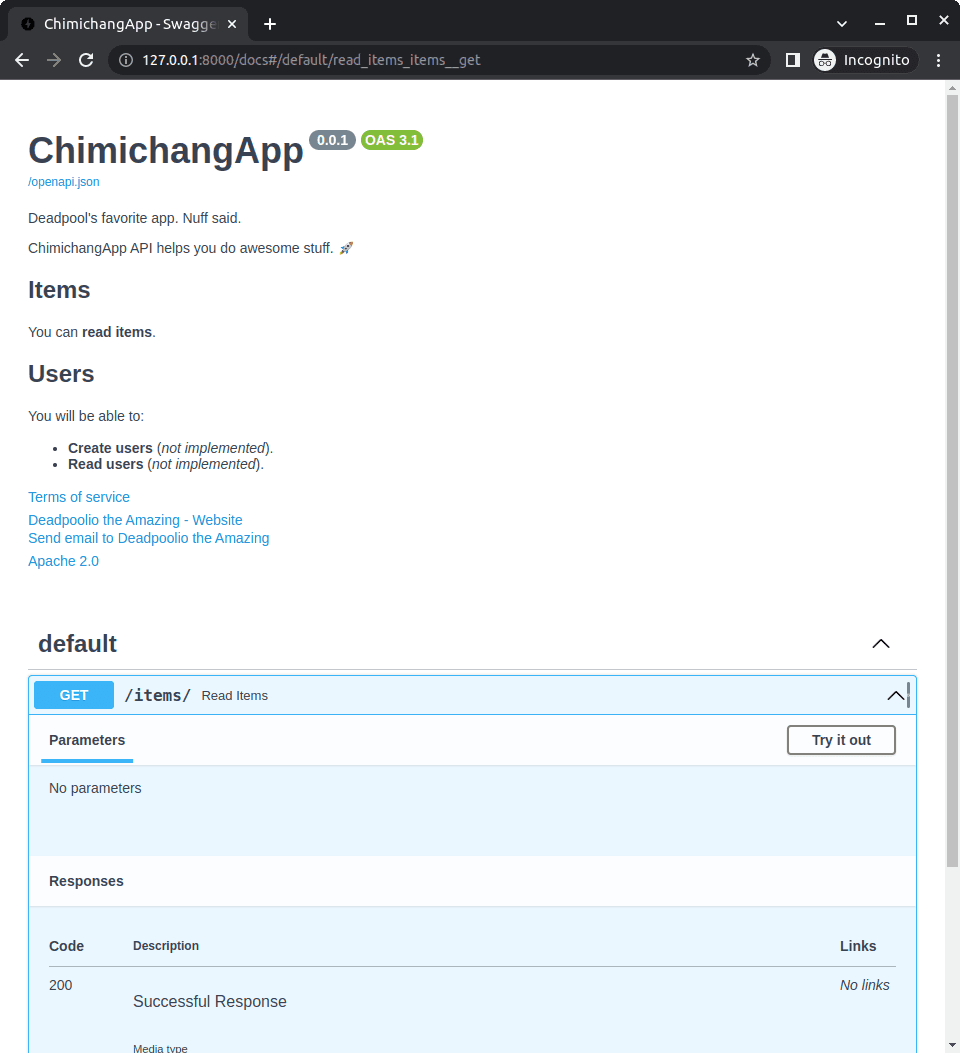
Think of FastAPI metadata as your project's business card. It sets the title, version, and description in your auto-generated docs, making your API professional and discoverable. The main footgun is forgetting to update the version string after a release.
Why it exists
An API without context is just a set of endpoints. To be useful, developers need to know what the API does, what version it is, and who to contact. Metadata provides this essential context, turning a raw service into a usable, professional product by enriching its auto-generated documentation.
The mental model
API metadata is like the cover and title page of a book. It doesn't contain the story (the application logic), but it tells you the title (title), author (contact), edition (version), and a summary blurb (description). It's the first impression your API makes on a developer exploring its documentation.
How it works
You configure metadata by passing arguments directly to the FastAPI class constructor when you initialize your application. For example: app = FastAPI(title="My Awesome API", version="1.2.0"). FastAPI uses these values to populate the corresponding fields in the generated OpenAPI schema. This schema is what powers the interactive documentation pages like Swagger UI (at /docs) and ReDoc (at /redoc). You can also customize the URLs for these docs or disable them entirely by setting docs_url=None.
When to use it
Always configure metadata for any API that will be used by others, whether internal teams or external customers. It's a fundamental part of creating professional, self-documenting services. It is especially critical for public-facing APIs where clear documentation is non-negotiable for adoption.
When not to use it
There's rarely a good reason to skip it. However, for a quick, temporary, or personal script that happens to use a FastAPI endpoint, you might not bother. If you want to hide the documentation from public view for security reasons, it is better to disable the doc URLs (docs_url=None, redoc_url=None) rather than just leaving the metadata blank.
One canonical example
To set up API metadata, you pass arguments to the FastAPI constructor. For instance:
from fastapi import FastAPI
app = FastAPI(
title="BrainBites API",
version="2.5.0",
description="Provides access to tech concept cards.",
contact={"name": "Support", "email": "dev@example.com"},
)
When you run this app and visit the /docs endpoint, the Swagger UI will display "BrainBites API v2.5.0" as the main heading, along with the other provided details.
Interview question
What is the primary purpose of configuring API metadata in a FastAPI application?
- a.To enhance the clarity and discoverability of the API through its documentation.Correct
- b.To automatically generate the underlying business logic for API endpoints.
- c.To improve API response times by caching endpoint definitions.
- d.To enforce strict access control and authentication for all API routes.
Why? this is the answer
The card explicitly states that metadata "enriches its auto-generated documentation" and makes the API "professional and discoverable." It does not handle logic generation, performance, or security.
Just read this? Test yourself on what you have been reading.
Read the original → fastapi.tiangolo.com
Put your scrolling time to good use
Learn one idea, try a quiz and save useful cards for revision. Tezvyn makes it easy to learn and stay current in your tech field, a few minutes at a time.
The iPhone app is on the way
We are building it. Until it lands, nothing here is held back from you: every interview card, your saved cards, streaks and the job board all work in Safari, plus hundreds of free practice quizzes of thirty questions each. Sign in and it all carries over to the app the day it arrives.
Want it as an icon? Tap Share at the bottom of Safari, then Add to Home Screen. It opens full screen and the cards you have read stay available offline.
We are hiring for this. Open roles that interview on python — each one lists the topics its interview covers.
See open roles