FastAPI: Splitting Your App with `include_router`
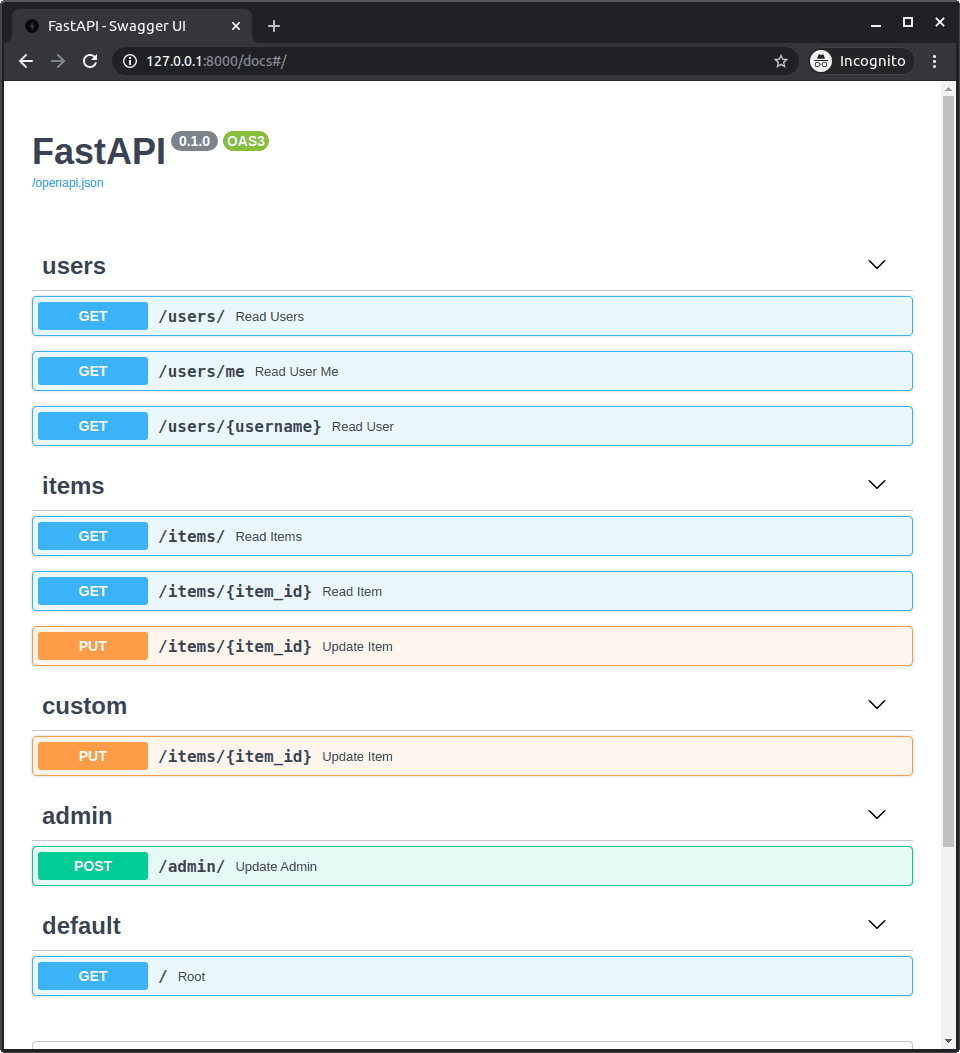
app.include_router is like plugging a pre-wired power strip of API endpoints into your main FastAPI app. It lets you organize a large app into smaller files by feature, then combine them. The footgun is forgetting to add a URL prefix for each router.
Why it exists
A single Python file for all your API endpoints becomes unmanageable as an application grows. You need a way to split your code into logical modules, like users or items, without rewriting common logic or creating a monolithic, hard-to-read file.
The mental model
app.include_router is like plugging a pre-wired power strip into a wall outlet. The power strip is an APIRouter instance from a separate file, with several API endpoints already defined on it. You use include_router to plug this entire module into your main FastAPI app, making all its endpoints live.
How it works
First, you organize your code into modules, often in a routers directory. In each module file (e.g., routers/users.py), you create an instance of APIRouter and attach path operations (@router.get, @router.post) to it. Then, in your main application file (main.py), you import these router objects and use app.include_router() to mount them, adding all their defined routes to the main app.
When to use it
As soon as your main.py starts to feel crowded. It's standard practice for any production-grade FastAPI project to split logic by domain. For example, you might have separate routers for user management, product inventory, and order processing.
When not to use it
For very small projects or microservices with only a handful of endpoints. In these cases, keeping everything in one file is simpler, and using APIRouter would be unnecessary overhead.
One canonical example
In a file routers/items.py, you define router = APIRouter() and a path @router.get("/{item_id}"). In your main.py, you import it and call app.include_router(items.router, prefix="/items", tags=["items"]). This makes the endpoint available at GET /items/{item_id} and groups it under the "items" tag in the API docs. The prefix argument is crucial for avoiding path conflicts between different routers.
Interview question
When using app.include_router, what is the primary purpose of the prefix argument?
- a.To define a base URL path for all endpoints within that router.Correct
- b.To apply specific security dependencies to all routes in the router.
- c.To specify the Python file path where the APIRouter instance is located.
- d.To categorize API documentation entries for better organization.
Why? this is the answer
The 'prefix' argument is crucial for defining the base URL for all endpoints within a router and preventing path conflicts. Option D describes the function of the 'tags' argument, which is used for documentation categorization.
Just read this? Test yourself on what you have been reading.
Read the original → fastapi.tiangolo.com
Put your scrolling time to good use
Learn one idea, try a quiz and save useful cards for revision. Tezvyn makes it easy to learn and stay current in your tech field, a few minutes at a time.
The iPhone app is on the way
We are building it. Until it lands, nothing here is held back from you: every interview card, your saved cards, streaks and the job board all work in Safari, plus hundreds of free practice quizzes of thirty questions each. Sign in and it all carries over to the app the day it arrives.
Want it as an icon? Tap Share at the bottom of Safari, then Add to Home Screen. It opens full screen and the cards you have read stay available offline.
We are hiring for this. Open roles that interview on fastapi — each one lists the topics its interview covers.
See open roles