Fuzz Testing: Finding Bugs with Random, Invalid Inputs
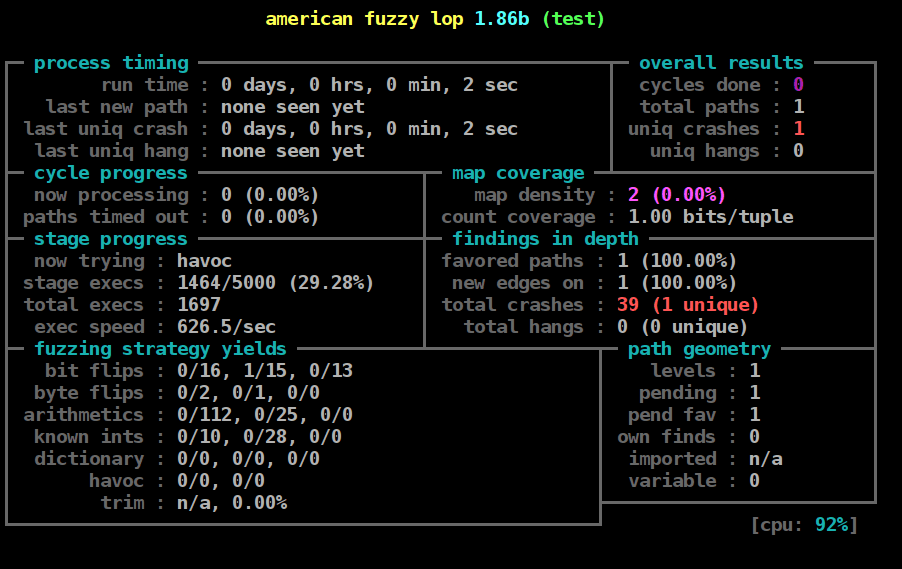
Fuzz testing is automated chaos engineering for your inputs. It feeds your program semi-random, invalid data to uncover crashes and security flaws, especially in code that parses files or network protocols.
Why it exists
Developers test their code against expected, valid inputs. But attackers and real-world corruption don't follow the rules. Fuzzing was created to automate the discovery of bugs that only surface when a program receives malformed, unexpected, or malicious data.
The mental model
Think of a fuzzer as a tireless, malicious user who keeps trying to break your application by feeding it junk. But it's not just random junk. It's intelligently crafted junk, designed to look just enough like a valid file or network packet to get past the front door, then cause chaos inside the deeper logic.
How it works
A fuzzer takes a description of a program's expected input, like a file format or protocol, and generates a massive number of variations. These inputs are often "semi-valid"—they respect the basic structure but contain invalid values, incorrect lengths, or unexpected data in corner cases. The fuzzer then runs the program with each generated input, monitoring for exceptions like crashes, failed assertions, or memory leaks.
When to use it
Fuzzing is highly effective for any code that parses complex, structured data. This is crucial for: first, security testing, to find vulnerabilities like buffer overflows before attackers do; second, protocol handlers, to ensure network services are robust against malformed packets; and third, file format parsers, to test applications that open images, documents, or other complex files.
When not to use it
Fuzzing is not the right tool for testing business logic that isn't directly tied to input parsing, like verifying a financial calculation. It also struggles with programs that require complex state or user interaction before the input is processed, as it primarily focuses on the input-processing boundary.
One canonical example
A fuzzer for a JPEG image decoder would start with a valid image. It would then systematically corrupt it in small ways: changing the width and height values to be enormous or negative, altering data chunks, or providing an incorrect file length. The goal is to see if the decoder crashes or leaks memory when trying to process these broken images, which could indicate a exploitable security vulnerability.
Interview question
For which testing objective would fuzzing be the LEAST appropriate technique?
- a.Verifying an application's financial calculation logic for tax compliance.Correct
- b.Discovering buffer overflows in a PDF document parser.
- c.Testing a network driver's stability when receiving unexpected packet lengths.
- d.Ensuring a web server can gracefully handle malformed HTTP requests.
Why? this is the answer
Fuzzing is highly effective for testing code that parses complex, structured data and for finding security flaws related to malformed inputs. It is explicitly stated as not suitable for testing business logic that isn't directly tied to input parsing, such as financial calculations. The other options describe scenarios where fuzzing excels, like testing protocol handlers or file format parsers for robustness and security.
Just read this? Test yourself on what you have been reading.
Read the original → en.wikipedia.org
Put your scrolling time to good use
Learn one idea, try a quiz and save useful cards for revision. Tezvyn makes it easy to learn and stay current in your tech field, a few minutes at a time.
The iPhone app is on the way
We are building it. Until it lands, nothing here is held back from you: every interview card, your saved cards, streaks and the job board all work in Safari, plus hundreds of free practice quizzes of thirty questions each. Sign in and it all carries over to the app the day it arrives.
Want it as an icon? Tap Share at the bottom of Safari, then Add to Home Screen. It opens full screen and the cards you have read stay available offline.
We are hiring for this. Open roles that interview on testing — each one lists the topics its interview covers.
See open roles