Headless Components: Separate Logic from UI
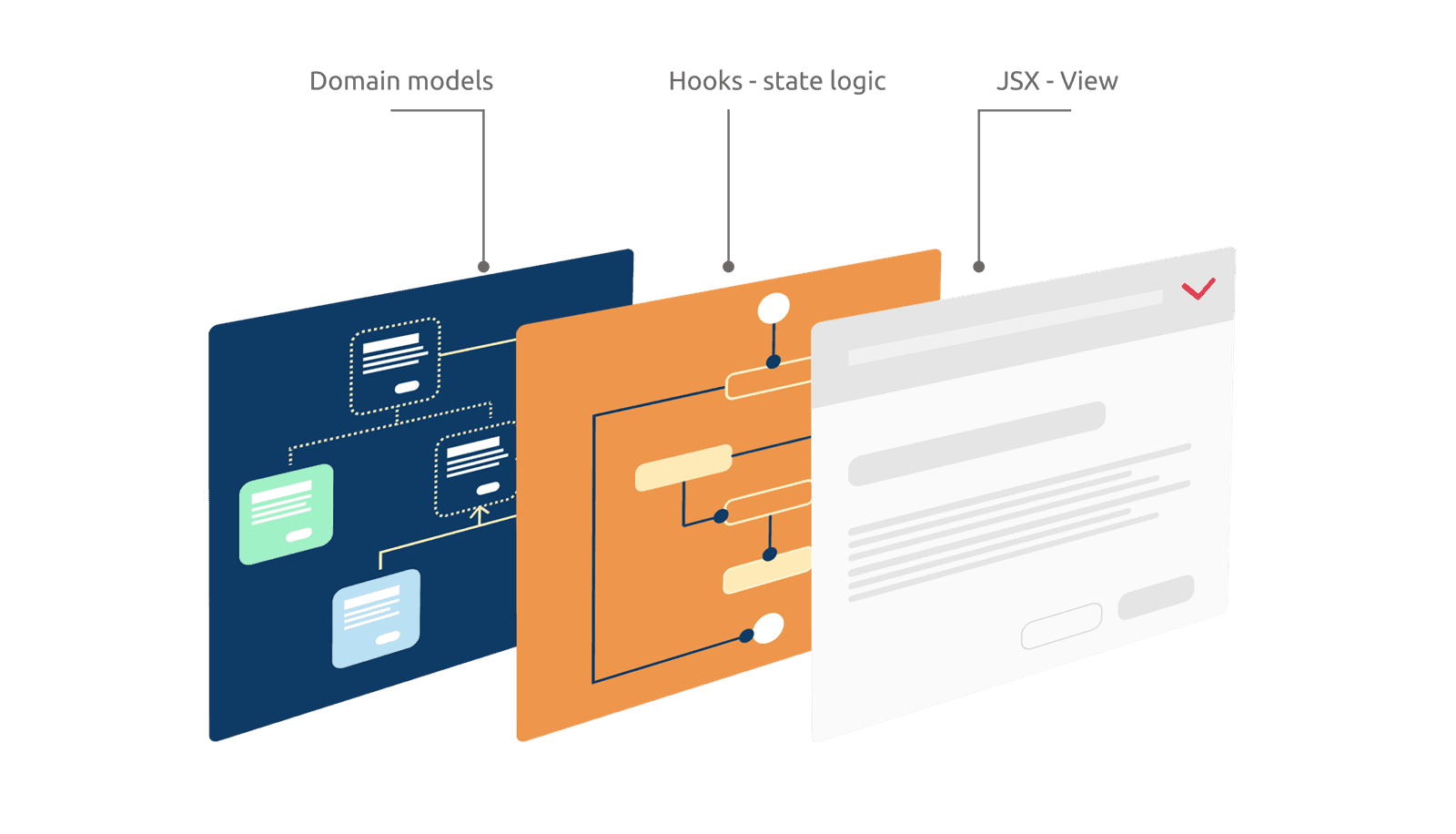
A Headless Component separates a component's logic from its UI, providing the 'brain' without the 'looks'. Use it for complex elements like dropdowns that need consistent behavior but different visual styles. The footgun is assuming it's a drop-in UI.
Why it exists
As UI components evolve, they accumulate complex logic for state management, accessibility, keyboard navigation, and asynchronous data. This logic often becomes tightly coupled with the visual presentation, making the component difficult to test, maintain, and reuse with a different look.
The mental model
A Headless Component is like an engine without a car body. It provides all the power and functionality (the 'brain') but no visual representation (the 'looks'). You get a pre-built, battle-tested engine, and you are free to design and build any car body you want around it, ensuring the core mechanics are consistent.
How it works
This pattern is often implemented as a custom hook in React (e.g., useDropdown). The hook manages all the non-visual logic internally. It returns an object containing state variables (like isOpen or selectedIndex) and props-getter functions (getMenuProps, getItemProps). You call this hook in your own component and spread the returned props onto your custom JSX elements to wire up the logic to your UI.
When to use it
Use this pattern for foundational UI elements that require complex logic but need to appear differently across an application. It's perfect for dropdowns, modals, tabs, and accordions where you want to enforce consistent behavior and accessibility standards while allowing for complete visual freedom. It promotes reusability without sacrificing design flexibility.
When not to use it
Avoid this pattern for simple, one-off components where the logic and UI are trivial. If a pre-styled component from a library already fits your design system and functional needs, using it is more direct. The headless approach adds an extra layer of implementation that is only justified by the need for high reusability and visual customization.
One canonical example
A headless dropdown hook manages the open/close state, keyboard navigation (arrow keys, Enter, Escape), and ARIA attributes. It exposes state like isOpen and functions to control it. A developer consumes this hook to build a fully custom dropdown, applying their own branding and styles to the div and button elements, while the hook ensures the behavior is robust and accessible.
Interview question
What is the core benefit of adopting a Headless Component pattern?
- a.It ensures consistent behavior and accessibility while allowing full visual customization.Correct
- b.It simplifies the styling process by integrating directly with CSS frameworks.
- c.It significantly reduces the total amount of code needed for UI elements.
- d.It provides a complete, pre-styled UI component that is ready for immediate use.
Why? this is the answer
The card states that headless components provide the 'brain' without the 'looks,' ensuring consistent behavior and accessibility while allowing for complete visual freedom. Option D is incorrect because headless components explicitly do not provide visual representation. Options C and D are not the primary benefits; while they might be indirect outcomes, the core advantage is the separation of logic for flexible UI.
Just read this? Test yourself on what you have been reading.
Read the original → martinfowler.com
You just looked this up. Could you explain it out loud?
That is the part interviews actually test. Tezvyn takes questions like this one and gives you what the interviewer is really checking, the answer that lands, and the mistake that ends the conversation, in the four minutes before your next meeting.
The iPhone app is on the way
We are building it. Until it lands, nothing here is held back from you: every interview card, your saved cards, streaks and the job board all work in Safari, plus hundreds of free practice quizzes of thirty questions each. Sign in and it all carries over to the app the day it arrives.
Want it as an icon? Tap Share at the bottom of Safari, then Add to Home Screen. It opens full screen and the cards you have read stay available offline.
We are hiring for this. Open roles that interview on react — each one lists the topics its interview covers.
See open roles