How do you handle versioning and breaking changes in a shared library?
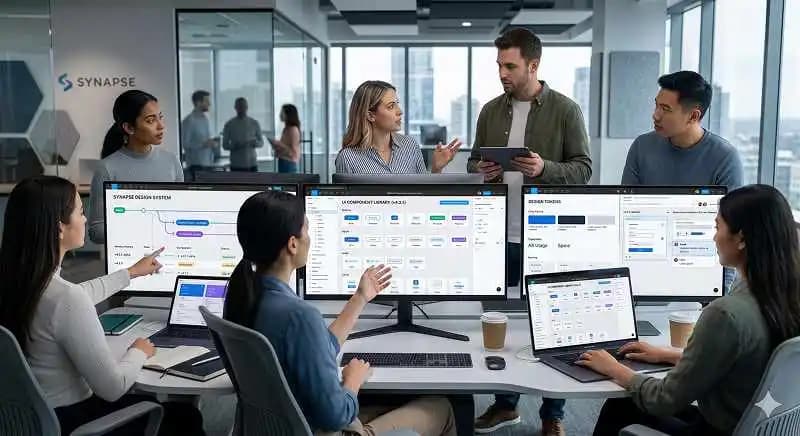
This tests bridging design and engineering workflows. A strong answer covers semantic versioning, a protected main file with branching, a visible changelog, and release alignment with code.
What's really being asked
This question evaluates whether you can govern a shared design system across design and engineering boundaries. The interviewer wants to know if you understand that a Figma library is a production dependency for multiple teams, not just a design artifact. They are looking for process thinking around release management, communication hygiene, and cross-functional alignment.
The full answer
A strong response hits four areas in order. First, adopt Semantic Versioning for the design library, using major bumps for breaking changes like renamed tokens or removed variants, minor bumps for additive changes, and patch bumps for fixes. Second, establish a protected main file and use Figma branching so designers iterate in isolation; merges happen only after review and scheduling. Third, publish a visible changelog and give consuming teams advance notice before releases, especially around their code freezes and release trains. Fourth, keep design tokens and component naming in sync with the codebase so version numbers in Figma map to package versions in code.
The mistakes people make
A red flag is treating Figma Publish as if it were Git version control. Another weak pattern is saying you would just message the team in Slack after publishing, with no changelog or versioning. Saying breaking changes are fine because teams can simply detach instances also signals a lack of operational discipline. Finally, suggesting separate library files per team avoids the question; the interviewer wants a shared source of truth.
What usually comes next
The interviewer may ask how you handle urgent hotfixes when multiple apps are on different versions. They might also ask how you deprecate a component without breaking existing screens, or how you enforce the branching policy when designers are used to working directly in the main file. Another common pivot is asking how you measure adoption or rollback a published change.
A concrete example
Suppose you need to update a button component to meet new accessibility contrast requirements, which changes the default color token. You create a Figma branch named button-a11y-contrast, update the token, and open a review. You schedule the change for version 2.0.0 because it alters the default appearance. Two weeks before the release, you post a changelog entry and notify all consuming teams with the new version number and migration steps. You align with engineering so the code token release matches the Figma library version. After teams confirm they are ready, you merge the branch into main and publish.
Interview question
You must update a shared Figma component in a way that alters its default appearance. Which approach best demonstrates operational discipline?
- a.Allow each consuming team to maintain its own copy of the library file to avoid breaking changes
- b.Publish the change immediately and message the team in Slack afterward with no formal versioning
- c.Merge the branch into main right after design review and let teams detach instances if the change breaks their screens
- d.Create a Figma branch, schedule a major version bump, publish a changelog with migration steps, and align with engineering's releaseCorrect
Why? this is the answer
Option D correctly applies branching, a major version bump, a changelog with migration steps, and engineering alignment. Option C is tempting because it includes branching, but merging immediately without scheduling and advising teams to detach instances shows a lack of operational discipline.
Just read this? Test yourself on what you have been reading.
Read the original → raflifahrezi.com
- #design systems
- #figma
- #version control
- #cross-functional collaboration
- #semantic versioning
Put your scrolling time to good use
Learn one idea, try a quiz and save useful cards for revision. Tezvyn makes it easy to learn and stay current in your tech field, a few minutes at a time.
The iPhone app is on the way
We are building it. Until it lands, nothing here is held back from you: every interview card, your saved cards, streaks and the job board all work in Safari, plus hundreds of free practice quizzes of thirty questions each. Sign in and it all carries over to the app the day it arrives.
Want it as an icon? Tap Share at the bottom of Safari, then Add to Home Screen. It opens full screen and the cards you have read stay available offline.
We are hiring for this. Open roles that interview on design systems — each one lists the topics its interview covers.
See open roles