Optimistic UI: Assume Success for a Faster Feel
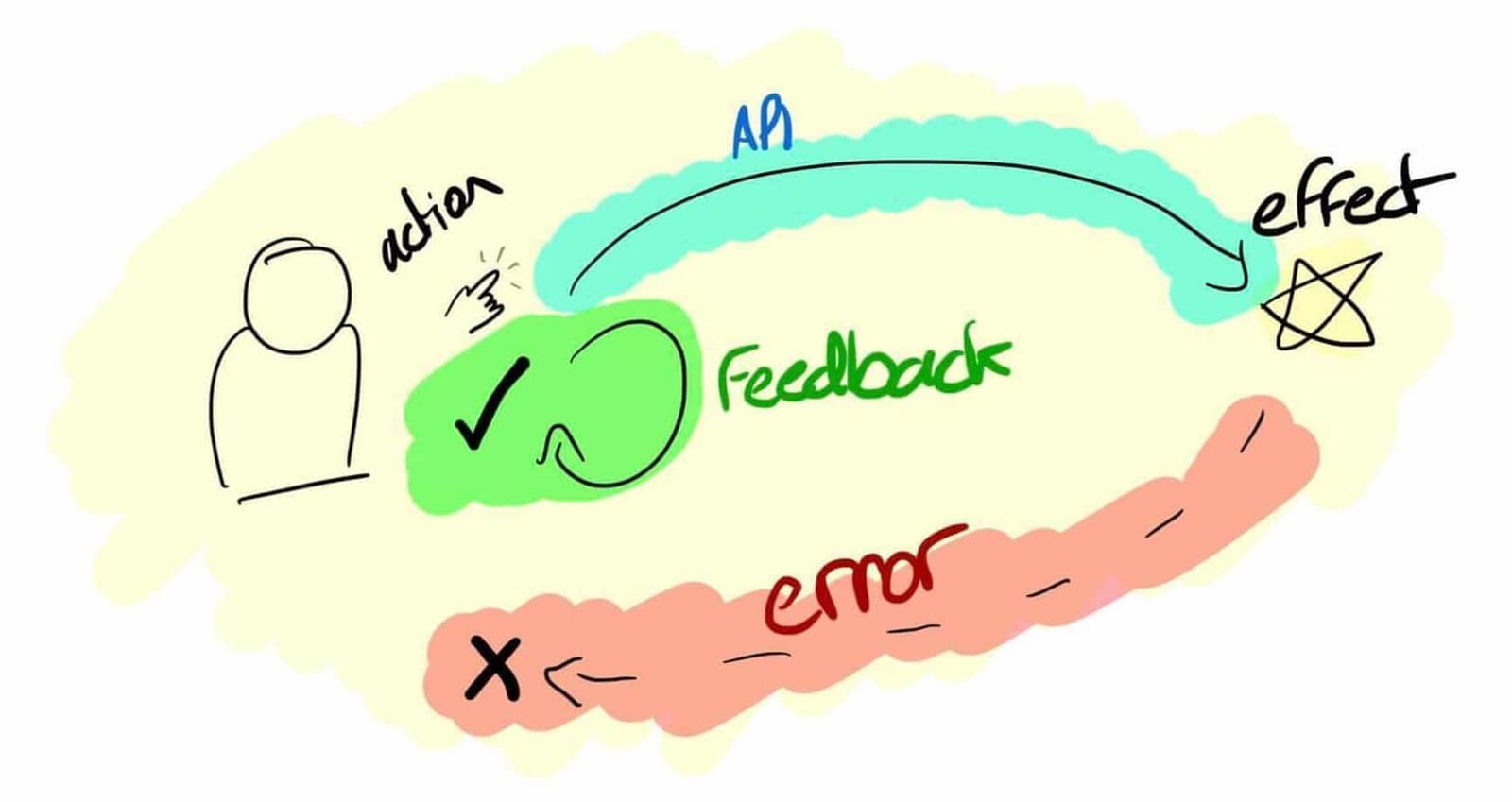
An optimistic UI assumes an action will succeed, updating the interface instantly instead of waiting for the server. This makes actions like liking a post or adding to a cart feel instant. The footgun is failing to revert the UI when the server reports an.
Why it exists
Users perceive delays starting around 100ms. A standard network request can easily exceed this, making an application feel sluggish. Waiting for a server to confirm an action binds the user experience to unpredictable network conditions, creating frustrating delays for simple interactions.
The mental model
Assume the best, but prepare for the worst. An optimistic UI decouples the feedback loop from the execution loop. Instead of making the user wait for a server round-trip, the UI updates immediately as if the action succeeded. The actual server request happens in the background.
How it works
When a user performs an action, like clicking a 'like' button, the application immediately updates the local UI state to show the 'liked' state. Simultaneously, it sends the API request to the server. If the request succeeds, nothing more is needed. If the request fails, the application must have logic to roll back the UI change to its original state and, ideally, inform the user of the failure. This rollback is the most critical part of the pattern.
When to use it
This pattern is best for frequent, low-risk, atomic actions where success is the most likely outcome. Good candidates include liking a post, favoriting an item, or adding a product to a shopping cart. The goal is to improve the feel of the app for common interactions without introducing significant risk.
When not to use it
Avoid optimistic updates for critical, irreversible, or complex transactions. Operations like final payment submission, account deletion, or actions with significant downstream consequences require explicit confirmation from the server. Showing a user their payment went through when it actually failed would be a catastrophic user experience.
One canonical example
Twitter's 'like' button is a classic case. When you click the heart, it animates and fills in instantly, providing immediate feedback. In the background, an API call is sent. If your network is spotty and the call fails, it might retry silently. If it ultimately fails after several attempts, the heart will revert to its empty state, correctly reflecting the server's reality without having blocked the initial interaction.
Interview question
What is the most critical aspect to correctly implement in an Optimistic UI pattern to ensure a robust and reliable user experience?
- a.Instantly updating the UI to reflect the assumed success of the user's action.
- b.Ensuring the server request is sent asynchronously in the background.
- c.Providing a clear and immediate rollback mechanism for UI changes upon server failure.Correct
- d.Restricting its application solely to actions that have a near-100% success rate.
Why? this is the answer
The card states, "This rollback is the most critical part of the pattern." While instantly updating the UI provides the immediate 'faster feel,' without a reliable rollback, the UI can display incorrect information if the server request fails, leading to a poor user experience. Option A describes the initial benefit, but not the critical reliability component.
Just read this? Test yourself on what you have been reading.
Read the original → simonhearne.com
- #frontend
- #ux
- #performance
- #ui-patterns
Put your scrolling time to good use
Learn one idea, try a quiz and save useful cards for revision. Tezvyn makes it easy to learn and stay current in your tech field, a few minutes at a time.
The iPhone app is on the way
We are building it. Until it lands, nothing here is held back from you: every interview card, your saved cards, streaks and the job board all work in Safari, plus hundreds of free practice quizzes of thirty questions each. Sign in and it all carries over to the app the day it arrives.
Want it as an icon? Tap Share at the bottom of Safari, then Add to Home Screen. It opens full screen and the cards you have read stay available offline.
We are hiring for this. Open roles that interview on frontend — each one lists the topics its interview covers.
See open roles