Spark RDDs: Immutable, Distributed Data Collections
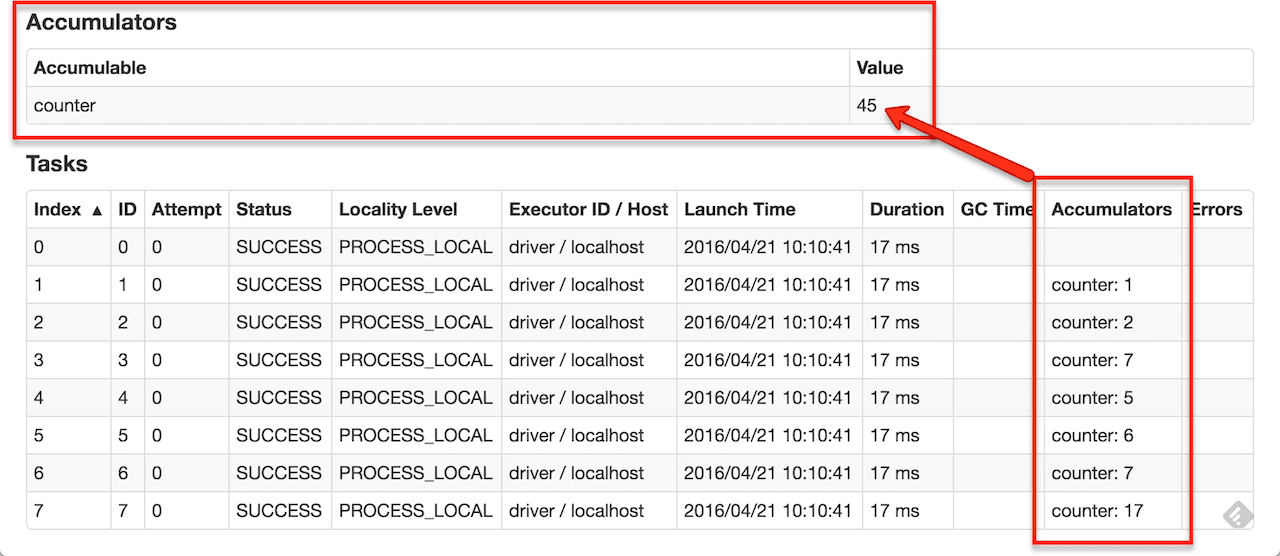
An RDD is Spark's core abstraction: an immutable, partitioned collection of items processed in parallel. It's the go-to for low-level, unstructured data tasks. The main footgun is using RDDs when higher-level DataFrames offer better performance.
Why it exists
RDDs were created to provide a fault-tolerant, parallel abstraction for in-memory cluster computing. Previous models like MapReduce relied heavily on writing intermediate results to disk, which is slow. RDDs allow Spark to keep data in memory between steps, dramatically speeding up iterative algorithms used in machine learning and graph analysis.
The mental model
An RDD is an immutable, distributed collection of objects. "Immutable" means you can't change it; you create new RDDs by applying transformations. "Distributed" means the data is partitioned across multiple nodes in a cluster. "Resilient" means if a node fails, Spark can automatically recompute the lost data partition using its lineage—the recorded history of transformations.
How it works
You create an RDD by loading data from a distributed file system (like HDFS) or by parallelizing a collection in your driver program. You then apply a series of transformations (e.g., map, filter, join) which are lazily evaluated. This means Spark builds a logical execution plan but does nothing until an action (e.g., count, collect, save) is called. The action triggers the actual computation across the cluster.
When to use it
Use RDDs when you need fine-grained, low-level control over data processing. They are best suited for unstructured data (like raw text logs or media files) or when implementing complex algorithms that don't fit the structured model of DataFrames. They give you direct control over data partitioning and placement.
When not to use it
Avoid RDDs for structured or semi-structured data. For these cases, use Spark's DataFrame or Dataset APIs. These higher-level abstractions have a schema and benefit from the Catalyst query optimizer, which generates significantly more efficient execution code. Choosing RDDs over DataFrames for structured data is a common performance anti-pattern.
One canonical example
A classic word count. First, you create an RDD from a text file. Second, you apply a flatMap transformation to split each line into words. Third, you map each word to a (word, 1) pair. Finally, you use reduceByKey to sum the counts for each word. An action like collect() triggers the entire chain of computation and returns the final counts to your driver program.
Interview question
When is it most appropriate to use Spark RDDs for a data processing task?
- a.To leverage Spark's Catalyst optimizer for automatic performance tuning.
- b.When dealing with unstructured data or requiring fine-grained control over processing logic.Correct
- c.When processing structured data to ensure maximum fault tolerance through disk persistence.
- d.For tasks requiring only actions, as transformations in RDDs are immediately executed.
Why? this is the answer
The card explicitly states that RDDs are best suited for "unstructured data" or when "you need fine-grained, low-level control." DataFrames, not RDDs, benefit from the Catalyst optimizer for structured data, and RDD transformations are lazily evaluated, not immediately executed.
Just read this? Test yourself on what you have been reading.
Read the original → spark.apache.org
- #spark
- #big data
- #distributed computing
- #data engineering
Put your scrolling time to good use
Learn one idea, try a quiz and save useful cards for revision. Tezvyn makes it easy to learn and stay current in your tech field, a few minutes at a time.
The iPhone app is on the way
We are building it. Until it lands, nothing here is held back from you: every interview card, your saved cards, streaks and the job board all work in Safari, plus hundreds of free practice quizzes of thirty questions each. Sign in and it all carries over to the app the day it arrives.
Want it as an icon? Tap Share at the bottom of Safari, then Add to Home Screen. It opens full screen and the cards you have read stay available offline.
We are hiring for this. Every open role lists the topics its interview covers, so you can prepare for the real thing rather than guessing.
See open roles