Static vs. Dynamic Linking: Code Size vs. Flexibility
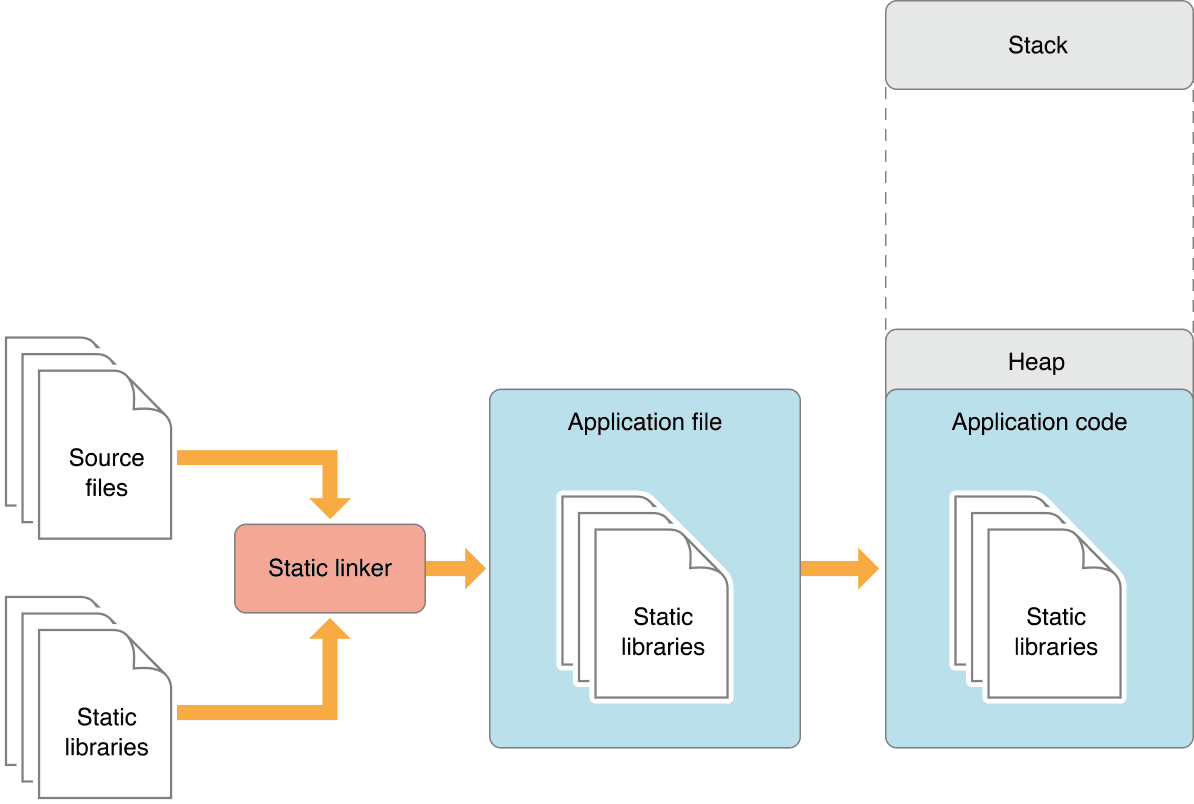
Static linking bakes library code into your app, creating a large but self-contained executable. Dynamic linking loads libraries at runtime, saving space. This choice impacts app size, launch time, and updates.
Why it exists
Apps need to use shared code from libraries. The core problem is how to package and load that code. The choice between static and dynamic linking is a fundamental tradeoff between creating a self-contained package versus an efficient, flexible one that can be updated independently.
The mental model
Static linking is like baking a cake with all ingredients (libraries) mixed directly into the batter (the app executable). The final cake is huge but has everything it needs inside. Dynamic linking is like getting a recipe that lists ingredients you fetch from the system's pantry (the OS) only when you're ready to bake.
How it works
A static linker combines your compiled code with the library code into a single, large executable file. When your app launches, this entire file is loaded into memory. In contrast, dynamic linking doesn't copy the library code. It just records a reference. At launch, the operating system's dynamic loader (dyld) finds these libraries, loads them into memory, and connects your app to them. If another app uses the same library, the OS can share the single copy in memory.
When to use it
Use dynamic linking for most modern app development. All system frameworks like UIKit and SwiftUI are dynamic, which is how OS updates can improve your app's behavior without you recompiling. It reduces your app's download size and can improve launch time by loading code only when needed. Use static linking for small, simple dependencies where you want to lock to a specific version and avoid managing external files.
When not to use it
Avoid static linking for numerous or large libraries, as it dramatically bloats your app's binary size and initial memory footprint. It also complicates updates, as fixing a bug in a static library requires you to recompile and reship your entire app. For dynamic libraries, the footgun is versioning: if you create and distribute a dynamic library, you are responsible for maintaining API compatibility. A breaking change will crash client apps.
One canonical example
Every iOS app uses the UIKit framework. Your app's executable file does not contain the code for UIButton or UIViewController. Instead, it is dynamically linked against the UIKit framework provided by the operating system. When Apple updates iOS, they can fix bugs or improve performance in UIKit, and your app benefits automatically without you shipping a new version.
Interview question
An operating system releases an update that includes a critical bug fix for a widely used system library. Which statement accurately describes the typical outcome based on linking strategy?
- a.Statically linked applications would experience runtime errors or crashes due to the updated library's incompatibility with their baked-in version.
- b.Dynamically linked applications would automatically benefit from the bug fix without requiring any action from the developer or reinstallation.Correct
- c.Applications linked statically would automatically receive the bug fix upon system update, as the OS manages all core libraries.
- d.Dynamically linked applications would require the developer to recompile and reship their app to incorporate the fix.
Why? this is the answer
Dynamic linking allows applications to reference system libraries, meaning an OS update fixing a bug in such a library automatically benefits the dynamically linked applications without developer intervention. Statically linked applications, however, contain their own copy of the library, so they would not receive the fix unless the developer recompiled and re-released the app.
Just read this? Test yourself on what you have been reading.
Read the original → developer.apple.com
- #linking
- #ios
- #performance
- #compilation
Put your scrolling time to good use
Learn one idea, try a quiz and save useful cards for revision. Tezvyn makes it easy to learn and stay current in your tech field, a few minutes at a time.
The iPhone app is on the way
We are building it. Until it lands, nothing here is held back from you: every interview card, your saved cards, streaks and the job board all work in Safari, plus hundreds of free practice quizzes of thirty questions each. Sign in and it all carries over to the app the day it arrives.
Want it as an icon? Tap Share at the bottom of Safari, then Add to Home Screen. It opens full screen and the cards you have read stay available offline.
We are hiring for this. Every open role lists the topics its interview covers, so you can prepare for the real thing rather than guessing.
See open roles