Visual Regression Testing: Spot the Difference for UIs
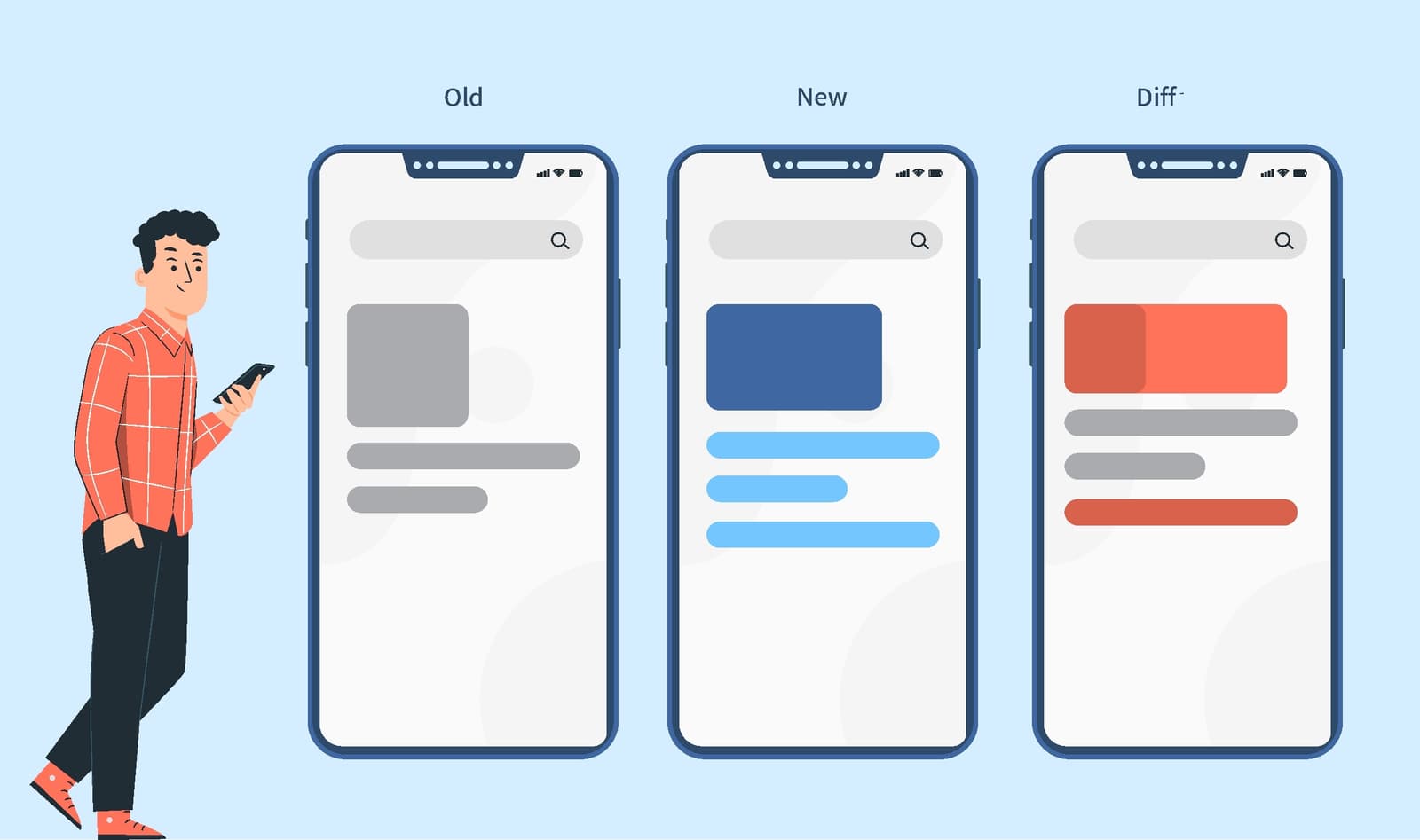
Visual regression testing is like an automated 'spot the difference' for your UI, catching visual bugs functional tests miss. It's used in CI/CD to compare screenshots before and after a code change.
Why it exists
Functional tests ensure an application works, but not that it looks right. A button can be clickable but be 100px to the left, the wrong color, or hidden behind another element. Visual regressions degrade user trust and break the user experience, and are tedious and unreliable to catch manually across many browsers and devices.
The mental model
Think of it as an automated 'spot the difference' game. You provide a 'before' picture (the baseline) of a UI component or page. After you change your code, a tool takes an 'after' picture and highlights every single pixel that changed. Your job is to look at the highlighted differences and decide if the change was an intended improvement or an accidental bug.
How it works
The process involves three main steps. First, a tool captures a baseline image of a UI component in a known-good state. Second, after code changes are committed, the tool captures a new image of the same component in the exact same environment. Third, a pixel-by-pixel comparison is performed. If differences are found, the tool generates a 'diff' image that highlights the changes for a developer to review. If the change is intended, the developer approves it, and the new image becomes the baseline for future tests. If it's a bug, they reject it and fix the code.
When to use it
Use it in your CI/CD pipeline to automatically verify the visual integrity of your UI components and pages. It is especially valuable for design systems, component libraries, and applications where visual consistency is critical. It acts as a safety net against unexpected CSS side effects that are easy for developers to miss during code review.
When not to use it
Avoid using it on pages with highly dynamic, unpredictable content like third-party ads, live data feeds, or complex animations, as these will constantly trigger false positives. The overhead of managing baselines for rapidly changing, low-impact pages may also outweigh the benefits. It is not a replacement for functional testing; it complements it.
One canonical example
A developer updates the padding on a primary button component in a design system. They run the visual regression tests. The test for the button component fails, showing a diff where the button is slightly larger. This is expected, so they approve the change. However, a test for the site's main login form also fails. The diff shows the larger button now overlaps the 'Forgot Password' link. This is an unintended side effect—a visual bug—that the developer can now fix before it reaches production.
Interview question
What specific type of issue does visual regression testing primarily address that functional tests often miss?
- a.Unexpected changes in the visual appearance or layout of UI components.Correct
- b.Broken user interactions, such as a non-clickable button.
- c.Incorrect data displayed on the user interface.
- d.Slow loading times or poor rendering performance of UI elements.
Why? this is the answer
Visual regression testing is designed to catch visual discrepancies like an element shifting position or changing color, which functional tests, focused on behavior and logic, would typically overlook. Option B describes a functional issue that functional tests are specifically designed to catch.
Just read this? Test yourself on what you have been reading.
Read the original → browserstack.com
Put your scrolling time to good use
Learn one idea, try a quiz and save useful cards for revision. Tezvyn makes it easy to learn and stay current in your tech field, a few minutes at a time.
The iPhone app is on the way
We are building it. Until it lands, nothing here is held back from you: every interview card, your saved cards, streaks and the job board all work in Safari, plus hundreds of free practice quizzes of thirty questions each. Sign in and it all carries over to the app the day it arrives.
Want it as an icon? Tap Share at the bottom of Safari, then Add to Home Screen. It opens full screen and the cards you have read stay available offline.
We are hiring for this. Open roles that interview on testing — each one lists the topics its interview covers.
See open roles