Vuex: A Central Store for Your App's State
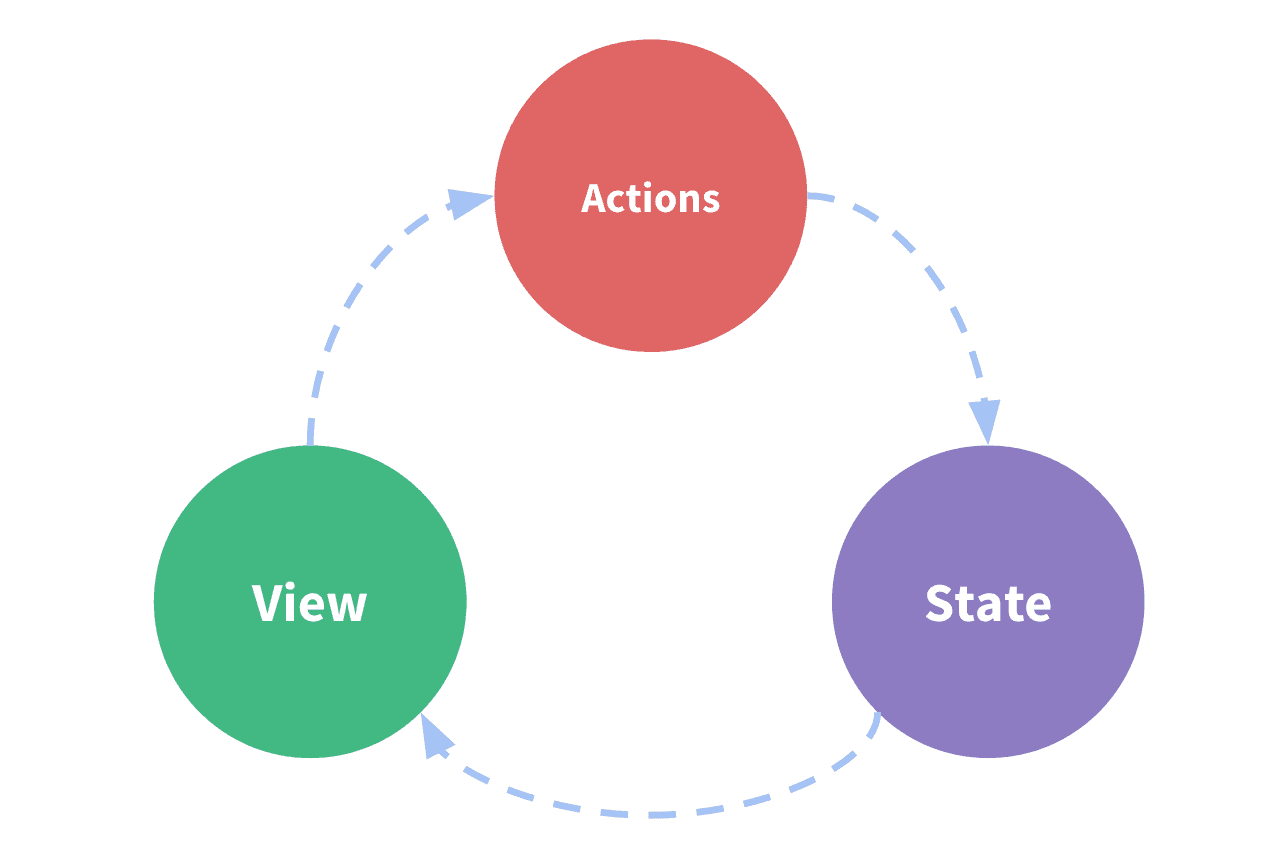
Vuex acts as a global warehouse for your app's shared data, letting any component access state without complex prop-drilling. It's for large apps where components need to sync up. The footgun: For new projects, use Pinia, Vue's new official state library.
Why it exists
In a growing Vue app, components often need to share data. Passing this data down through many layers of components ("prop drilling") is tedious, and syncing changes between sibling components is brittle and error-prone. Vuex was created to solve this coordination problem by providing a single source of truth.
The mental model
Think of a Vuex store as a global singleton—a single, centralized warehouse that holds the application's shared state. Your components become "views" that can read from this store. Instead of components managing their own copies of shared data, they all refer to this one source of truth, making state management predictable.
How it works
Vuex enforces a strict one-way data flow. Components don't change the state directly. Instead, they trigger changes by dispatching "actions" (e.g., 'addToCart'). These actions then commit "mutations," which are the only functions allowed to actually alter the state. This pattern ensures all state changes are explicit and trackable. Components can also use "getters" to compute derived state from the store, like a filtered list or a cart total.
When to use it
Use Vuex in existing medium-to-large-scale single-page applications where you're struggling to manage shared state across many components. If you're building features like shopping carts, user authentication status, or application-wide themes that multiple components need to react to, Vuex provides needed structure.
When not to use it
Avoid Vuex for simple applications, as its boilerplate and concepts are overkill. Most importantly, for any new Vue project, the official recommendation is to use Pinia instead. Pinia is the new default state management library for Vue, offering a simpler API, and is considered the successor to Vuex (effectively Vuex 5).
One canonical example
A shopping cart is a classic use case. A Cart component displays items, a Product component has an "Add to Cart" button, and a Navbar shows the item count. Without a store, syncing this is messy. With Vuex, the cart's contents live in the store. The Product component dispatches an 'addItem' action, and both the Cart and Navbar components reactively update because they read from the same centralized state.
Interview question
When would a developer typically choose not to implement Vuex in a Vue.js application?
- a.The application is a brand new project being developed today.Correct
- b.State changes involve asynchronous operations like API calls.
- c.The application is small and does not require complex state management.
- d.Components only need to access global state without modifying it.
Why? this is the answer
The card explicitly states that "for any new Vue project, the official recommendation is to use Pinia instead," making it the primary reason to avoid Vuex in new development. While Vuex is overkill for small applications (Option C), the recommendation for Pinia applies regardless of size for new projects. Options C and D describe scenarios where Vuex would typically be beneficial.
Just read this? Test yourself on what you have been reading.
Read the original → vuex.vuejs.org
Put your scrolling time to good use
Learn one idea, try a quiz and save useful cards for revision. Tezvyn makes it easy to learn and stay current in your tech field, a few minutes at a time.
The iPhone app is on the way
We are building it. Until it lands, nothing here is held back from you: every interview card, your saved cards, streaks and the job board all work in Safari, plus hundreds of free practice quizzes of thirty questions each. Sign in and it all carries over to the app the day it arrives.
Want it as an icon? Tap Share at the bottom of Safari, then Add to Home Screen. It opens full screen and the cards you have read stay available offline.
We are hiring for this. Open roles that interview on vue — each one lists the topics its interview covers.
See open roles