What's the functional difference between wireframes, mockups, and prototypes? Describe a scenario.
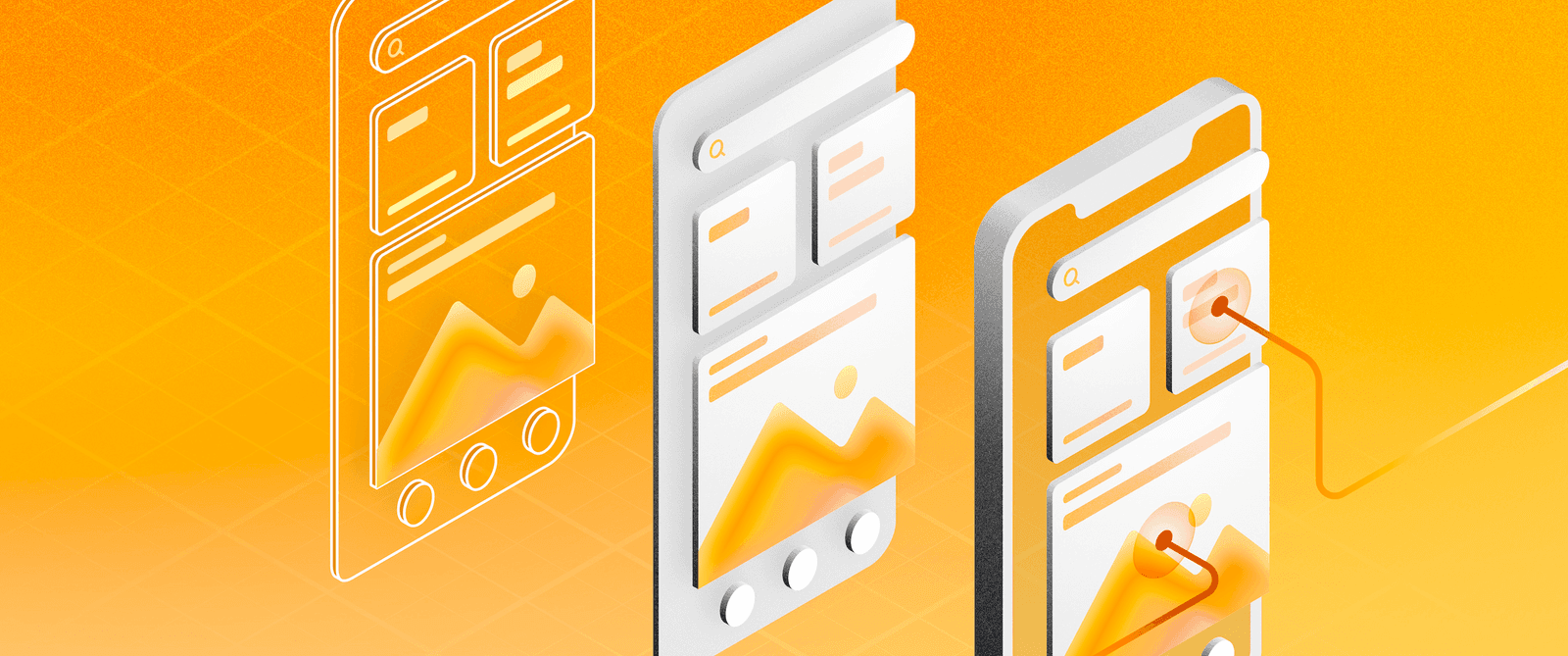
This tests whether you distinguish structure, visuals, and interactivity. A strong answer defines each by fidelity and function, then names a lifecycle stage like using wireframes in discovery to align scope before visual design.
What's really being asked
The interviewer wants to know if you understand the product development pipeline beyond visual polish. They are checking whether you can match fidelity and interactivity to the right stage of a project, and whether you can defend a resource decision under time constraints.
The full answer
First, define wireframes as low-fidelity blueprints that communicate page structure and element hierarchy without color, typography, or interaction. Second, define mockups as high-fidelity static renders that showcase the final visual design including branding, imagery, and precise layouts. Third, define prototypes as interactive models that simulate user flows and functionality, allowing stakeholders to experience the product before engineering begins. Fourth, anchor these definitions to the product lifecycle by naming a specific scenario, such as choosing a wireframe during discovery to validate information architecture with minimal effort, selecting a mockup during the design phase to secure stakeholder buy-in on aesthetics, or building a prototype during usability testing to catch navigation flaws before writing production code.
The mistakes people make
A red flag is treating the three terms as synonyms or saying the only difference is how good they look. Another mistake is claiming prototypes are just animated mockups without mentioning functional validation or user testing. Saying you always start with a prototype signals poor resource management, since high-fidelity interaction design is expensive to revise. Similarly, insisting on a mockup for every early brainstorm slows down iteration.
What usually comes next
The interviewer may ask how you handle stakeholder feedback at each stage, or when you would skip a mockup and move straight from wireframe to prototype. They might also probe whether you build prototypes in code or design tools, and how you decide when fidelity is high enough for developer handoff.
A concrete example
Imagine your team is planning a new checkout flow. In week one, you create a wireframe to decide whether shipping and payment should sit on one page or two. After the team agrees on the structure, you move to a mockup to present the branded layout to marketing. Finally, you build a clickable prototype that lets users test the error states for an invalid credit card, catching friction before the sprint starts.
Interview question
Your team needs to test whether users can complete a checkout flow and catch navigation flaws before engineers write production code. Which deliverable should you build?
- a.Prototype, to simulate user flows and enable functional validationCorrect
- b.Wireframe, to validate the page structure with minimal effort
- c.Animated mockup, to demonstrate interface motion without engineering
- d.Mockup, to secure stakeholder buy-in on final visual design
Why? this is the answer
A prototype is an interactive model that simulates user flows for usability testing before engineering begins. An animated mockup is tempting but insufficient because it lacks true functional validation, which is required to catch real navigation issues.
Just read this? Test yourself on what you have been reading.
Read the original → sketch.com
- #wireframes
- #mockups
- #prototypes
- #product-design
- #ui-design
Put your scrolling time to good use
Learn one idea, try a quiz and save useful cards for revision. Tezvyn makes it easy to learn and stay current in your tech field, a few minutes at a time.
The iPhone app is on the way
We are building it. Until it lands, nothing here is held back from you: every interview card, your saved cards, streaks and the job board all work in Safari, plus hundreds of free practice quizzes of thirty questions each. Sign in and it all carries over to the app the day it arrives.
Want it as an icon? Tap Share at the bottom of Safari, then Add to Home Screen. It opens full screen and the cards you have read stay available offline.
We are hiring for this. Every open role lists the topics its interview covers, so you can prepare for the real thing rather than guessing.
See open roles