Concepts in Frontend Dev, page 10

Formik: Taming React Form State
Formik is a state machine for your React forms, managing values, errors, and visited fields without providing UI. Use it to avoid boilerplate for validation and submission. The footgun is fighting its design by trying to integrate it with global state stores.

CSS 2D Transforms: Move, Rotate, and Scale Elements
CSS transforms let you move, rotate, scale, and skew elements without affecting the document's layout flow. Use it for UI animations like hover effects or modal pop-ups.
Svelte Scoped Styles: CSS That Can't Leak
Svelte styles are like house rules; they only apply inside that component and don't affect the neighbors. This is the default for any <style> tag in a .svelte file, preventing CSS conflicts.

Zod: Validate Data, Infer Types
Zod acts as a bouncer for your data, validating it against a schema you define and inferring TypeScript types automatically. It's essential for validating API inputs or form submissions. The main footgun is forgetting to enable "strict": true in your tsconfig.
pointer-events: Making Elements Click-Through
The pointer-events property makes elements invisible to clicks and hovers, letting events pass through to what's underneath. Use it for decorative overlays on clickable content or to temporarily disable buttons.

Angular Component Styles: Scoped by Default
Angular styles are scoped to their component by default, preventing one component's styles from accidentally breaking another. This lets you build reusable UI pieces without style conflicts. The footgun is using ::ng-deep, which breaks this isolation.
Typing NodeList vs. HTMLCollection in TypeScript
NodeList can contain any node (elements, text, comments), while HTMLCollection only holds elements. TypeScript forces you to handle this. Use querySelectorAll for a NodeList, or getElementsByTagName for an HTMLCollection.
Handling File Uploads in React
Treat a file input like a remote control for the browser's file picker. React can't hold the file data directly in state, but it can grab a reference to the selected file and send it to a server using a FormData object.
CSS Keyframe Animations: Multi-Step Motion Control
Think of CSS keyframes as a flipbook for your UI. You define styles at specific moments, and the browser animates between them. It's for multi-stage sequences, like loading spinners, where simple transitions fall short.
The FormData API: From HTML Forms to Typed Objects
FormData serializes an HTML form into key/value pairs for fetch. In TypeScript, its main footgun is that get() returns a generic string | File | null, requiring you to validate and cast the data before using it safely.

Debouncing vs. Throttling in React
Debouncing waits for a pause in events before acting; throttling fires at a steady rate. Use debounce for search bars to avoid API calls on every keystroke, and throttle for scroll handlers to prevent lag.
CSS Cubic-Bezier: The Art of Animation Pacing
A cubic-bezier function defines an animation's speed curve, controlling its acceleration and deceleration. It's used in CSS to make UI motion feel natural. The footgun is mistaking presets: ease accelerates more sharply than the symmetrical ease-in-out.
animation-fill-mode: Hold Styles Before and After Animation
The animation-fill-mode property prevents the jarring "snap" back to an element's original state after a CSS animation. Use forwards to hold the final state or backwards to apply the start state during a delay.
Typed Custom Events: Making Browser Events Type-Safe
CustomEvent lets you fire your own browser events, but its payload is any. Typing them means defining a specific shape for the event's detail property, turning a generic signal into a predictable, self-documenting API for your components.

useFormState (now useActionState): State for Actions
useActionState (formerly useFormState) lets you update state from an async Action. It returns the action's result, a dispatch function, and a pending status. Use it to manage form UI for loading states and validation messages from Server Actions.
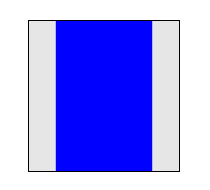
CSS 3D Transforms: Adding Depth to the DOM
CSS 3D transforms treat flat elements like objects in a 3D space, adding depth with properties like rotateY and translateZ. Use them for card-flip animations or product carousels. The footgun: forgetting to set perspective on a parent makes 3D look flat.
Shadow DOM: Encapsulating Styles and Structure
Shadow DOM walls off a component's HTML and CSS from the rest of the page. Like a browser's <video> player, its internal controls are isolated, preventing your site's CSS from breaking them.
currentTarget vs. target: Who's Listening vs. Who Shouted
event.currentTarget is the element listening for an event, while event.target is the element that triggered it. This is vital for event delegation patterns. Be careful: currentTarget is only valid inside the handler and becomes null afterward.
React's useFormStatus: Read Form State from a Child Component
The useFormStatus hook lets a child component read its parent form's submission status without prop drilling. Use it to disable a submit button or show a loading spinner from within a reusable component.
CSS `perspective`: Creating 3D Depth
The CSS perspective property sets a 'camera' distance for 3D-transformed children, creating a sense of depth. Use it on a container to make elements appear to recede into the screen. The main footgun: a smaller value creates a *more* dramatic effect.
We are hiring for this. Every open role lists the topics its interview covers, so you can prepare for the real thing rather than guessing.
See open roles