Advanced everything in Frontend Dev, page 12

IndexedDB Indexes: Fast Queries in the Browser
An IndexedDB index is like a book's index, letting you quickly find records by a specific property without scanning the entire dataset. It's essential for fast queries on non-primary keys, like looking up a user by email.
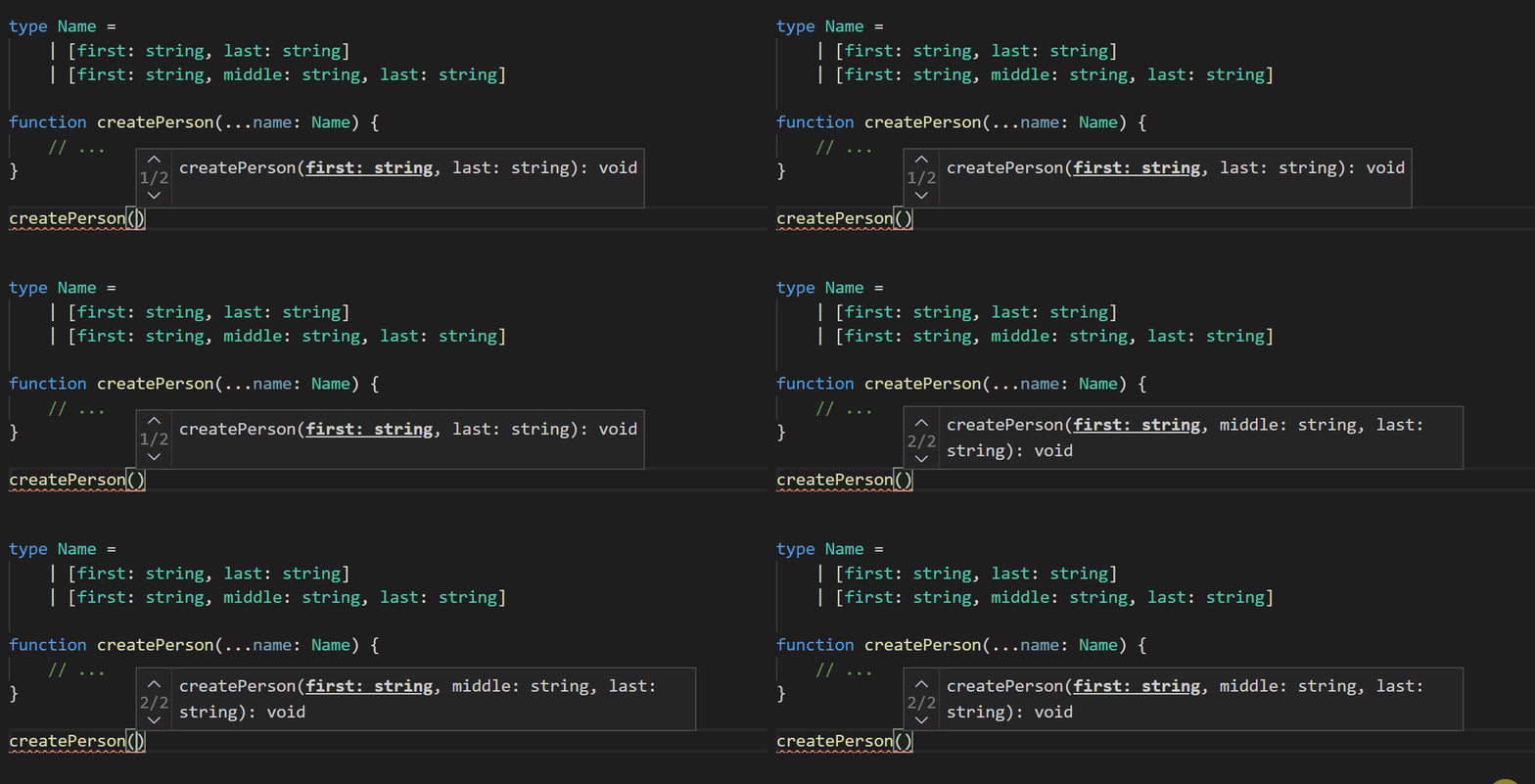
Variadic Tuple Types: Type-Safe Spreads for Tuples
Variadic tuple types let you use spread syntax (...) inside tuple type definitions, just like you do with array values. This is crucial for typing functions that manipulate tuples, like concat, without writing endless overloads or losing type information.
Stream a Fetch Response Chunk by Chunk
Process a fetch response as it arrives, chunk by chunk, instead of buffering the whole file in memory. This is ideal for large files like videos or giant JSON datasets.
The Fetch API's Request Object
The Fetch API's Request object is a blueprint for an HTTP call, bundling URL, method, headers, and body. It's key for intercepting traffic in service workers or building reusable fetches. The main footgun: its body is a stream that can only be read once.
Promise Cleanup with .finally()
Promise.finally() is the try...catch...finally for async code, guaranteeing logic runs after a promise settles. Use it to hide a loading spinner or close a network connection without duplicating code in .then() and .catch().
currentTarget vs. target: Who's Listening vs. Who Shouted
event.currentTarget is the element listening for an event, while event.target is the element that triggered it. This is vital for event delegation patterns. Be careful: currentTarget is only valid inside the handler and becomes null afterward.
Typed Custom Events: Making Browser Events Type-Safe
CustomEvent lets you fire your own browser events, but its payload is any. Typing them means defining a specific shape for the event's detail property, turning a generic signal into a predictable, self-documenting API for your components.
TypeScript Mixins: Building Classes from Reusable Parts
A mixin is a function that takes a class and returns a new one with added features, like bolting on a turbocharger. Use it to share behavior (e.g., logging) across unrelated classes.
TypeScript: Build New String Types with Template Literals
Template literal types are a factory for new string types, built from existing string literals and unions. They are perfect for generating permutations, like creating 'propChanged' event names from an object's keys.
Conditional Types: Ternary Logic for Your Types
Conditional types are like a ternary operator for your type system, choosing a type based on a condition (T extends U ? X : Y). They're used with generics to make a function's return type depend on its input, avoiding cumbersome function overloads.
History API: Change URLs Without Page Reloads
The History API lets you manipulate browser session history, enabling single-page app (SPA) routing without full page reloads. It's used to create "virtual" pages by changing the URL and state.
Literal Types: Be More Specific Than `string`
Literal types specify the *exact* value a variable must hold, not just its general type like string. They're great for creating fixed option sets with unions, like type Status = "pending" | "complete".
TypeScript Enums: Named Constants for Clarity
TypeScript enums give friendly names to a fixed set of values, like Status.Success instead of a magic number. Use them for API response codes or state machines. The footgun: default numeric enums are just numbers at runtime, making them hard to debug.
React's Internal Scheduler Package
React's scheduler is an internal traffic cop that breaks up rendering work to keep the UI from freezing. It's used to prioritize updates and yield to the browser, but its public API is unstable and not for direct use in your app.

React State Updates: The Queue and the Updater Function
React batches state updates from one event, like a waiter taking a full order before heading to the kitchen. This prevents multiple re-renders. The footgun: setCount(count + 1) called three times only increments once, as count is fixed for that render.

React's Current & Work-in-Progress Trees
React uses a double-buffering technique for non-blocking updates. The current tree is what's on screen; the workInProgress tree is built in the background on state changes. The footgun is confusing this low-level mechanism with the 'virtual DOM'.
React's Two-Step Update: Render and Commit
React updates the screen in two phases. The "render" phase is React calling your components to calculate the UI. The "commit" phase is when it actually updates the DOM. The footgun is thinking rendering always changes the screen; it's just the prep work.
React Fiber: Making UI Rendering Interruptible
React Fiber treats rendering like a cooperative scheduler. It breaks UI updates into small, pausable chunks, preventing long, blocking tasks. This lets high-priority work like user input interrupt heavy rendering, keeping animations and gestures smooth.
Dockerizing Next.js with Multi-Stage Builds
Use a multi-stage Dockerfile to create lean, production-ready Next.js images. This separates build-time dependencies from the runtime environment, shrinking image size.
Password Hashing and Salting: Store Credentials Securely
Never store plaintext passwords. Instead, use a slow, one-way hash combined with a unique salt for each user, making it computationally expensive to reverse. This is essential for any app with user logins.
We are hiring for this. Every open role lists the topics its interview covers, so you can prepare for the real thing rather than guessing.
See open roles