Easy concepts in Mobile Dev, page 4

Handling Android UI Events: Listeners and Callbacks
Think of UI event handling as setting tripwires. You attach a "listener" object to a UI element, and when a user interacts with it, your listener's code (the "callback") is triggered. This is how you make buttons and lists interactive.

Flutter's Container: The Ultimate Box Widget
Think of Container as a customizable box for your UI. It's Flutter's multi-tool for combining layout, styling, and positioning in a single widget. Use it to add padding, margins, borders, or background colors.
Expanded & Flexible: Claiming Space in Flutter Layouts
Expanded and Flexible widgets manage space in a Row or Column. Expanded is greedy, forcing its child to fill all available space. Flexible is polite, allowing its child to grow but not requiring it. Use them to prevent overflow errors.
SingleChildScrollView: When One Widget Needs to Scroll
SingleChildScrollView is an emergency scrollbar for one widget that usually fits on screen. Use it when a layout might overflow on small devices. The footgun: it renders its entire child at once, so never use it for long lists—use ListView instead.

Props Drilling: Passing Data Through Components
Props drilling is passing data through components that don't need it, just to get it to a deeply nested child. It's React's most direct way to share state down the component tree. The footgun: this couples intermediate components to data they never use.

React Context API: Avoid Prop Drilling
React Context is like a global announcement system for a component tree, letting distant children access data without passing it through every intermediate component. Use it for app-wide state like themes or user authentication.

UINavigationController: Stack-Based Screen Management
UINavigationController manages screens like a deck of cards: you push new ones on top and pop them off to go back. It's standard for hierarchical navigation. The footgun is manually changing the stack; always use the provided push/pop methods.
useReducer: Manage Complex State with Predictable Actions
useReducer centralizes complex state logic. Instead of setting state directly, you "dispatch" actions describing what happened. It's ideal for state with many sub-values or when the next state depends on the previous one.
UITabBarController: Your App's Main Switchboard
A UITabBarController manages a row of buttons at the bottom of the screen to switch between an app's main sections. Use it for distinct, non-sequential modes like 'Recents,' 'Contacts,' and 'Voicemail'. The footgun is using it for a step-by-step process.
Storyboard Segues: Visual UI Flow in iOS
A Storyboard Segue is a visual arrow connecting two screens in your iOS app, defining a navigation path without writing code. Use them to transition from a list to a detail view. The biggest mistake is forgetting to use prepare(for:sender:) to pass data.
Composable Functions: Building UI with Kotlin Functions
Composable functions are Kotlin functions that describe your UI. Instead of creating View objects, you call functions like Text to build a UI tree. They are the core of Jetpack Compose for building Android UIs declaratively.
TabView: SwiftUI's Built-in Tab Bar
TabView lets you show different views in the same space, switched by a tab bar. It's the standard for top-level app navigation, like switching between "Home," "Search," and "Profile." The footgun is nesting them; they are for main sections only.
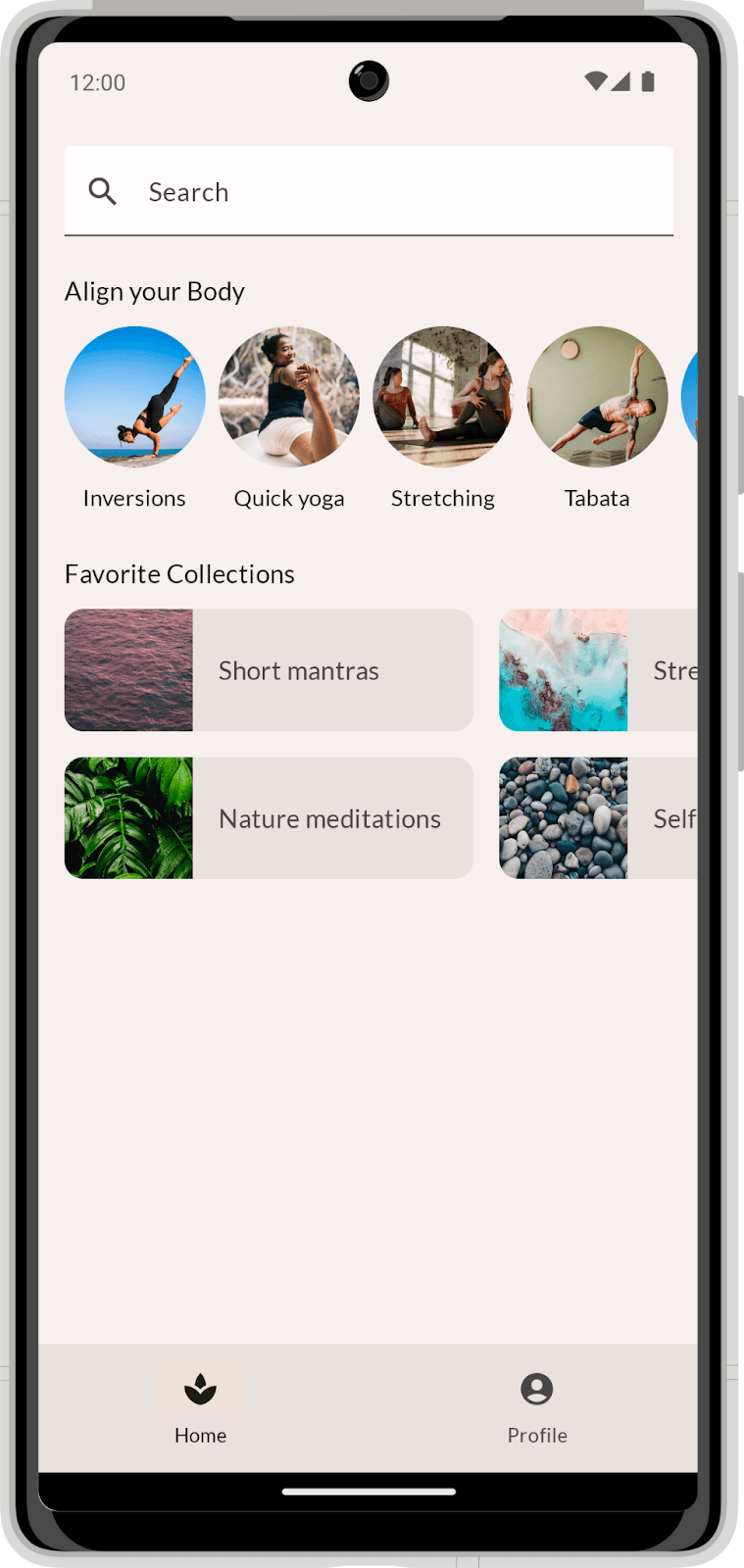
Compose Layouts: Build UI by Describing It
Describe your UI, and Compose draws it. Use Column and Row to position elements, then augment them with modifiers. The footgun is coding before you've broken the visual design into reusable parts, leading to a tangled mess.
Jetpack Compose Modifiers: Styling Your UI
Think of Modifiers as a chain of instructions that style and add behavior to your UI components. They're used for everything from setting padding and size to handling clicks.
State in Jetpack Compose: The UI's Memory
In Compose, state is any value that can change over time. The UI is a direct function of this state; when the state updates, the UI automatically redraws (recomposes) to match. The main footgun is not "hoisting" state, which makes components hard to test.
GestureDetector: Making Any Widget Interactive
GestureDetector is an invisible wrapper that makes any widget interactive. Use it to add an onTap to a Container or custom widget. The biggest footgun: when nested, only the innermost detector's callback for a given gesture will fire.
Flutter's Three Main Material Buttons
Flutter's Material buttons signal emphasis. Use ElevatedButton for primary actions (Save), OutlinedButton for secondary (Next), and TextButton for tertiary (Cancel). The footgun is choosing a button for its looks, not its place in the action hierarchy.
React Native: Making Network Requests with Fetch
fetch is your app's tool for requesting server data. It's asynchronous, returning a promise for a future response. Use it for API calls like loading profiles or posting updates. The footgun: always catch errors, or they will fail silently.
UserDefaults: Your App's Junk Drawer for Settings
UserDefaults is a simple key-value store for persisting small bits of data, like a dictionary that saves itself. Use it to remember user preferences like enabling dark mode or a username. The footgun: don't use it for large files or sensitive data.
Flutter's TextField: Capturing User Input
Flutter's TextField is the standard widget for user text input. Use it for search bars or login forms, and manage its state with a TextEditingController for full control. The biggest footgun is forgetting to dispose its controller, causing memory leaks.
We are hiring for this. Every open role lists the topics its interview covers, so you can prepare for the real thing rather than guessing.
See open roles