Dynamic Email Content: One Campaign, Many Messages
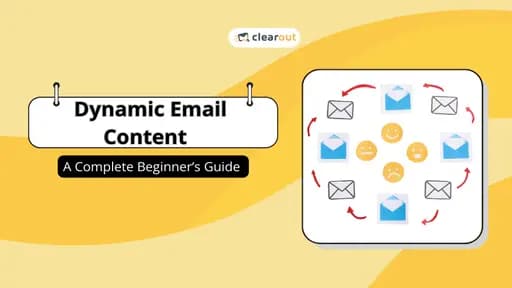
Dynamic email content swaps out blocks of a single email based on who's reading it, like mail merge on steroids. Use it for local events or product recommendations based on past purchases. The footgun: it fails with bad data, sending nonsensical messages.
Why it exists
To solve the problem of email irrelevance. Generic, one-size-fits-all email blasts get ignored, leading to low engagement. By making content hyper-relevant to the individual recipient based on their data, dynamic content dramatically increases open rates and clicks.
The mental model
Think of a dynamic email as a template with conditional slots, like a mail merge on steroids. You build one master email but define rules for different sections. For example, 'IF user is in New York, SHOW this event block. IF user is in California, SHOW this other block.' The email platform assembles the final version for each person the moment they open it.
How it works
Your email marketing software is the engine. It connects to your data sources like a CRM, e-commerce platform, or website analytics. You create rules based on user attributes (like location or subscription date) or behaviors (like past purchases or abandoned carts). When a user opens the email, the platform checks the rules against that user's data and renders the appropriate content blocks in real time. Two subscribers opening the same campaign can see entirely different images, offers, and calls to action.
When to use it
Use it to increase relevance when you have meaningful user segments and reliable data. Three common use cases: first, geographic targeting for local events, store hours, or region-specific promotions; second, lifecycle marketing, showing a welcome offer to new users and an upsell to loyal customers; third, behavioral personalization, recommending products based on browsing history or past purchases.
When not to use it
Avoid it if your data is poor, incomplete, or unverified. If you can't reliably segment your audience, the complexity can backfire with nonsensical content. It's also overkill for simple, purely informational announcements sent to a homogenous audience where personalization adds no value.
One canonical example
An e-commerce brand sends a weekly newsletter. A subscriber in New York who recently bought a winter coat opens the email and sees a feature on matching hats and gloves. Another subscriber in California who has only browsed summer dresses opens the exact same campaign email and sees a promotion for a new line of swimwear. One email campaign, two completely different, relevant experiences assembled in real time.
Interview question
A marketing team wants to send a single email campaign that promotes local events, but only to subscribers in the relevant geographic areas. Which feature is best suited for this?
- a.Creating separate, highly segmented email lists for each local event
- b.Using a simple mail merge to insert the city name into a generic event announcement
- c.Implementing dynamic content blocks based on recipient location dataCorrect
- d.A/B testing different event promotions for various regions
Why? this is the answer
Dynamic email content is specifically designed to deliver different content blocks, such as local events, to recipients based on their data like location, all within a single campaign. While creating separate lists (A) could achieve a similar outcome, dynamic content streamlines this process by using one campaign. Mail merge (B) is too basic for swapping entire content sections, and A/B testing (D) is for optimizing, not conditionally displaying, content.
Just read this? Test yourself on what you have been reading.
Read the original → clearout.io
- #email marketing
- #personalization
- #content strategy
- #martech
Put your scrolling time to good use
Learn one idea, try a quiz and save useful cards for revision. Tezvyn makes it easy to learn and stay current in your tech field, a few minutes at a time.
The iPhone app is on the way
We are building it. Until it lands, nothing here is held back from you: every interview card, your saved cards, streaks and the job board all work in Safari, plus hundreds of free practice quizzes of thirty questions each. Sign in and it all carries over to the app the day it arrives.
Want it as an icon? Tap Share at the bottom of Safari, then Add to Home Screen. It opens full screen and the cards you have read stay available offline.
We are hiring for this. Every open role lists the topics its interview covers, so you can prepare for the real thing rather than guessing.
See open roles