How do you inspect WebSocket close codes in FastAPI?
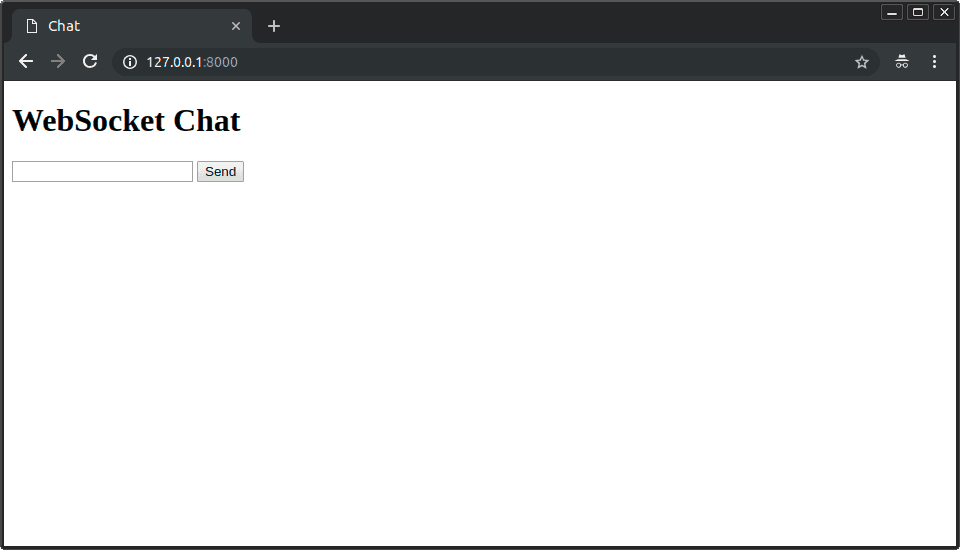
Tests WebSocket lifecycle handling in FastAPI. Strong answers catch the disconnect exception, read its code attribute, and log 1000 for normal closures versus 1001/1006 for crashes.
What's really being asked
This question tests whether you understand the WebSocket lifecycle beyond the basic send-and-receive loop. Interviewers want to see that you know how FastAPI surfaces connection teardowns, that you have operational awareness around observability, and that you can distinguish between clean client shutdowns and infrastructure or client failures.
The full answer
First, state that the server detects a closed WebSocket by catching the disconnect exception inside the endpoint's message loop. Second, explain that the exception object carries a code attribute that contains the WebSocket close code sent by the client or generated by the server framework. Third, mention common codes: 1000 means a normal closure initiated by the client, 1001 means the endpoint is going away, and 1006 indicates an abnormal drop where no close frame was received. Fourth, connect this to logging by saying you would emit structured logs with the code and client identifier so that dashboards can alert on 1006 spikes while ignoring routine 1000 disconnects.
The mistakes people make
A major red flag is claiming that FastAPI does not expose the close code and that you must track connection state manually with ping-pong messages. Another is catching a generic Exception instead of the specific disconnect exception, which obscures the code and makes debugging harder. Some candidates also conflate HTTP status codes with WebSocket close codes, suggesting you would return a 404 or 500 response from a WebSocket endpoint.
What usually comes next
The interviewer might ask how you would handle a burst of 1006 codes from many clients simultaneously, which tests whether you consider rate limiting or circuit breakers. They might also ask how to send a specific close code from the server side when shutting down intentionally, or how this integrates with ASGI lifespan events during deployment rollouts.
A concrete example
Imagine a chat application where mobile clients disconnect when users lock their phones. If you log all disconnects as errors, your on-call rotation will burn out. Instead, you catch the disconnect exception, check if the code is 1000, and log that at INFO level. If you see 1006, you log at WARNING and increment a metric, because it suggests the client crashed or the load balancer dropped the connection unexpectedly.
Interview question
In FastAPI, how do you correctly capture a WebSocket close code to distinguish routine client disconnects from abnormal connection drops?
- a.Return an HTTP 404 or 500 response from the WebSocket endpoint and use that status as the close reason.
- b.Track connection state manually with ping-pong messages because FastAPI does not expose the close code directly.
- c.Catch the specific WebSocket disconnect exception and read its code attribute, logging 1000 at INFO and 1006 at WARNING.Correct
- d.Catch a generic Exception inside the endpoint and read its code attribute to handle both errors and disconnects uniformly.
Why? this is the answer
FastAPI surfaces WebSocket teardowns through a specific disconnect exception whose code attribute reveals whether the closure was normal (1000) or abnormal (1006). Option D is tempting because it also suggests reading a code attribute, but catching a generic Exception instead of the specific disconnect event obscures the close code and swallows unrelated errors.
Just read this? Test yourself on what you have been reading.
Read the original → fastapi.tiangolo.com
Put your scrolling time to good use
Learn one idea, try a quiz and save useful cards for revision. Tezvyn makes it easy to learn and stay current in your tech field, a few minutes at a time.
The iPhone app is on the way
We are building it. Until it lands, nothing here is held back from you: every interview card, your saved cards, streaks and the job board all work in Safari, plus hundreds of free practice quizzes of thirty questions each. Sign in and it all carries over to the app the day it arrives.
Want it as an icon? Tap Share at the bottom of Safari, then Add to Home Screen. It opens full screen and the cards you have read stay available offline.
We are hiring for this. Open roles that interview on fastapi — each one lists the topics its interview covers.
See open roles