LLMs Get 'Lost in the Middle' of Long Contexts
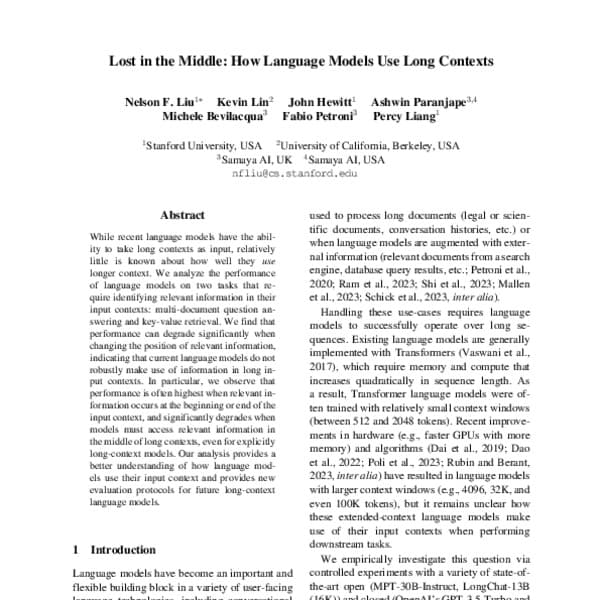
LLMs struggle to find information buried in the middle of long prompts. Performance is highest when key facts are at the beginning or end of the context. This impacts multi-document QA and RAG.
Why it exists
The push for ever-larger context windows in LLMs raised a new question: can models actually use all that space effectively? While models can accept millions of tokens, it was unclear how well they reason over that entire input. The "Lost in the Middle" research was designed to test whether a bigger context window truly leads to better performance across the whole context.
The mental model
An LLM processing a long document is like a person cramming for a test. They remember the first chapter they read (a primacy effect) and the last chapter they reviewed (a recency effect) quite well, but the details from the chapters in the middle get fuzzy. The model's ability to recall a fact depends heavily on where that fact is located in the input.
How it works
Researchers tested models by placing a key piece of information at different positions within a long context and then asking a question that required that specific fact. By measuring accuracy across thousands of runs, they found a consistent "U-shaped" performance curve. Accuracy was high when the information was at the very beginning or very end of the context, but dropped significantly when it was in the middle. This held true even for models explicitly marketed for long-context performance.
When to use it
Understand this concept when designing any system that feeds long contexts to an LLM. This is crucial for Retrieval-Augmented Generation (RAG), multi-document question answering, and summarizing long reports. If you can control the prompt structure, you can engineer around this weakness by placing important information or instructions at the beginning or end.
When not to use it
This is a model limitation to be aware of, not a problem you can completely solve with prompt engineering alone. You may not always know which piece of information is most critical ahead of time. Simply shuffling documents is not a robust fix. Acknowledging this behavior is key to setting realistic performance expectations for tasks involving long documents.
One canonical example
Imagine a RAG system for legal discovery. You feed an LLM 20 documents and ask a question where the answer is in a single sentence in the 15th document. The "Lost in the Middle" problem predicts the model is more likely to fail or hallucinate than if that same sentence were in the 1st or 20th document. A common mitigation strategy is to use a simpler search to find the most relevant documents and deliberately place them at the very end of the prompt before sending it to the LLM.
Interview question
How does the placement of critical information within a long prompt typically affect an LLM's ability to retrieve it?
- a.LLMs prioritize and perform best with information located in the middle of the prompt.
- b.Information placed at the beginning or end of the context yields the best retrieval accuracy.Correct
- c.Accuracy linearly decreases the further the information is from the prompt's start.
- d.Retrieval accuracy is consistently high across the entire context window.
Why? this is the answer
The card states that LLMs exhibit a "U-shaped" performance curve, meaning accuracy is highest when key information is at the beginning or end of the context. Option C is a tempting distractor because it acknowledges a decline, but it incorrectly suggests a linear decrease and misses the improved performance at the very end due to the recency effect.
Just read this? Test yourself on what you have been reading.
Read the original → aclanthology.org
Put your scrolling time to good use
Learn one idea, try a quiz and save useful cards for revision. Tezvyn makes it easy to learn and stay current in your tech field, a few minutes at a time.
The iPhone app is on the way
We are building it. Until it lands, nothing here is held back from you: every interview card, your saved cards, streaks and the job board all work in Safari, plus hundreds of free practice quizzes of thirty questions each. Sign in and it all carries over to the app the day it arrives.
Want it as an icon? Tap Share at the bottom of Safari, then Add to Home Screen. It opens full screen and the cards you have read stay available offline.
We are hiring for this. Open roles that interview on llm — each one lists the topics its interview covers.
See open roles