Median Filter: Smoothing Images Without Blurring Edges
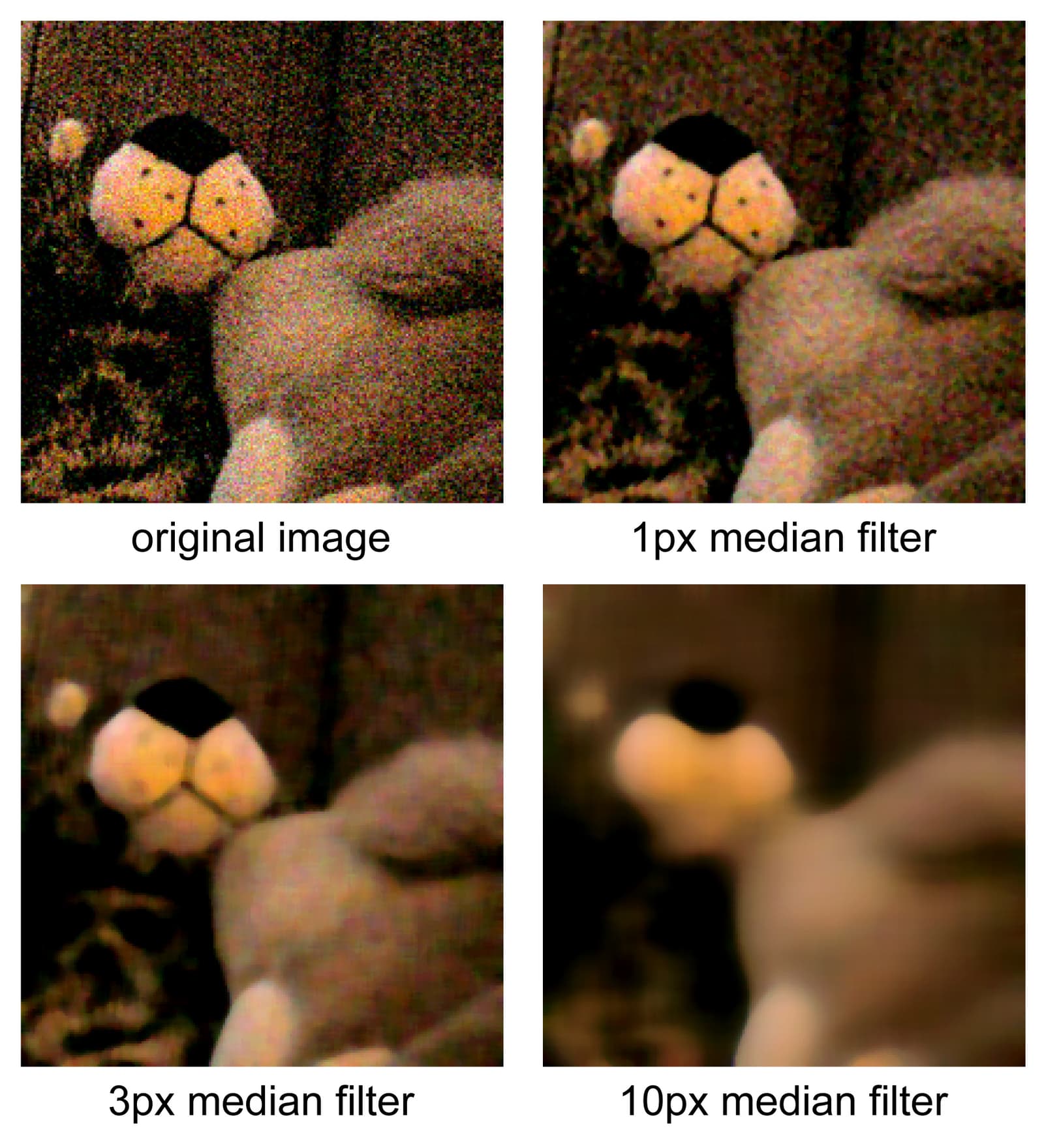
A median filter cleans image noise by replacing each pixel with the median value of its neighbors, ignoring outliers. It's used to remove "salt-and-pepper" noise before object detection.
Why it exists
Images and signals from real-world sensors are often corrupted by noise. A common type is impulse noise, or "salt-and-pepper" noise, where random pixels are flipped to maximum or minimum intensity. Simple averaging filters smudge this noise into its surroundings but don't eliminate it, and they also soften important details like edges. A method was needed to specifically target these outlier pixels.
The mental model
Think of a median filter as a democratic vote for a pixel's true color. Instead of averaging all its neighbors' values (which lets a single loud outlier skew the result), it lines up all the pixel values in a neighborhood from darkest to brightest and picks the one in the middle—the median. This middle value is much more robust to extreme highs or lows, effectively ignoring the noise.
How it works
The filter slides a window (e.g., a 3x3 or 5x5 square) over every pixel in the image. For each position, it gathers all the pixel intensity values within the window, sorts them, and selects the median value. The center pixel of the original image is then replaced with this median value. This process is repeated for the entire image, creating a new, filtered output. Because it relies on sorting, it is a non-linear operation.
When to use it
Use a median filter as a pre-processing step when you need to remove impulse noise, like salt-and-pepper noise, from an image or signal. It is particularly effective when you need to preserve sharp edges, which is crucial for subsequent tasks like object detection, segmentation, or optical character recognition (OCR).
When not to use it
Avoid the median filter for other noise types like Gaussian noise, where an averaging filter might be more appropriate. Be cautious with large filter window sizes (e.g., 7x7 or larger). A large window can remove not just noise but also fine details, thin lines, and sharp corners, potentially making the image look blocky or over-smoothed.
One canonical example
Imagine a 3x3 window of pixel brightness values: [10, 20, 15, 25, 255, 30, 5, 12, 18]. The value 255 is a bright white "salt" pixel, a clear outlier. A median filter sorts these values: [5, 10, 12, 15, 18, 20, 25, 30, 255]. The median (the 5th value in a list of 9) is 18. The center pixel's value is replaced with 18, effectively eliminating the noise pixel without being influenced by its extreme value.
Interview question
When applying a median filter to an image, what is its key benefit compared to a simple averaging filter?
- a.It ensures all noise, including Gaussian noise, is completely eliminated.
- b.It smooths the image by replacing pixels with the average of their neighbors, leading to a clearer output.
- c.It effectively removes impulse noise while maintaining the sharpness of image edges.Correct
- d.It is a linear operation, making it computationally more efficient for large images.
Why? this is the answer
The median filter's primary advantage is its ability to remove impulse noise (like salt-and-pepper noise) without blurring important image edges, which averaging filters tend to do. It is also a non-linear operation, not a linear one.
Just read this? Test yourself on what you have been reading.
Read the original → en.wikipedia.org
- #computer vision
- #image processing
- #noise reduction
- #filtering
You just looked this up. Could you explain it out loud?
That is the part interviews actually test. Tezvyn takes questions like this one and gives you what the interviewer is really checking, the answer that lands, and the mistake that ends the conversation, in the four minutes before your next meeting.
The iPhone app is on the way
We are building it. Until it lands, nothing here is held back from you: every interview card, your saved cards, streaks and the job board all work in Safari, plus hundreds of free practice quizzes of thirty questions each. Sign in and it all carries over to the app the day it arrives.
Want it as an icon? Tap Share at the bottom of Safari, then Add to Home Screen. It opens full screen and the cards you have read stay available offline.
We are hiring for this. Open roles that interview on computer vision — each one lists the topics its interview covers.
See open roles