Sliding Windows: Scanning Images for Objects
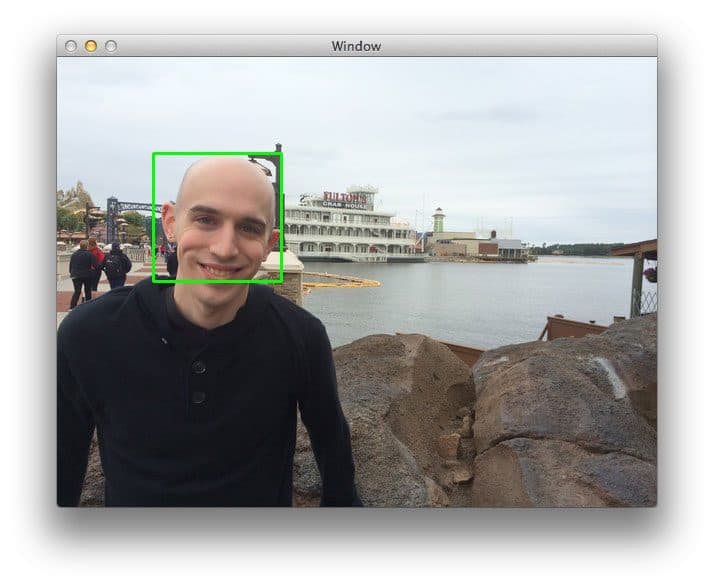
A sliding window scans an image with a fixed-size box to find objects. At each location, a classifier checks the window's contents. Combined with an image pyramid, it can detect objects at various scales, localizing exactly where they are.
Why it exists
Image classification can tell you if an object is in an image, but not where. The sliding window technique was developed to solve this localization problem. It provides a systematic way to search an entire image to find the precise coordinates of an object.
The mental model
Think of searching for a specific person in a large crowd photo. You might take a small, rectangular cutout and scan it across the photo from left-to-right and top-to-bottom. At each spot, you check if the cutout perfectly frames the person you're looking for. A sliding window does this digitally: it's a fixed-size box that methodically scans an image, passing each patch to a classifier.
How it works
The algorithm defines a window of a fixed width and height (the windowSize). This window slides across the image, but to save computation, it doesn't move one pixel at a time. Instead, it jumps by a stepSize (e.g., 4 to 8 pixels) in both the x and y directions. At every position, the image patch inside the window is extracted and fed to a classifier. The classifier then decides if that patch contains the object of interest. This process repeats until the entire image has been scanned.
When to use it
Sliding windows are a foundational technique in classic object detection, especially when you need to find the exact location of objects. It's most powerful when combined with an image pyramid. By running the same fixed-size window over scaled-down versions of the image, you can detect objects at various sizes, not just the one that matches the window dimensions.
When not to use it
Avoid this method in performance-critical applications. The brute-force scanning is computationally expensive and slow compared to modern, single-shot detectors (like YOLO). If your system needs real-time detection on video streams, a sliding window approach will almost certainly be a bottleneck. It is also less efficient for objects with many different aspect ratios.
One canonical example
A classic use case is face detection. A window of, say, 64x64 pixels slides across an image. At each step, the 64x64 patch is sent to a classifier trained to recognize faces. If the classifier returns a high score, the window's coordinates are marked as a potential face location. By running this process on an image pyramid, the system can find both large faces in the original image and smaller faces that become 64x64 in the scaled-down versions.
Interview question
What is the primary advantage of using a sliding window technique in object detection?
- a.It provides a method for classifying objects with higher accuracy than other techniques.
- b.It allows for the precise localization of objects within an image.Correct
- c.It enables the detection of objects regardless of their aspect ratio without modification.
- d.It significantly reduces the computational resources required for image analysis.
Why? this is the answer
The card explicitly states that the sliding window technique was developed to solve the localization problem, allowing it to find the precise coordinates of an object. Distractors like reduced computational cost or handling diverse aspect ratios are directly contradicted by the text.
Just read this? Test yourself on what you have been reading.
Read the original → pyimagesearch.com
- #computer vision
- #object detection
- #image processing
- #machine learning
Put your scrolling time to good use
Learn one idea, try a quiz and save useful cards for revision. Tezvyn makes it easy to learn and stay current in your tech field, a few minutes at a time.
The iPhone app is on the way
We are building it. Until it lands, nothing here is held back from you: every interview card, your saved cards, streaks and the job board all work in Safari, plus hundreds of free practice quizzes of thirty questions each. Sign in and it all carries over to the app the day it arrives.
Want it as an icon? Tap Share at the bottom of Safari, then Add to Home Screen. It opens full screen and the cards you have read stay available offline.
We are hiring for this. Open roles that interview on computer vision — each one lists the topics its interview covers.
See open roles