Using Component Libraries in React Native
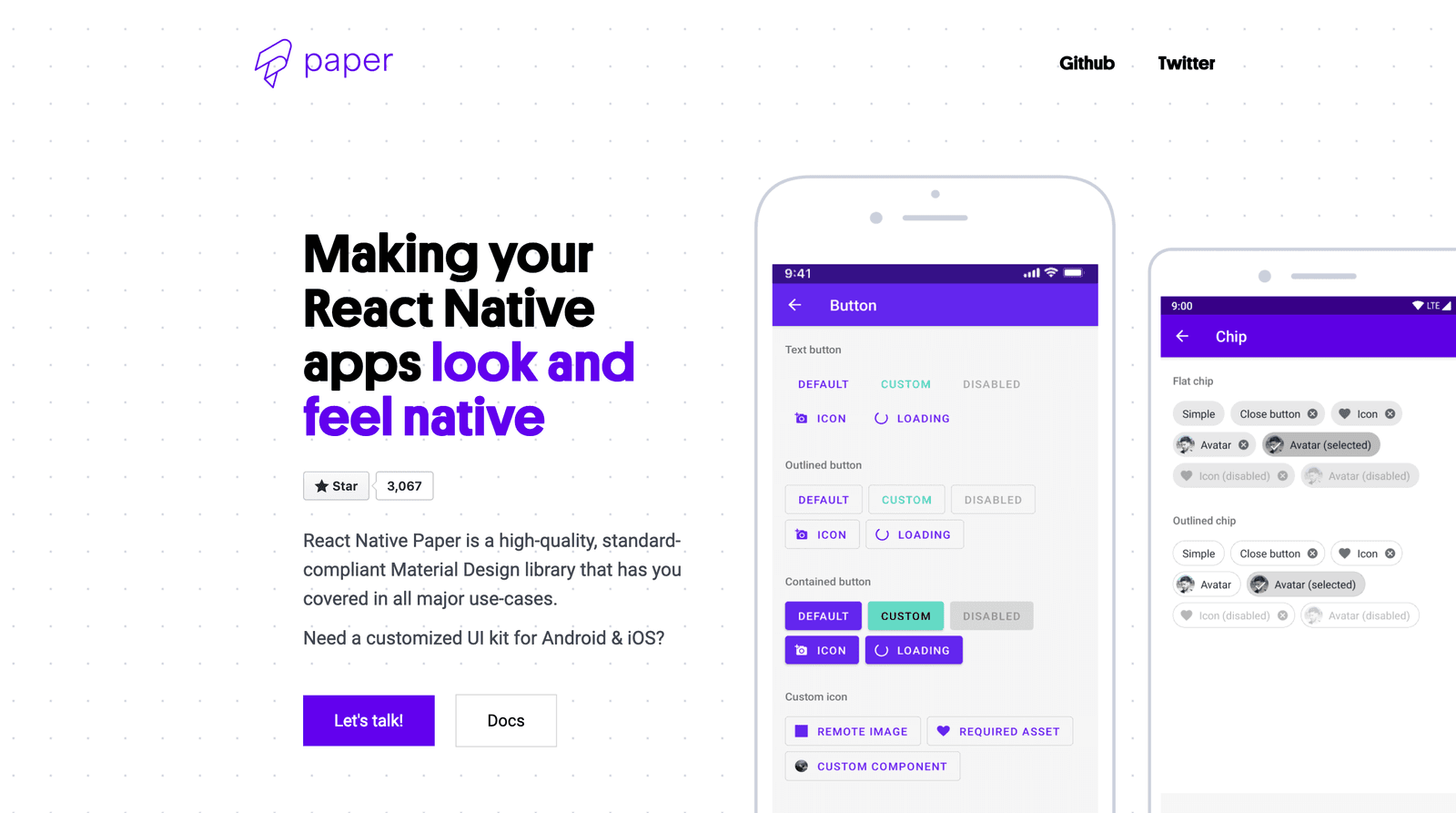
A component library is a pre-fab UI kit for your app. Instead of building every button from scratch, you get polished, ready-to-use pieces that handle platform-specific animations and accessibility.
Why it exists
Building a UI that feels truly "native" on both iOS and Android is complex. Every component—buttons, inputs, menus—needs platform-specific styling, animations, and accessibility features. Implementing and maintaining this from scratch for every project is time-consuming and error-prone.
The mental model
Think of a component library as a box of high-quality, pre-fabricated parts for your app's interface. Instead of being a carpenter who cuts and shapes every piece of wood, you're an assembler. You pick the right pre-made button, input field, or card, and connect it to your app's logic. This lets you focus on what your app does, not how to draw a button with the correct shadow and ripple effect.
How it works
Libraries like React Native Paper provide a set of components that you import and use instead of React Native's basic building blocks. For example, instead of composing a TouchableOpacity and Text with custom styles to make a button, you just import and use a <Button> component. The library handles the complex parts: it renders the correct visual style based on a theme (like Material Design), adds platform-appropriate touch feedback, and ensures it's accessible. Theming support allows you to customize colors and typography globally to match your brand.
When to use it
Use a component library when you need to build an app quickly, want a consistent look based on a standard design system (like Google's Material Design), and don't have a team to build a custom component suite. It's ideal for startups, internal tools, and projects where speed and consistency are prioritized over a completely unique design.
When not to use it
Avoid a pre-built library if your app requires a highly bespoke visual identity that doesn't align with any existing design system. If your UI kit is fundamentally different from a library's standard, you'll spend more time fighting its styles and behaviors than you would building your own components from scratch.
One canonical example
Creating a button from scratch in React Native requires combining a touchable component with a text component and applying multiple styles. With a library like React Native Paper, the code is simplified to a single line: <Button mode="contained" onPress={handlePress}>Press me</Button>. This one component encapsulates styling, accessibility, and platform-specific interaction animations that would otherwise take significant effort to implement manually.
Interview question
When would integrating a React Native component library likely lead to more development effort rather than less?
- a.When the project prioritizes rapid development and consistent UI.
- b.When the application's design requires a highly custom and unique visual identity.Correct
- c.When the development team is small and lacks dedicated UI/UX designers.
- d.When ensuring platform-specific animations and accessibility is a key requirement.
Why? this is the answer
The card explicitly states that component libraries are not suitable when an app requires a highly bespoke visual identity, as fighting the library's default styles can take more time than building custom components. The other options describe scenarios where component libraries are explicitly beneficial, such as for speed, consistency, and handling platform specifics.
Just read this? Test yourself on what you have been reading.
Read the original → reactnativepaper.com
- #react-native
- #design-system
- #ui
- #frontend
Put your scrolling time to good use
Learn one idea, try a quiz and save useful cards for revision. Tezvyn makes it easy to learn and stay current in your tech field, a few minutes at a time.
The iPhone app is on the way
We are building it. Until it lands, nothing here is held back from you: every interview card, your saved cards, streaks and the job board all work in Safari, plus hundreds of free practice quizzes of thirty questions each. Sign in and it all carries over to the app the day it arrives.
Want it as an icon? Tap Share at the bottom of Safari, then Add to Home Screen. It opens full screen and the cards you have read stay available offline.
We are hiring for this. Open roles that interview on react-native — each one lists the topics its interview covers.
See open roles