Search
Find a bite, explore a topic or look for a role.
Results for “React”
Bites 747
Component Composition: Treat a Group Like an Individual
Component composition treats a group of objects the same as a single one. This allows building complex UIs by nesting simple components, like putting a Button inside a Form. The footgun is creating monolithic components instead of small, reusable ones.
Design Systems: Your UI's Single Source of Truth
A design system is the single source of truth for UI, giving designers and developers a shared toolkit of reusable components and standards. It ensures consistency and efficiency across projects.

Atomic CSS: Styling with Single-Purpose Utilities
Atomic CSS builds interfaces with tiny, single-purpose classes directly in your HTML, like using LEGO bricks for styling. It's the core of frameworks like Tailwind CSS, letting you build UIs without writing custom CSS. The footgun is creating unreadable HTML.
Source Maps: Debug Your Compiled CSS
Source maps are a decoder ring for your browser's dev tools, translating minified CSS back to the original SCSS or LESS files you wrote. This lets you debug styles in your source code, not the unreadable compressed output.
Doc Site Generators: Content-First Websites
A doc site generator turns your Markdown files into a complete, searchable website. Use it for project docs or blogs to focus on writing, not web dev. The footgun is thinking they're only for docs; many are powerful static site generators.
Component Scaffolding: Automate Boilerplate, Enforce Consistency
Component scaffolding automates creating files from templates, ensuring new components start with the correct structure. Instead of copy-pasting, run a command to generate the component, its styles, and tests.

CSS :host: Style a Web Component from Within
The :host pseudo-class lets a web component style itself from the inside out. Use it inside a shadow DOM to apply styles to the host custom element, making components self-contained. The key footgun: it only works inside a shadow DOM; it has no effect in.
CustomEvent: Sending Custom Data with Events
CustomEvent lets components communicate without direct coupling by firing custom-named events. It's like a private broadcast system for your app. Use it for a child component to signal a parent, passing data in the detail property. Don't forget detail!
Design Systems: Stop Reinventing UI Components
A design system is a shared library of reusable UI components and rules, acting as a single source of truth for designers and developers. It ensures a consistent look across apps without rebuilding common elements.
Autoprefixer: Stop Memorizing CSS Vendor Prefixes
Autoprefixer lets you write modern CSS and automatically adds vendor prefixes like -webkit- during your build. It's a standard part of frontend toolchains, ensuring styles work across browsers.
CSS Modules: Local Scope for Your Styles
CSS Modules treat your styles like local variables. Instead of a global stylesheet, each CSS file is scoped to the component that imports it, preventing name collisions in component-based apps.
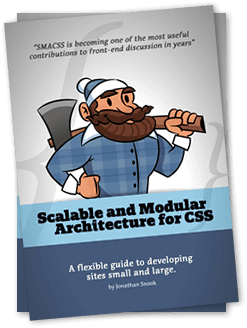
SMACSS: A Naming Convention for CSS Scalability
SMACSS organizes CSS into five categories to prevent spaghetti code. It's a naming convention and thought process, not a library you install. It's used in large codebases where teams need a shared vocabulary for styling components.
Utility-First CSS: Style Directly in Your Markup
Utility-first CSS styles elements with many small, single-purpose classes directly in your HTML. It's used for rapid prototyping and component-based systems. The footgun is creating verbose, repetitive markup by not extracting common patterns into components.
Scripting B-Roll: Show, Don't Just Tell
Think of B-roll as the visual evidence for your main narrative. It's the supplemental footage that shows what a speaker is talking about, breaking up static shots in interviews or demos.
Target CPA Bidding: Automate Bids to a Target Cost
Target CPA bidding tells Google Ads, "I'm willing to pay this much on average for a customer action." It automates bids to get as many conversions as possible at your target price. The footgun: individual conversions can cost more than your target.
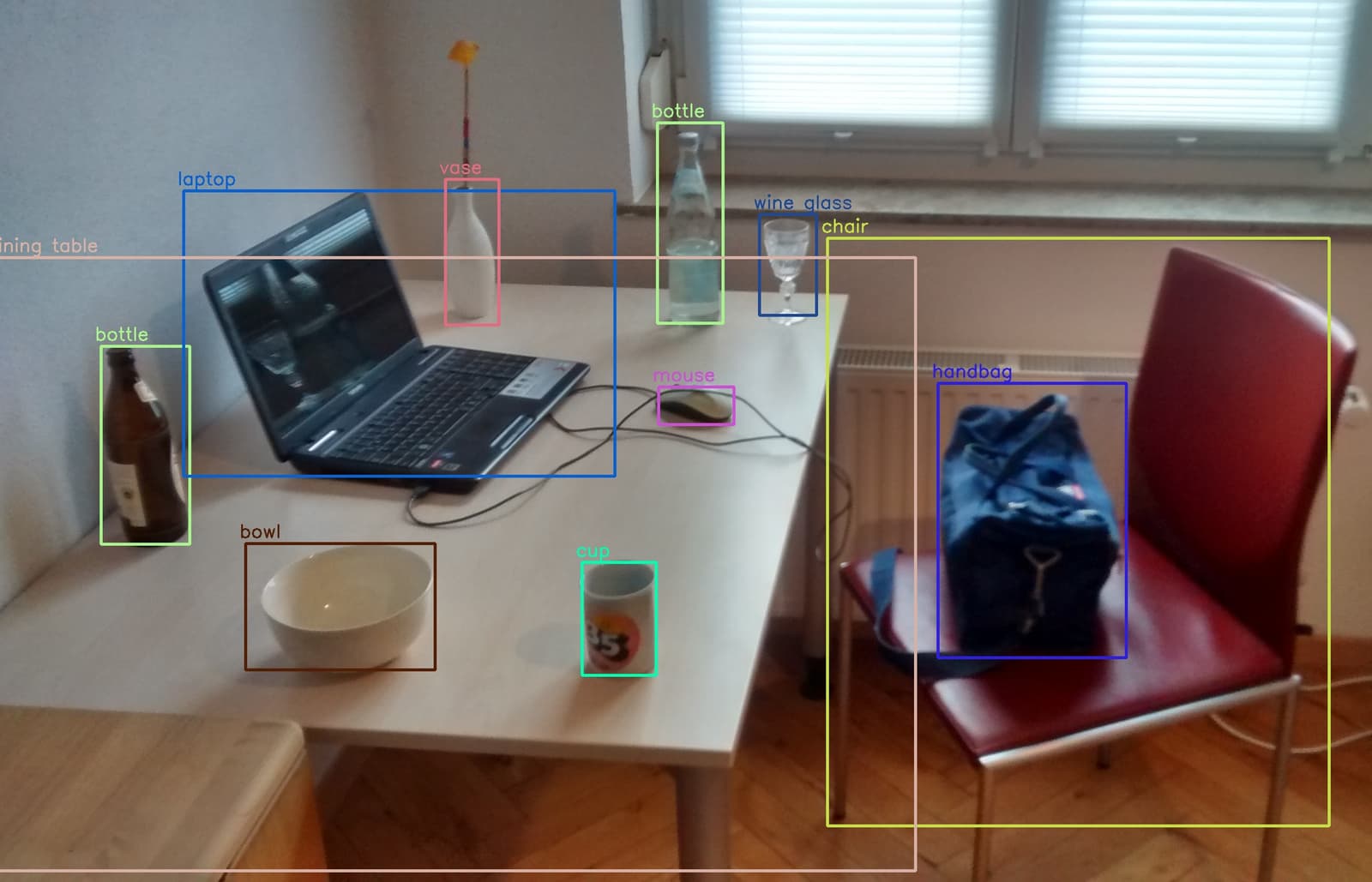
YOLO: Real-Time Object Detection in a Single Pass
YOLO treats object detection as a single regression problem, looking at an image once to predict all bounding boxes and classes. This makes it extremely fast, perfect for real-time video analysis.
Package Manifest: Your Project's List of Ingredients
A package manifest is your project's recipe, listing all dependencies and build scripts. Package managers use it to install the right libraries. The footgun is forgetting that the manifest (e.g., package.json) and the lockfile work together for consistency.

Handling Android UI Events: Listeners and Callbacks
Think of UI event handling as setting tripwires. You attach a "listener" object to a UI element, and when a user interacts with it, your listener's code (the "callback") is triggered. This is how you make buttons and lists interactive.
Android ViewModel: Survive Screen Rotations
A ViewModel is a lifecycle-aware data holder that separates your UI's state from its controller. It keeps data alive during configuration changes like screen rotations, preventing data loss and repeated network calls.
Broadcast Receiver: Responding to System-Wide Events
A Broadcast Receiver is your app's antenna for system-wide announcements. It listens for events like network changes or low battery. The main footgun is performing long tasks here; the system will kill it. Offload work to WorkManager.