Easy concepts in DevOps & Cloud, page 2
Virtual Machine (VM): A Computer Inside a Computer
A Virtual Machine (VM) is a complete computer simulated in software, letting you run multiple isolated operating systems on a single physical machine. This is how cloud providers rent out server space.
Git Branch: A Lightweight Pointer, Not a Full Copy
A Git branch is a lightweight pointer to a commit, not a heavy copy of your code. This makes creating and switching branches nearly instant. Use them to isolate new features or bug fixes. The footgun is forgetting a branch is local until you push.
Machine Images: The Blueprint for Your Servers
A machine image is a server blueprint, packaging an OS and software into a template for launching identical virtual machines. It's used for auto-scaling and creating consistent environments.
Cloud Instances: Renting Servers on Demand
Think of a cloud instance as renting a virtual computer. Instead of buying hardware, you launch a pre-configured virtual machine to run your applications, paying only for what you use. This is ideal for applications that need to scale up or down with demand.
Error Budgets: The Currency of Reliability
An error budget is the acceptable amount of downtime or errors your service can have over a period. Calculated as (1 - SLO), it's a currency for balancing risk (new features) and reliability work. The main footgun is treating it as a target to spend.
SLO Time Windows: Choosing Your Measurement Period
An SLO's time window is the calendar for grading reliability. A short window forces rapid fixes, while a long one smooths out blips for strategic planning. The footgun is using calendar months, which have unequal lengths and complicate budget math.
SLO Document: Your Service's Reliability Contract
An SLO document is the source of truth for a service's reliability promises, acting as a formal contract between teams on what 'good enough' looks like. It defines measurable targets for availability and latency, guiding engineering priorities.
The docker-compose.yml File: Your App's Blueprint
The docker-compose.yml file is a blueprint for defining and running multi-container Docker applications. Use it to spin up a local dev environment with a database, backend, and frontend with one command.
Docker Compose Services: Defining Your App's Components
A service in Docker Compose is a blueprint for a running container. You define its image, ports, and environment to describe one piece of your application, like a web server or database. The footgun is using build and image together for one service.
Docker Compose: Orchestrate Multi-Container Apps Locally
docker compose is a conductor for multi-container apps, using a single YAML file to define and run all the parts of your stack together. It's ideal for local development to spin up a database and API with one command.
Object Storage: Data Without a File Hierarchy
Object storage is like a valet system for data. You get a unique ID for a self-contained 'blob' of data and metadata, instead of navigating a file path. It's the backbone of cloud storage (like S3) for images and backups. The footgun: objects are immutable.

Build Artifact: The Packaged Output of a CI Run
A build artifact is the packaged result of a CI run, like a compiled binary or a zipped web app. Pipelines use artifacts to pass this output between stages, from building to testing and deploying.
Block Storage: Your Virtual Hard Drive in the Cloud
Think of block storage as a raw hard drive in the cloud. It's the foundation for virtual machine disks (like AWS EBS) and databases that need direct control over their storage. The footgun is treating it like a web-accessible file share; it's a raw device.
Make: The Original Task Runner
Make automates tasks by following a recipe in a makefile. It intelligently runs only the necessary steps by checking dependencies, saving time during builds. While common for compiling code, it can run any shell command.
Cloud File Storage: A Shared Drive on the Internet
Think of cloud file storage as a shared network drive, but managed by a provider and accessible over the internet. It's for shared content, user home directories, and apps needing a traditional file system.
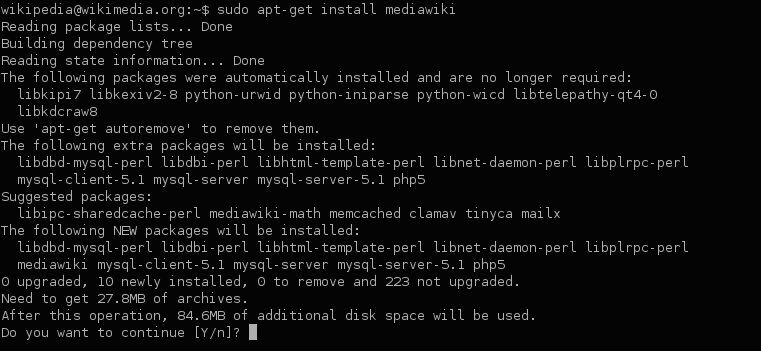
Build Dependency Management: Your Project's Recipe
Dependency management is your project's recipe, ensuring everyone uses the same library versions. It's used everywhere from web apps pulling React via npm to Java services using Maven.
OpenTelemetry API: The Stable Interface for Your Code
The OpenTelemetry API provides stable interfaces for your code to generate telemetry. This lets you instrument your application once, while the SDK implementation handles the actual data processing and export, which can be swapped out later.
OpenTelemetry SDK: The Engine for Your Telemetry
The OpenTelemetry SDK is the engine that processes and exports your telemetry data. It implements the OTel API, letting you configure how traces and metrics are sampled, batched, and sent to a backend.
Docker Hub: The Central Repository for Containers
Think of Docker Hub as the GitHub for Docker images. It's a central repository from Docker, Inc. for finding, storing, and sharing pre-built software containers to automate code deployment.
Docker Push and Pull: Moving Container Images
Think of docker push and pull like git push and pull, but for container images. They move images between your machine and a remote registry. A common mistake is forgetting to tag an image with the registry's full address before pushing.
We are hiring for this. Every open role lists the topics its interview covers, so you can prepare for the real thing rather than guessing.
See open roles