Concepts in Frontend Dev, page 20

ElementInternals: Making Custom Elements Form-Friendly
ElementInternals lets your custom elements act like native form inputs, integrating with validation, submission, and labels. Use it for custom inputs in a design system. The footgun: forgetting to call setFormValue() means its state won't be submitted.
Unit Testing Vue Components with Vitest
Think of it as a two-part system: Vue Test Utils mounts your component in a virtual environment, and a runner like Vitest executes the test and reports pass/fail. Use this to verify a component's logic in isolation.
The `popstate` Event: Handling Browser History Navigation
The popstate event lets your app react to browser back/forward clicks. It's key for SPAs to update views without a full reload. The main footgun: the event fires before the document is fully updated, so your handler might read a stale DOM.
NextResponse.json(): The Standard for API Responses in Next.js
NextResponse.json() is the standard way to send JSON from Next.js Route Handlers, like Express's res.json(). Use it in app/api routes to return data; it automatically sets the correct headers.

Semantic HTML: Describe Meaning, Not Just Looks
Semantic HTML uses tags that describe the content's role (e.g., <article>), not just its appearance. This helps screen readers and search engines understand your page, improving accessibility and SEO. The footgun is using <div> for everything.
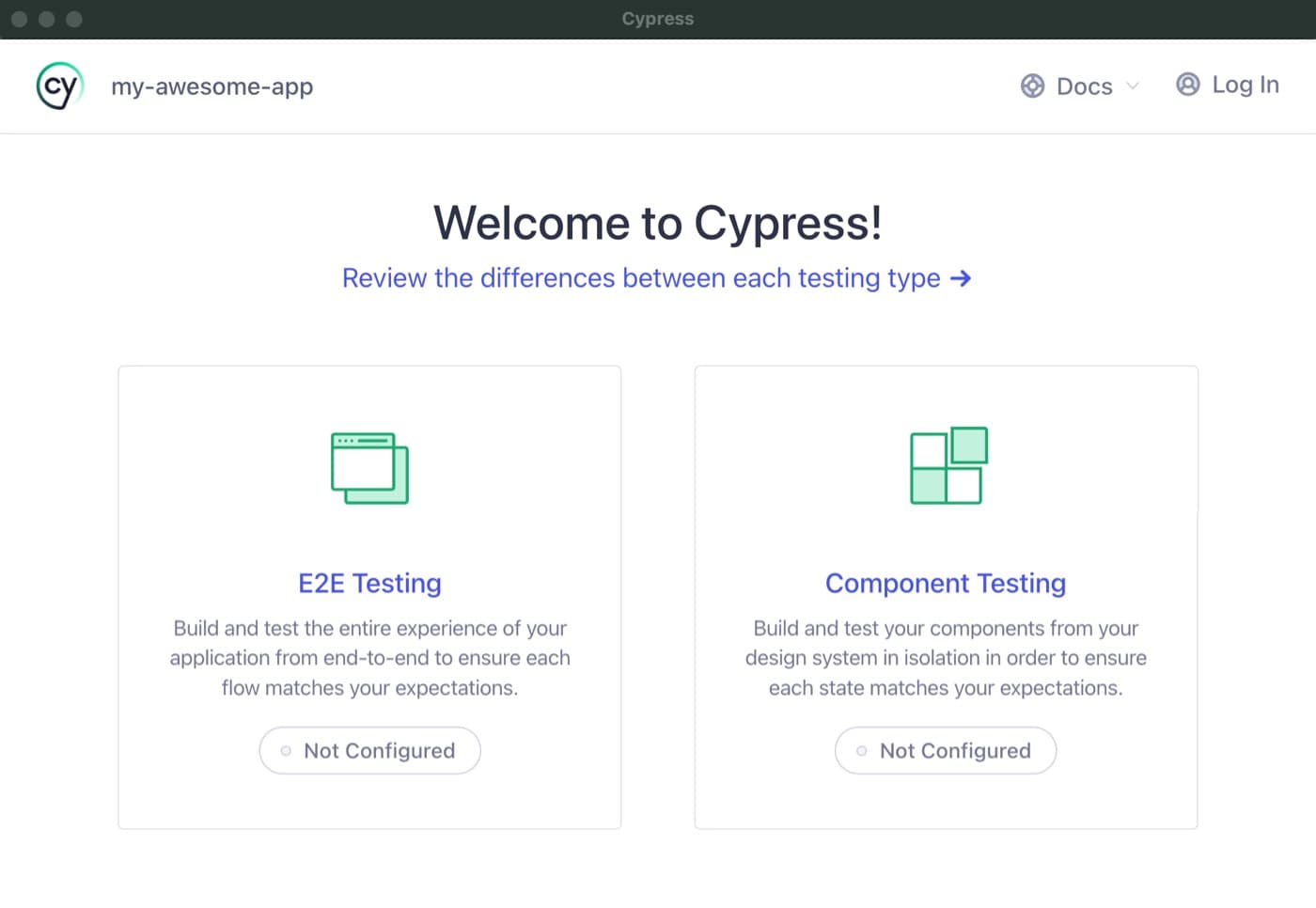
Cypress Component Testing: Test in a Real Browser
Cypress component testing mounts your UI components in a real browser, not a simulated DOM, so you test them exactly as users see them. Use it for faster feedback on individual React, Vue, or Angular components.
Web Workers: Keep Your UI Responsive During Heavy Tasks
A Web Worker is like a background helper, running heavy JavaScript tasks in a separate thread so your UI never freezes. Use it for complex calculations or data fetching. The main footgun: workers cannot directly manipulate the DOM.
Build Accessible Animations with `prefers-reduced-motion`
prefers-reduced-motion lets you respect a user's system-wide request to minimize animations. Use this CSS media query to replace potentially jarring effects like zooms or parallax with simpler fades, preventing discomfort for users with vestibular disorders.

The Testing Trophy: Prioritize Integration Tests
The Testing Trophy flips the classic pyramid, arguing for "mostly integration tests" to maximize your return on investment. It's for UI apps where testing component interactions gives more confidence than isolated unit tests.
Service Worker Registration: Claiming Your Control Scope
Registering a service worker is like assigning a security guard (your script) to a specific area (the scope) of your site for offline support. The footgun: by default, a worker can only control its own directory, not the whole site.
Next.js: Dynamic API Segments for Flexible Endpoints
Think of dynamic API segments as URL templates. A single file like app/api/users/[id]/route.ts can handle requests for any user ID, from /api/users/1 to /api/users/99. The footgun is forgetting to parse the ID, which is always a string.
tabindex: Control Element Focus and Tab Order
The tabindex attribute lets you control an element's keyboard focus. Use tabindex="0" to make custom components tabbable in document order, or tabindex="-1" to make an element focusable only by script, like for a modal.
Worker postMessage: The Structured Clone Pipe
Worker postMessage moves data between threads via structured cloning. Use it to offload heavy work without blocking the UI. The message argument is mandatory, so omitting it is an error and you must pass null when there is no data.
Svelte Testing Library: Test Components Like a User
Test Svelte components like a user would use them. Svelte Testing Library interacts with the rendered DOM, not internal state, to verify behavior. This avoids brittle tests tied to implementation.
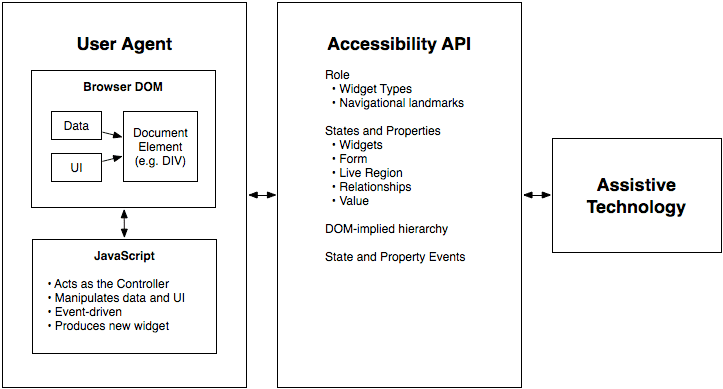
WAI-ARIA Roles: Semantics for Custom Components
WAI-ARIA roles are job titles for HTML elements, telling assistive tech what a generic <div> is meant to be, like a tab or button. Use them for custom UI components that lack a native HTML equivalent.

Vitest Mocking: Isolating Code with `vi.mock`
Vitest's vi.mock replaces a module with a fake version, isolating your code for tests. This is key for preventing real network or database calls. The footgun: calls are "hoisted" to the top of the file, running before other code and breaking variable access.
The Service Worker Lifecycle: Register, Install, Activate
A service worker is a background proxy that lets your app work offline. Its lifecycle—register, install, activate—governs how it takes control of pages. The biggest footgun: a new worker waits for old clients to close before activating, delaying updates.

Angular's TestBed: A Sandbox for Component Testing
Angular's TestBed creates a mini-app just for your test, letting you check how a component renders and behaves with mock dependencies. It's for testing component-template interactions in isolation.
Intercept Network Requests with the `fetch` Event
The fetch event turns your Service Worker into a programmable network proxy. Use it to intercept outgoing requests to serve assets from a cache for offline support or to synthesize custom responses.
Accessible Name Computation: The UI Naming Algorithm
Browsers follow a strict algorithm to find a name for UI elements to announce to screen readers. It runs on every interactive element, creating the data source for assistive tech.
We are hiring for this. Every open role lists the topics its interview covers, so you can prepare for the real thing rather than guessing.
See open roles