Easy concepts in Vue, Angular & Svelte, page 2
Vue Scoped CSS: Keep Your Styles Local
Vue's Scoped CSS prevents styles from leaking out of a component. It adds a unique data attribute to your component's HTML and rewrites CSS to target it, ensuring styles only apply locally.
Svelte Scoped Styles: CSS That Can't Leak
Svelte styles are like house rules; they only apply inside that component and don't affect the neighbors. This is the default for any <style> tag in a .svelte file, preventing CSS conflicts.

Angular Component Styles: Scoped by Default
Angular styles are scoped to their component by default, preventing one component's styles from accidentally breaking another. This lets you build reusable UI pieces without style conflicts. The footgun is using ::ng-deep, which breaks this isolation.
Angular Template-Driven Forms: Logic in the HTML
Angular Template-Driven Forms put form logic directly in your HTML template. Using two-way data binding with [(ngModel)], they're great for simple scenarios like login or contact forms.
Component v-model: Two-Way Binding with defineModel
v-model on a component creates a two-way binding, letting a parent and child share and update data. The defineModel() macro is the modern way to enable this for custom form inputs. The footgun is that a default value can de-sync parent/child state.
Angular's Built-in Form Validators
Angular's built-in validators are pre-made rules for your forms. Use them to easily check for required fields, min/max length, and valid email formats. The footgun is confusing required for text inputs with requiredTrue, which is only for checkboxes.
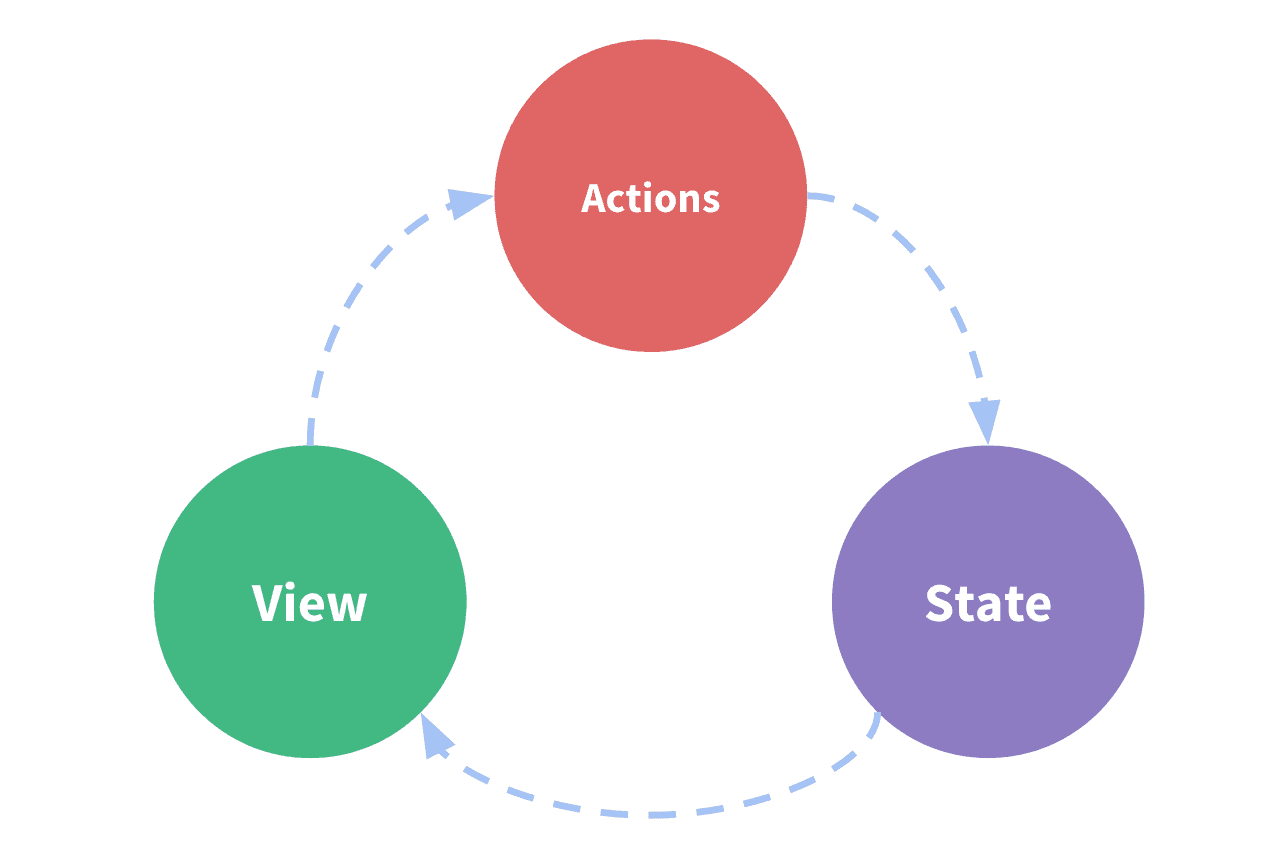
Vuex: A Central Store for Your App's State
Vuex acts as a global warehouse for your app's shared data, letting any component access state without complex prop-drilling. It's for large apps where components need to sync up. The footgun: For new projects, use Pinia, Vue's new official state library.
Using Angular Services for Simple State Management
An Angular service acts like a central data store. Components subscribe to it for data, rather than owning state, keeping data consistent across views. It's ideal for sharing user info or cart contents.
Angular HttpClient: Your App's API Connector
Angular's HttpClient turns network requests into RxJS Observables. Use it to fetch data or submit forms. The footgun: a request is never sent until you subscribe to the Observable it returns, a common mistake for beginners.
SvelteKit's `load` Function: Pre-fetch Data for Pages
Think of SvelteKit's load function as a gatekeeper for your page, fetching data *before* it renders. It's used to grab data from an API or route params, like fetching a blog post. The footgun: load in +page.js runs on both server and client.
Client-Side Routing: No More Full Page Reloads
Client-side routing fakes page navigation. Instead of fetching new HTML from a server, it just shows or hides components already loaded, making transitions feel instant. This powers single-page apps (SPAs).
RouterLink: Client-Side Navigation in Angular
RouterLink is Angular's replacement for <a> tags, preventing full page reloads in a Single-Page App. Use it on any element to navigate between views. The common footgun is using a standard <a href="...">, which reloads the page and loses application state.
Programmatic Navigation: Changing Routes with Code
Instead of a user clicking a link, you trigger navigation from your JavaScript. This is useful for redirecting after an action, like a successful login. The main footgun: params are ignored if you also provide a path—use a named route instead.
Angular Services: Your App's Shared Toolbox
An Angular service is a shared toolbox for your app. Instead of components building their own tools (like an HTTP client), they request a single instance from the dependency injector.
Angular Custom Pipes: Transform Data in Your Templates
An Angular custom pipe is a reusable formatting function for your templates. Use it for common display transformations like currency or date formatting, keeping your component logic clean. Footgun: Avoid slow logic; pipes run often and can kill performance.
Svelte Actions: Reusable DOM Logic
Svelte Actions let you run code when an element is mounted for direct DOM access. Use them to integrate third-party libraries or add custom events like swipe gestures.
Vue Custom Directives: For Low-Level DOM Access
Vue custom directives are for low-level DOM access. Use them for tasks like auto-focusing a dynamically inserted input. The footgun is using them for stateful logic or UI structure, where a composable or component is the right tool.
Angular AOT: Compile Before the Browser
Angular's AOT compiler converts your app into efficient JavaScript during the build process, not in the browser. This means faster rendering and smaller bundles, as the compiler itself isn't shipped.
Vue's v-once: Render Once, Then Ignore
Use v-once to render a part of your template exactly once. After the initial render, Vue treats it as static content, ignoring future data updates for that element and its children. This is a performance optimization for content that never needs to change.
Angular Unit Testing: Jasmine & Karma
Jasmine is your testing script (expect(a).toBe(b)), while Karma is the stage that runs it in a browser. This is Angular's default stack for unit testing components and services to ensure they work in isolation.
We are hiring for this. Every open role lists the topics its interview covers, so you can prepare for the real thing rather than guessing.
See open roles