Concepts in Vue, Angular & Svelte, page 5
Vue Route Animations: Animating Page Changes
Animate between pages by wrapping your router view in a <transition> component, giving your SPA the feel of a native app. This is used for sliding or fading effects during navigation.
Router History vs. Hash Mode: URL Style and Server Setup
Router history mode determines your SPA's URL style. History mode uses clean URLs (/users) but needs server setup, while hash mode uses a hash symbol (/#/users) and works out-of-the-box.
Vue Router: Controlling Scroll Behavior
In a SPA, the browser doesn't manage scroll position; scrollBehavior is your manual override. Use it to scroll to top on new pages or restore position on back/forward. The footgun is forgetting savedPosition, breaking native back-button behavior.

Angular Services: Your App's Shared Toolbox
An Angular service is a shared toolbox for your app. Instead of components building their own tools (like an HTTP client), they request a single instance from the dependency injector.
Angular Custom Pipes: Transform Data in Your Templates
An Angular custom pipe is a reusable formatting function for your templates. Use it for common display transformations like currency or date formatting, keeping your component logic clean. Footgun: Avoid slow logic; pipes run often and can kill performance.
Svelte Actions: Reusable DOM Logic
Svelte Actions let you run code when an element is mounted for direct DOM access. Use them to integrate third-party libraries or add custom events like swipe gestures.
Vue Custom Directives: For Low-Level DOM Access
Vue custom directives are for low-level DOM access. Use them for tasks like auto-focusing a dynamically inserted input. The footgun is using them for stateful logic or UI structure, where a composable or component is the right tool.
Vue Composables: Reusable Stateful Logic
A Vue composable is a function for bundling reusable stateful logic, like tracking mouse position. Use it to share complex logic like API fetches across components. The footgun: each component gets a fresh, independent state, not a shared one.
Angular Custom Attribute Directives
An Angular attribute directive changes the appearance or behavior of an existing DOM element without adding a new one, applied as a plain HTML attribute so reusable behavior like hover effects or validation can be attached declaratively across many templates.
Angular HttpInterceptor: A Pipeline for API Requests
Think of an HttpInterceptor as a pipeline for every API call, letting you inspect or modify requests and responses globally. Use it to automatically add auth headers or show a loading spinner.
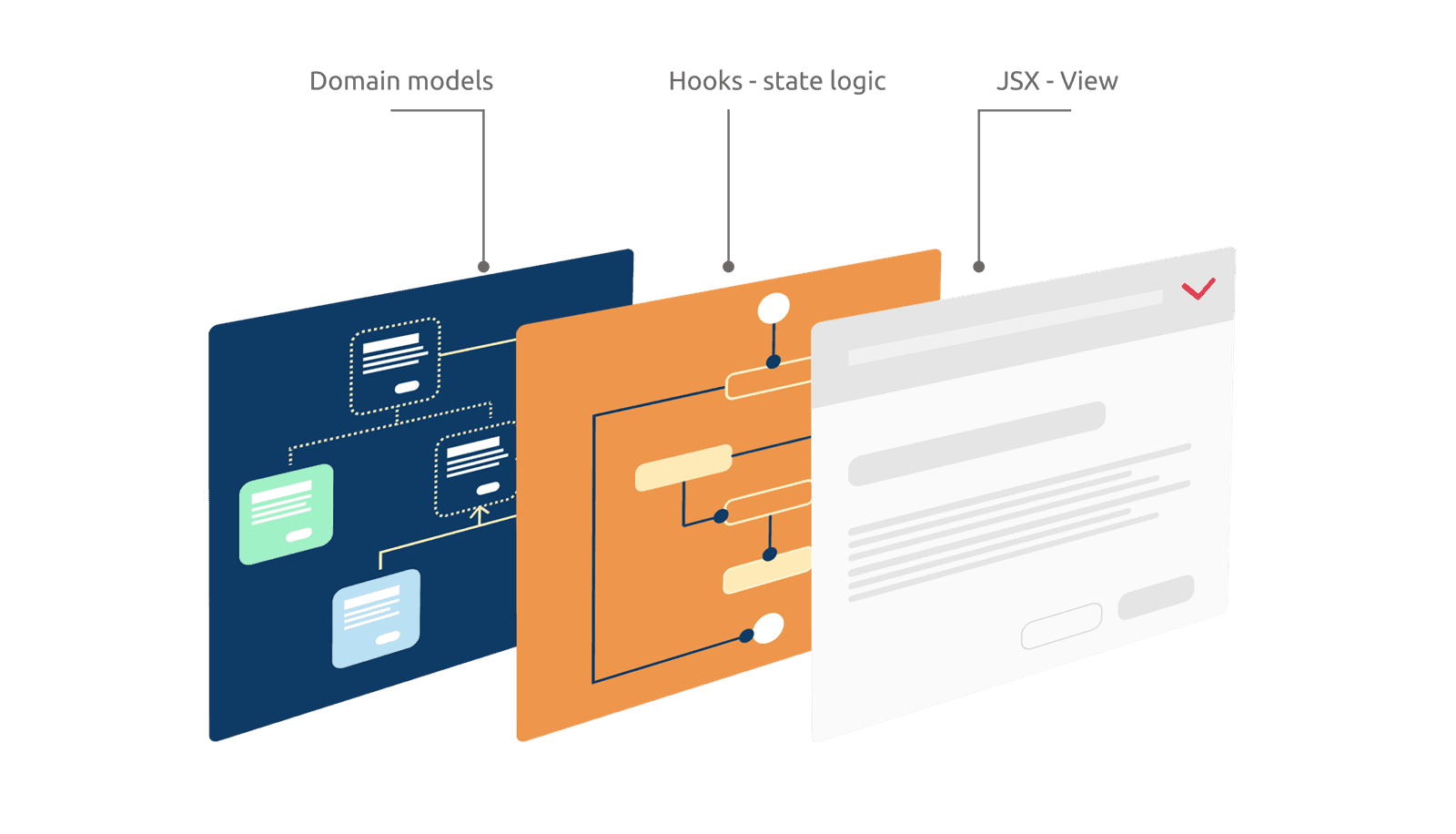
Headless Components: Separate Logic from UI
A Headless Component separates a component's logic from its UI, providing the 'brain' without the 'looks'. Use it for complex elements like dropdowns that need consistent behavior but different visual styles. The footgun is assuming it's a drop-in UI.
Vue Render Functions: Trading Templates for JS Power
Render functions trade Vue's declarative templates for the full programmatic power of JavaScript. Use them for highly dynamic components where logic is too complex for templates. The footgun is losing template optimizations and readability for imperative code.
Vue Plugins: Add App-Wide Functionality
A Vue plugin packages reusable logic to add features across your entire app, like a global toolbox. Use them for routing, state management, or making custom functions globally available.
Svelte Preprocessors: Write in Any Language
A Svelte preprocessor is a translator, converting code like TypeScript or SCSS into plain JS and CSS before compilation. This lets you use advanced tooling in .svelte files. The footgun is forgetting to configure it, leading to syntax errors.
Angular AOT: Compile Before the Browser
Angular's AOT compiler converts your app into efficient JavaScript during the build process, not in the browser. This means faster rendering and smaller bundles, as the compiler itself isn't shipped.
Vue's v-once: Render Once, Then Ignore
Use v-once to render a part of your template exactly once. After the initial render, Vue treats it as static content, ignoring future data updates for that element and its children. This is a performance optimization for content that never needs to change.
Vue Async Components: Defer Loading Until Needed
Vue async components defer loading a component's code until it's rendered, speeding up initial app loads. Use them for heavy components not needed right away, like modals or admin panels. The footgun is a blank UI if you don't handle loading/error states.
Angular's OnPush: Faster Apps by Doing Less
OnPush tells Angular to only re-render a component when its inputs change or its own events fire, not on every global event. It's a key performance boost for large apps, but mutating an input object directly won't trigger a re-render, causing a stale UI.

List Virtualization: Rendering the Viewport, Not the Dataset
List virtualization renders only the visible slice of a huge dataset, keeping your app fast by maintaining a tiny DOM. Use it for long lists or infinite scroll feeds.
JavaScript Bundle Analysis: Seeing Your App's Weight
Think of it as an X-ray for your compiled JavaScript, showing which libraries take up the most space. Use it to diagnose slow load times by finding large or duplicated dependencies.
We are hiring for this. Every open role lists the topics its interview covers, so you can prepare for the real thing rather than guessing.
See open roles