Everything in Vue, Angular & Svelte, page 12
Vue Composables: Reusable Stateful Logic
A Vue composable is a function for bundling reusable stateful logic, like tracking mouse position. Use it to share complex logic like API fetches across components. The footgun: each component gets a fresh, independent state, not a shared one.
Vue Custom Directives: For Low-Level DOM Access
Vue custom directives are for low-level DOM access. Use them for tasks like auto-focusing a dynamically inserted input. The footgun is using them for stateful logic or UI structure, where a composable or component is the right tool.
Svelte Actions: Reusable DOM Logic
Svelte Actions let you run code when an element is mounted for direct DOM access. Use them to integrate third-party libraries or add custom events like swipe gestures.

Angular Custom Pipes: Transform Data in Your Templates
An Angular custom pipe is a reusable formatting function for your templates. Use it for common display transformations like currency or date formatting, keeping your component logic clean. Footgun: Avoid slow logic; pipes run often and can kill performance.
Angular Services: Your App's Shared Toolbox
An Angular service is a shared toolbox for your app. Instead of components building their own tools (like an HTTP client), they request a single instance from the dependency injector.
Vue Router: Controlling Scroll Behavior
In a SPA, the browser doesn't manage scroll position; scrollBehavior is your manual override. Use it to scroll to top on new pages or restore position on back/forward. The footgun is forgetting savedPosition, breaking native back-button behavior.
Router History vs. Hash Mode: URL Style and Server Setup
Router history mode determines your SPA's URL style. History mode uses clean URLs (/users) but needs server setup, while hash mode uses a hash symbol (/#/users) and works out-of-the-box.
Vue Route Animations: Animating Page Changes
Animate between pages by wrapping your router view in a <transition> component, giving your SPA the feel of a native app. This is used for sliding or fading effects during navigation.
Angular: Reading URL Query Parameters
Angular gives you two ways to read URL query params: a static snapshot for the initial value, or a queryParams Observable for live updates. Use it for values like ?search=term.

File-Based Routing: Your Filesystem is Your API
File-based routing makes your directory structure the single source of truth for your app's URLs. Creating a file at routes/about/+page.svelte automatically creates the /about page, no central config needed.
Navigation Guards: Vue's Route Bouncers
Think of navigation guards as bouncers for your app's routes. They intercept route changes to check permissions or fetch data before rendering a page. The old next() callback is a trap; accidentally calling it twice can break navigation.
Nested Routes: Mapping URLs to Component Trees
Nested routes map URL segments to components inside other components, like a sub-page within a main layout. This is common for user dashboards with sections like 'profile' and 'settings'. The footgun is forgetting the child router outlet.
Vue Dynamic Routes: Using Parameters
Dynamic routes use one component for many URLs, like a User page for /users/johnny and /users/jolyne. Define a path with a param like /users/:id and access its value via $route.params.id.
Programmatic Navigation: Changing Routes with Code
Instead of a user clicking a link, you trigger navigation from your JavaScript. This is useful for redirecting after an action, like a successful login. The main footgun: params are ignored if you also provide a path—use a named route instead.
RouterLink: Client-Side Navigation in Angular
RouterLink is Angular's replacement for <a> tags, preventing full page reloads in a Single-Page App. Use it on any element to navigate between views. The common footgun is using a standard <a href="...">, which reloads the page and loses application state.
Client-Side Routing: No More Full Page Reloads
Client-side routing fakes page navigation. Instead of fetching new HTML from a server, it just shows or hides components already loaded, making transitions feel instant. This powers single-page apps (SPAs).
SSR Hydration: Don't Re-render, Reuse
Hydration tells your client-side app to reuse the HTML sent by the server instead of wastefully re-rendering it. This prevents UI flicker in Server-Side Rendered apps and improves load performance.

XState: Predictable UI State with State Machines
XState treats UI logic as a formal state machine, making impossible states impossible. It's ideal for complex components like multi-step forms or data fetching UIs. The footgun is overusing it for simple boolean toggles, which adds needless boilerplate.
Optimistic UI: Assume Success for a Faster Feel
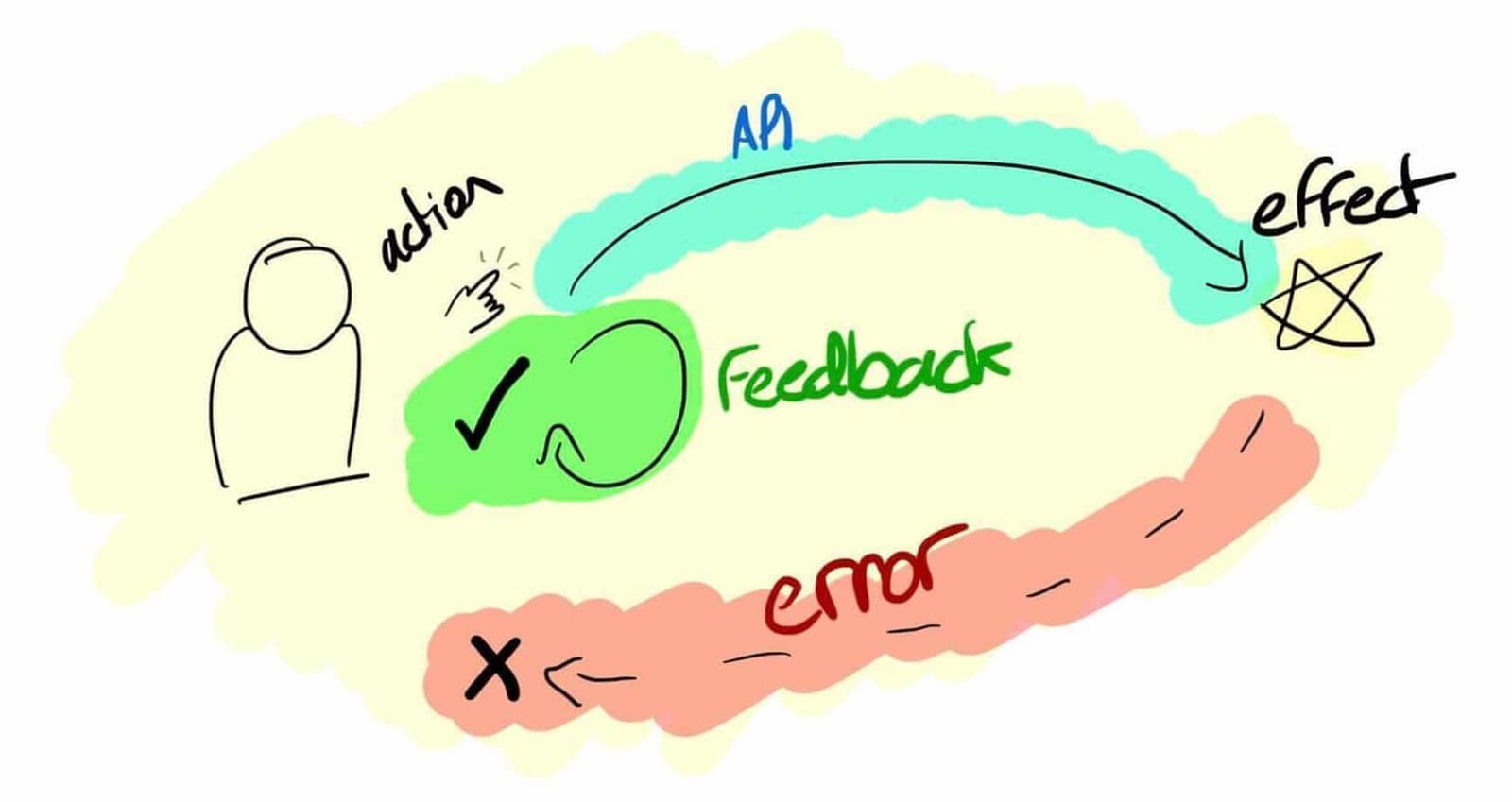
An optimistic UI assumes an action will succeed, updating the interface instantly instead of waiting for the server. This makes actions like liking a post or adding to a cart feel instant. The footgun is failing to revert the UI when the server reports an.

TanStack Query: Managing Server State, Not Client State
TanStack Query manages asynchronous server state, not client-side UI state. It treats server data as a cached resource. Use it to fetch, cache, and update remote data automatically. The footgun is using it for synchronous client state like form inputs.
We are hiring for this. Every open role lists the topics its interview covers, so you can prepare for the real thing rather than guessing.
See open roles