All bites
The whole library, newest first. Filter by what you are here for, or pick a topic if you already know.
4247 bites
Page 100

Angular HttpClient: Your App's API Connector
Angular's HttpClient turns network requests into RxJS Observables. Use it to fetch data or submit forms. The footgun: a request is never sent until you subscribe to the Observable it returns, a common mistake for beginners.

SvelteKit's `load` Function: Pre-fetch Data for Pages
Think of SvelteKit's load function as a gatekeeper for your page, fetching data *before* it renders. It's used to grab data from an API or route params, like fetching a blog post. The footgun: load in +page.js runs on both server and client.

TanStack Query: Managing Server State, Not Client State
TanStack Query manages asynchronous server state, not client-side UI state. It treats server data as a cached resource. Use it to fetch, cache, and update remote data automatically. The footgun is using it for synchronous client state like form inputs.
Optimistic UI: Assume Success for a Faster Feel
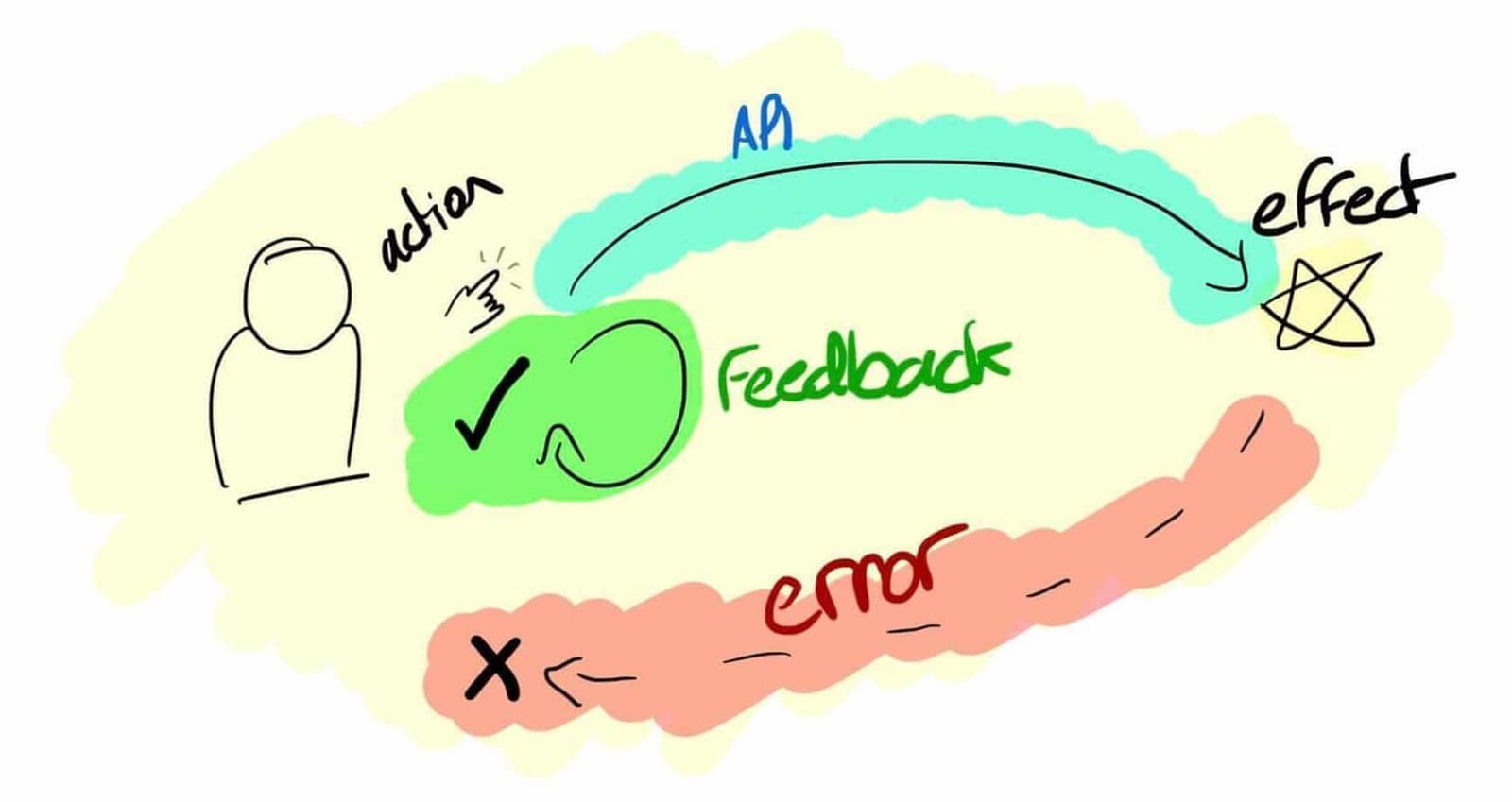
An optimistic UI assumes an action will succeed, updating the interface instantly instead of waiting for the server. This makes actions like liking a post or adding to a cart feel instant. The footgun is failing to revert the UI when the server reports an.

XState: Predictable UI State with State Machines
XState treats UI logic as a formal state machine, making impossible states impossible. It's ideal for complex components like multi-step forms or data fetching UIs. The footgun is overusing it for simple boolean toggles, which adds needless boilerplate.
SSR Hydration: Don't Re-render, Reuse
Hydration tells your client-side app to reuse the HTML sent by the server instead of wastefully re-rendering it. This prevents UI flicker in Server-Side Rendered apps and improves load performance.
Client-Side Routing: No More Full Page Reloads
Client-side routing fakes page navigation. Instead of fetching new HTML from a server, it just shows or hides components already loaded, making transitions feel instant. This powers single-page apps (SPAs).
RouterLink: Client-Side Navigation in Angular
RouterLink is Angular's replacement for <a> tags, preventing full page reloads in a Single-Page App. Use it on any element to navigate between views. The common footgun is using a standard <a href="...">, which reloads the page and loses application state.
Programmatic Navigation: Changing Routes with Code
Instead of a user clicking a link, you trigger navigation from your JavaScript. This is useful for redirecting after an action, like a successful login. The main footgun: params are ignored if you also provide a path—use a named route instead.
Vue Dynamic Routes: Using Parameters
Dynamic routes use one component for many URLs, like a User page for /users/johnny and /users/jolyne. Define a path with a param like /users/:id and access its value via $route.params.id.
Nested Routes: Mapping URLs to Component Trees
Nested routes map URL segments to components inside other components, like a sub-page within a main layout. This is common for user dashboards with sections like 'profile' and 'settings'. The footgun is forgetting the child router outlet.
Navigation Guards: Vue's Route Bouncers
Think of navigation guards as bouncers for your app's routes. They intercept route changes to check permissions or fetch data before rendering a page. The old next() callback is a trap; accidentally calling it twice can break navigation.

File-Based Routing: Your Filesystem is Your API
File-based routing makes your directory structure the single source of truth for your app's URLs. Creating a file at routes/about/+page.svelte automatically creates the /about page, no central config needed.
Angular: Reading URL Query Parameters
Angular gives you two ways to read URL query params: a static snapshot for the initial value, or a queryParams Observable for live updates. Use it for values like ?search=term.
Vue Route Animations: Animating Page Changes
Animate between pages by wrapping your router view in a <transition> component, giving your SPA the feel of a native app. This is used for sliding or fading effects during navigation.
Router History vs. Hash Mode: URL Style and Server Setup
Router history mode determines your SPA's URL style. History mode uses clean URLs (/users) but needs server setup, while hash mode uses a hash symbol (/#/users) and works out-of-the-box.
Vue Router: Controlling Scroll Behavior
In a SPA, the browser doesn't manage scroll position; scrollBehavior is your manual override. Use it to scroll to top on new pages or restore position on back/forward. The footgun is forgetting savedPosition, breaking native back-button behavior.
Angular Services: Your App's Shared Toolbox
An Angular service is a shared toolbox for your app. Instead of components building their own tools (like an HTTP client), they request a single instance from the dependency injector.
Angular Custom Pipes: Transform Data in Your Templates
An Angular custom pipe is a reusable formatting function for your templates. Use it for common display transformations like currency or date formatting, keeping your component logic clean. Footgun: Avoid slow logic; pipes run often and can kill performance.
Svelte Actions: Reusable DOM Logic
Svelte Actions let you run code when an element is mounted for direct DOM access. Use them to integrate third-party libraries or add custom events like swipe gestures.