Homography: Mapping Flat Surfaces Between Images
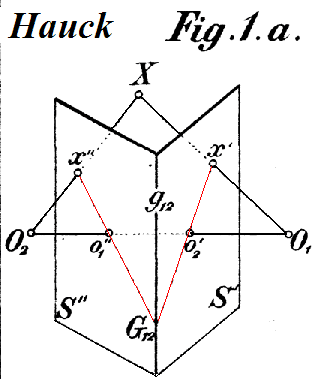
A homography is a 3x3 matrix that maps points between two images of a flat surface. It's used for panorama stitching and perspective correction. The footgun: it only works for planes or pure camera rotation, failing on scenes with depth.
Why it exists
Computer vision needs a way to relate two different images of the same scene. If that scene is flat, like a wall, a floor, or a piece of paper, a homography provides the exact mathematical transformation to map every point from one view to the other.
The mental model
A homography is a perspective transformation matrix. Imagine you take a photo of a rectangular poster from an angle, making it look like a trapezoid. The homography is the 3x3 matrix that can transform that trapezoidal shape in your photo back into a perfect rectangle, or vice-versa. It's a single operation that handles rotation, translation, scaling, and perspective skew all at once for a planar surface.
How it works
A homography is a 3x3 matrix that transforms 2D points represented in homogeneous coordinates (x, y, 1). To find this matrix, you need at least four pairs of corresponding points between the two images that are not collinear. For example, the four corners of a window in image A and the same four corners in image B. With these points, algorithms like Direct Linear Transform (DLT) can solve for the eight unknown values in the homography matrix. Once you have the matrix, you can use it to warp one entire image to align with the other.
When to use it
Use it for image registration, like stitching photos into a panorama by warping them to align perfectly. Use it for image rectification, like in a document scanner app that turns an angled photo of a page into a flat, top-down view. It is also fundamental to augmented reality for projecting virtual decals or objects onto a real-world floor or wall.
When not to use it
Do not use a single homography for scenes with significant depth or parallax. If you try to map a landscape with a foreground tree and a background mountain, the homography will fail because the points do not lie on a single plane. This results in ghosting or tearing artifacts. For such scenes, more complex methods like fundamental matrix estimation or 3D reconstruction are needed.
One canonical example
Creating a skybox in a video game by projecting a texture onto a cube. To make the texture on one face of the cube appear correct from the player's viewpoint, the game engine calculates a homography between the texture's flat plane and the polygon's plane on screen. This is also how virtual ads are inserted onto billboards or sports fields in live video broadcasts; the advertiser's image is warped by a homography to match the perspective of the surface in the video frame.
Interview question
Which scenario would most likely lead to inaccurate results if only a single homography is used?
- a.Stitching together multiple images to create a panorama of a distant mountain range.Correct
- b.Correcting the skewed perspective of a photograph of a flat poster.
- c.Aligning two images of a chessboard taken from slightly different angles.
- d.Overlaying a virtual object onto a flat floor in an augmented reality application.
Why? this is the answer
A homography is designed to map points between images of a flat surface. A distant mountain range, despite appearing far, still presents significant depth and parallax, which a single homography cannot accurately model, as explicitly stated in the 'When Not To Use It' section. The other options describe scenarios involving flat surfaces where a homography is appropriate.
Just read this? Test yourself on what you have been reading.
Read the original → en.wikipedia.org
- #computer vision
- #linear algebra
- #image processing
- #augmented reality
You just looked this up. Could you explain it out loud?
That is the part interviews actually test. Tezvyn takes questions like this one and gives you what the interviewer is really checking, the answer that lands, and the mistake that ends the conversation, in the four minutes before your next meeting.
The iPhone app is on the way
We are building it. Until it lands, nothing here is held back from you: every interview card, your saved cards, streaks and the job board all work in Safari, plus hundreds of free practice quizzes of thirty questions each. Sign in and it all carries over to the app the day it arrives.
Want it as an icon? Tap Share at the bottom of Safari, then Add to Home Screen. It opens full screen and the cards you have read stay available offline.
We are hiring for this. Open roles that interview on computer vision — each one lists the topics its interview covers.
See open roles