Intermediate concepts in Design & UX, page 11
Design System Migration: A Campaign, Not a Mandate
Migrating to a new design system is a campaign to win over teams, not just a technical refactor. Use strategies like piggybacking on features (Trojan Horse) or starting with willing teams to build momentum and avoid getting stalled by resistance.
UX Research Plan: Alignment Before Fieldwork
A UX research plan is a pre-fieldwork contract that locks in what you must learn and how success is judged. It stops stakeholders from moving goalposts after interviews begin. The footgun is filing it away unread; a plan nobody references is just bureaucracy.
Design System Docs: The Product, Not the Afterthought
Treat your design system documentation as a product, not a cleanup task. It's the instruction manual that prevents your component library from being misused. It's essential for scaling a design system to ensure consistency and speed up onboarding.
Versioning Your Design System Documentation
Think of it like Git for your design system: you create immutable snapshots (versions) of your docs and components. This lets product teams build against a stable spec, even as the design system evolves. The footgun is poor versioning discipline.
Recruiting Participants Who Mirror Real Users
Bad recruiting kills research before the first question. Recruit people currently doing the behavior you study, not just matching demographics. The footgun is using convenience samples like staff or friends, who know your product and give false signals.

Figma Comments: Annotate Designs for Better Handoff
Figma comments are the inline documentation for your designs, bridging the gap between a static screen and its intended behavior. Use them to clarify interactions and edge cases directly on the canvas. The footgun is assuming the design speaks for itself.

Conversational Component Model: Building Blocks for Voice UI
Think of conversational components as LEGO bricks for dialogue. You assemble standard pieces like questions, confirmations, and apologies to build a natural flow for voice assistants or chatbots.
Anonymity vs. Confidentiality in UX Research
Anonymity severs the link between data and identity; confidentiality hides that link under lock and key. Use anonymity for sensitive surveys and confidentiality for follow-up studies. The footgun is claiming anonymity while keeping names or emails on file.
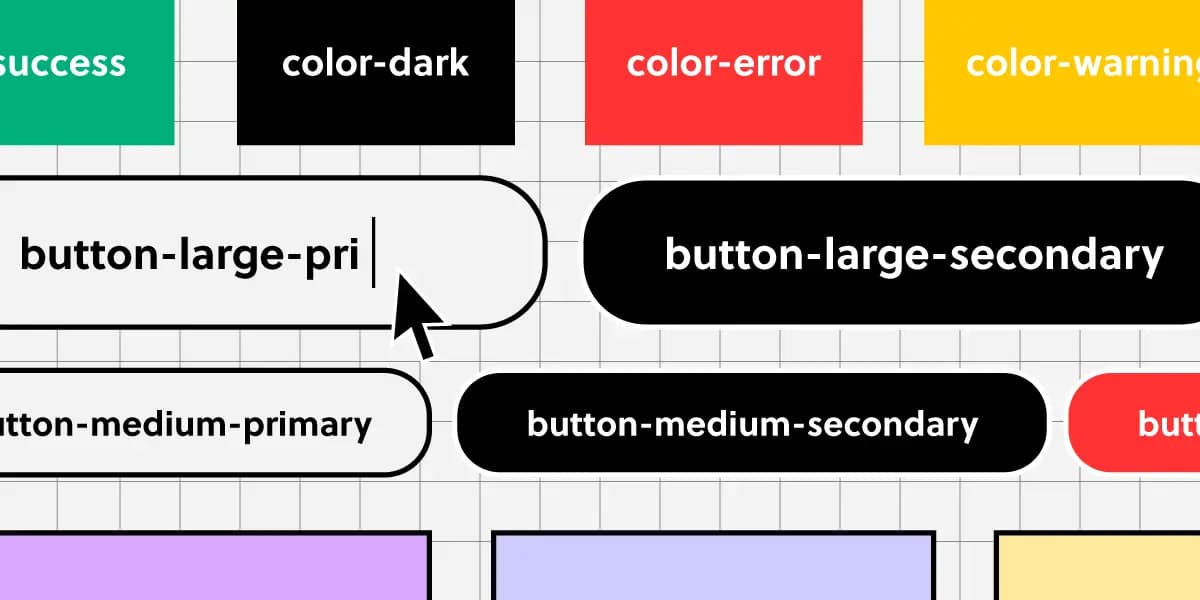
Component Naming: A Shared Language for UI
Think of naming conventions as a shared dictionary for your team. A name like ButtonPrimary should mean the same thing in Figma and in code, ensuring consistency.
Threat Modeling UX Research for Vulnerable Populations
Research with vulnerable populations is threat modeling: standard methods can harm people with diminished autonomy or trauma. Use these guardrails for disabilities, low literacy, or desperation. Never treat a signed consent form as proof of understanding.

Real-time Collaboration: Figma's 'Multiplayer' Model
Real-time collaboration uses a central server as the single source of truth for a file. Instead of passing copies, users connect to the same live document, enabling simultaneous editing in tools like Figma.

Form Layout Best Practices
Guide users with a clear visual path, not a maze. A single-column layout with consistent spacing creates a streamlined data entry experience. Use it for everything from contact forms to complex UIs.
Research Incentives: Pay for Time, Not Opinions
Research incentives repay time, not buy opinions. Pay enough to respect schedules without pressuring people to enroll or fake answers. The footgun is overpaying, which attracts participants who need the money and biases your data.
Figma Comments: Your Team's Built-in Critique Layer
Think of Figma comments as a critique layer on your design. They tie feedback directly to specific elements for asynchronous review, letting you iterate faster without constant meetings. The footgun: Over-mentioning creates notification fatigue.
Design System Steering Committee: Governance in Practice
A steering committee is the board of directors for a design system, ensuring its long-term stability and direction. They set technical standards, manage releases, and resolve conflicts. The footgun is becoming a bottleneck if not diverse and well-chartered.
Goal Tracking: From User Clicks to Business Conversions
Goal tracking translates user actions into business metrics. Analytics platforms use automatically collected events (like ad_click) as building blocks to track these goals. The footgun is confusing any interaction with a valuable, defined conversion.
HIPAA in UX Research: Health Data as Hazardous Material
HIPAA in UX research treats health data as toxic: collect only what you need and de-identify fast. When interviewing patients or handling medical logs, treat every note as PHI. The footgun is dropping raw transcripts into consumer apps without a signed BAA.

A Design System Newsletter: Make Invisible Work Visible
A design system newsletter makes your team's invisible infrastructure work visible. Use it to announce component updates and share challenges, keeping stakeholders engaged.
Scroll Depth Tracking: Measure Engagement Beyond the Fold
Scroll depth tracking measures how much of a page a user actually sees, not just that they landed on it. It fires analytics tags at specific scroll points, like 25% or 75% down the page, to gauge engagement on long articles.
Stakeholder Alignment: The Pre-Research Contract
Alignment locks the decision a study informs before recruiting. It matters when teams fund research to validate a direction, then ignore findings that clash. The footgun is conflating alignment with a kickoff instead of a decision pact.
We are hiring for this. Every open role lists the topics its interview covers, so you can prepare for the real thing rather than guessing.
See open roles