Advanced concepts in iOS & Swift, page 2

CAKeyframeAnimation: Animating Through Key States
CAKeyframeAnimation defines animations with waypoints, not just a start and end. Think of it as a flipbook where you set key frames and the system interpolates. Use it for complex paths, like shaking an icon. Footgun: setting both path and values.
CATransaction: Grouping Core Animation Changes
Think of CATransaction as an atomic 'commit' for UI animations, grouping layer property changes to appear at once. Use it to synchronize animations or set a custom duration for a batch of changes.
The Animatable Protocol
The Animatable protocol lets a custom SwiftUI view or Shape expose its state as interpolatable data, so SwiftUI can smoothly tween between values across frames instead of snapping, which is how custom shapes and progress indicators get real animation.
GeometryEffect
GeometryEffect is a SwiftUI protocol for building custom animatable 2D transforms beyond the built-in offset, scaleEffect, and rotationEffect modifiers, by returning a ProjectionTransform that SwiftUI recomputes and animates on every frame.
CAReplicatorLayer: A 'For Loop' for Layers
CAReplicatorLayer is a 'for loop' for layers, creating complex patterns from a single source layer. Use it for loading spinners or radial bursts. The footgun: transformations are cumulative, so each copy is transformed relative to the previous one, not the…
ARKit: Building Augmented Reality on Apple Devices
ARKit is Apple's framework for blending digital objects with the real world using a device's camera. Use it for games, virtual furniture previews, or measurement tools.
Core Bluetooth: The Central vs. Peripheral Model
Core Bluetooth lets your app talk to BLE devices by acting as a "Central" (scanner) or "Peripheral" (advertiser). Use it to read from sensors or make your app discoverable.
AVCaptureSession
AVCaptureSession is the central coordinator in AVFoundation that connects camera and microphone inputs to outputs like a preview layer, photo capture, movie recording, or real time frame processing.
Apple's Natural Language Framework
Apple's Natural Language Framework turns raw strings into structured meaning on-device without network calls. Tokenize queries or extract entities from user text locally. It is not infallible; heavy synchronous tagging on the main thread freezes your UI.
measure: Baseline and Compare Code Performance
measure in XCTest establishes a performance baseline for a block of code and fails tests if it regresses. It tracks critical algorithm speed, running the code ten times for a stable average. The footgun is ignoring the baseline: you must set it first.

XCUITest Page Object Model: Tame Your UI Tests
The Page Object Model treats each app screen as an object, separating test logic from UI interaction. In XCUITest, this creates stable tests for complex apps. The biggest footgun is forgetting synchronization—always wait for views to load before interacting.
Snapshot Testing: Catch Unintended UI Changes
Snapshot testing compares your UI to a saved 'golden' image, failing if pixels differ. It's a visual diff for your views, catching unintended regressions in layout or style. The main footgun is forgetting to re-record snapshots after intentional UI changes.
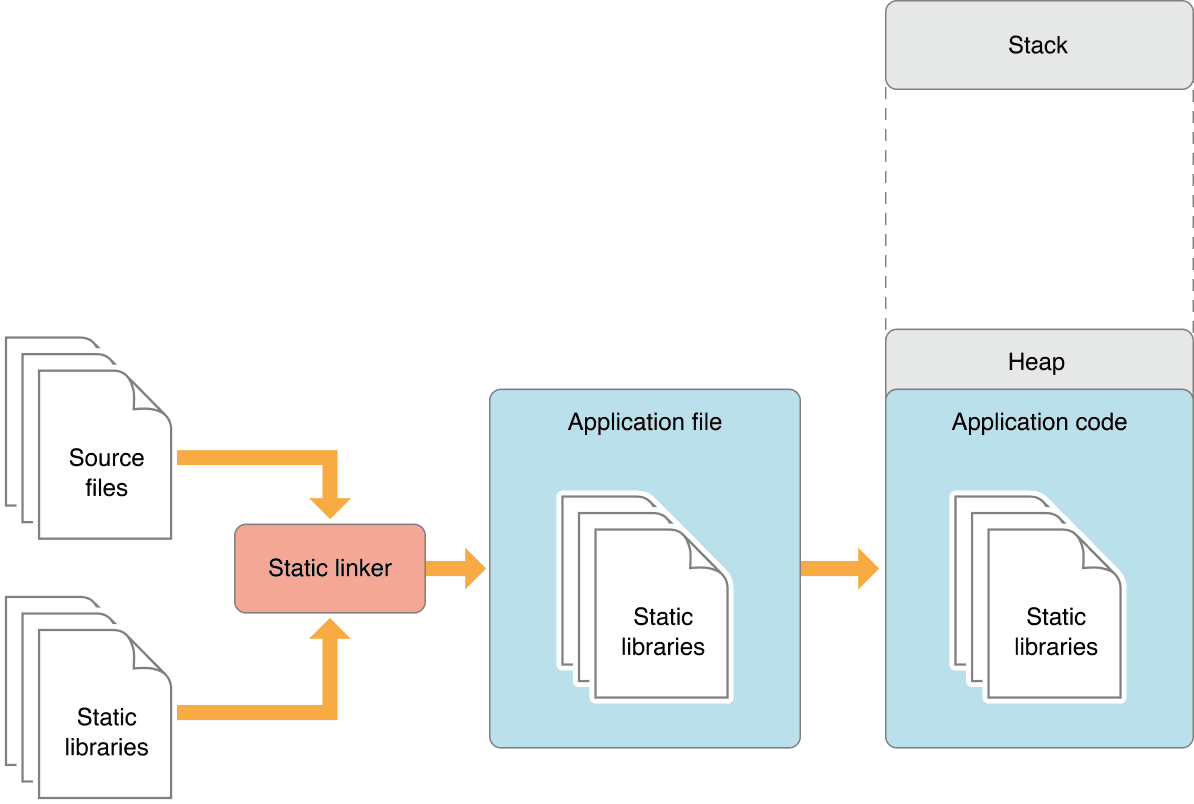
Static vs. Dynamic Linking: Code Size vs. Flexibility
Static linking bakes library code into your app, creating a large but self-contained executable. Dynamic linking loads libraries at runtime, saving space. This choice impacts app size, launch time, and updates.
Swift Library Evolution: Shipping Break-Proof Frameworks
Library Evolution lets you update a Swift framework without breaking apps that use it, even if they don't recompile. It's crucial for shipping binary SDKs. The footgun is that many seemingly safe changes, like adding a struct property, are binary-breaking by…
Custom Frameworks: Best Practices for Sharing Code
A custom framework is a private toolkit, bundling shared code and resources for use across multiple apps. Use them for common logic in an app suite, but always prefix public symbols to avoid name collisions and static link errors.
App Thinning: Ship Only What's Needed
App Thinning shrinks your app's download by delivering only the assets a specific device needs. The App Store uses Slicing for device-specific art and code, and you can use On-Demand Resources for assets downloaded after installation.

On-Demand Resources: Keep Your App Bundle Slim
On-Demand Resources (ODR) host app assets on the App Store, not in your bundle, shrinking your initial download. Use it for game levels or tutorials not needed at first launch. The OS downloads assets by "tag" when requested, but can also purge them to save.
App Store Server Notifications: Your Backend's Source of Truth
App Store Server Notifications are webhooks from Apple that tell your backend about subscription events like renewals or refunds. They are your server's source of truth for user entitlements, letting you grant or revoke access without relying on the client…
macOS App Notarization: Apple's Security Checkpoint
Notarization is an automated security screening for macOS apps. You upload your app, Apple scans it for malware, and issues a ticket to attach to it. This is mandatory for apps distributed outside the Mac App Store.
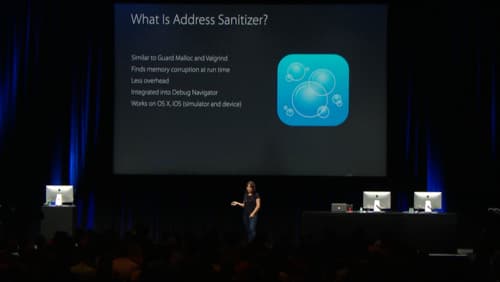
Address Sanitizer: Find Memory Bugs at Runtime
Address Sanitizer (ASan) is a runtime debugging tool that finds memory corruption bugs. Enable it in Xcode to catch buffer overflows and use-after-free errors as they happen, preventing crashes that are hard to trace back to their source.
We are hiring for this. Every open role lists the topics its interview covers, so you can prepare for the real thing rather than guessing.
See open roles