Everything in iOS & Swift, page 9

Optimizing iOS App Launch Time
An app launch is a race against the system's watchdog timer. The OS loads your app in two phases: pre-main and main. Optimizing both is key. The biggest footgun is ignoring the pre-main phase, where bloated dynamic libraries can kill performance.
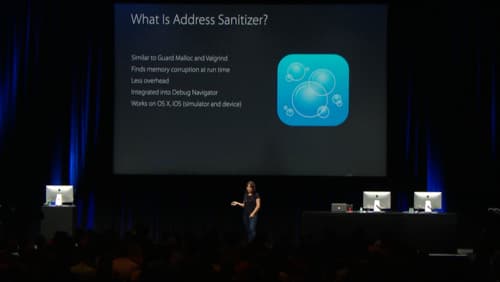
Address Sanitizer: Find Memory Bugs at Runtime
Address Sanitizer (ASan) is a runtime debugging tool that finds memory corruption bugs. Enable it in Xcode to catch buffer overflows and use-after-free errors as they happen, preventing crashes that are hard to trace back to their source.
Swift Errors and the NSError Bridge
Swift's modern Error protocol and Objective-C's NSError are different, but Swift automatically "bridges" them. This is key when calling older Apple APIs, which throw NSErrors.
Lightweight Generics: Type Safety for Objective-C
Lightweight generics bolt type safety onto Objective-C collections like NSArray. This lets Swift see an NSArray<NSString *> as a type-safe [String] instead of [Any], preventing runtime crashes.
Objective-C Nullability: Bridging to Swift's Optionals
Nullability annotations are like adding ? or ! to your Objective-C pointers, telling Swift how to handle nil. They're essential in mixed codebases to bridge Objective-C's pointers to Swift's safe Optionals.
Autorelease Pools: Managing Temporary Object Memory
Think of an autorelease pool as a temporary holding pen for objects. It defers their deallocation until a code block ends. UI frameworks handle this, but you'll add one in tight loops with many temporary objects to reduce peak memory, or on background threads.
Selectors: Objective-C's Function Pointers in Swift
A selector is a lightweight name for a method, not a direct pointer. Swift uses it to call Objective-C code dynamically at runtime. It's common in UIKit for target-action patterns, like button taps. The footgun: forgetting @objc causes a runtime crash.
Bridging Header: Mixing Objective-C and Swift
A bridging header is a translation list for Xcode, letting your new Swift code call old Objective-C code. It's essential when migrating a legacy codebase or using an Objective-C library. The footgun: it only exposes Objective-C to Swift, not vice-versa.
Main Thread Checker: Keep Your UI Responsive
The Main Thread Checker is an Xcode tool that catches UI updates on background threads, which cause crashes or glitches. It runs during debugging, flagging AppKit, UIKit, or SwiftUI calls made off the main thread.
Grand Central Dispatch (GCD): Your App's Task Manager
Grand Central Dispatch (GCD) is your app's task manager, letting you run code in the background without freezing the UI. Use it to offload network requests or heavy computations, then update the UI on the main queue.
macOS App Notarization: Apple's Security Checkpoint
Notarization is an automated security screening for macOS apps. You upload your app, Apple scans it for malware, and issues a ticket to attach to it. This is mandatory for apps distributed outside the Mac App Store.
App Store Server Notifications: Your Backend's Source of Truth
App Store Server Notifications are webhooks from Apple that tell your backend about subscription events like renewals or refunds. They are your server's source of truth for user entitlements, letting you grant or revoke access without relying on the client…

On-Demand Resources: Keep Your App Bundle Slim
On-Demand Resources (ODR) host app assets on the App Store, not in your bundle, shrinking your initial download. Use it for game levels or tutorials not needed at first launch. The OS downloads assets by "tag" when requested, but can also purge them to save.
App Thinning: Ship Only What's Needed
App Thinning shrinks your app's download by delivering only the assets a specific device needs. The App Store uses Slicing for device-specific art and code, and you can use On-Demand Resources for assets downloaded after installation.
Xcode Cloud
Xcode Cloud is Apple's built in CI/CD service that builds, tests, and distributes iOS and Mac apps from source control on Apple hosted cloud Macs, so teams do not need to run their own build hardware or manage signing separately.
App Store Connect Analytics
App Analytics in App Store Connect is Apple's built in, privacy preserving dashboard showing how users find, install, and use an app, covering impressions, product page views, conversion rate, downloads, and retention, with no SDK required.
Phased Release: De-Risking App Updates
A phased release is like slowly opening a floodgate for your app update. It rolls out to a small percentage of users first, letting you monitor for crashes before it reaches everyone and limiting the blast radius of a bad bug.
Navigating Apple's App Store Submission and Review
Think of App Store submission as a strict gatekeeping process, not just an upload. You must prove your app is safe, reliable, and transparent via App Store Connect.
TestFlight: Apple's Beta Testing Framework
TestFlight is your private App Store for beta builds. Use it to distribute pre-release versions to internal teams and external testers for feedback before a public launch. The footgun: external tester builds require a beta App Review, unlike internal builds.
App Store Reviews: Your Public Support Channel
Treat App Store reviews as public conversations, not just support tickets. Responding lets you fix your app's narrative, help users with issues, and show potential customers you're engaged. The footgun is writing an emotional or defensive reply.
We are hiring for this. Every open role lists the topics its interview covers, so you can prepare for the real thing rather than guessing.
See open roles