Advanced concepts in Mobile Dev, page 7
Staggered Animations: Choreographing UI Changes
A staggered animation is a domino effect for your UI. Instead of animating everything at once, you sequence animations with slight delays for a more fluid, polished feel. Use it for list items appearing one by one. The footgun is timing: too long feels slow.
Flutter's Path Class: Drawing Custom Shapes
Flutter's Path is a digital pen for drawing any custom shape. Use it for complex icons, charts, or clipping widgets into non-rectangular forms. The footgun: forgetting moveTo will connect separate parts of your drawing with an unwanted line.
Flutter's Physics Simulations: The Simulation Class
Flutter's Simulation class is the engine for physics-based animations, modeling a 1D object's position and velocity over time. It powers realistic scrolling, springs, and gravity effects.
Canvas Transformations: Moving the Paper, Not the Pen
Think of Flutter's Canvas transformations not as moving your drawing, but as moving the coordinate system itself. This is key for custom painters, like rotating the canvas to draw tick marks on a dial.

Testing Coroutines: Control Time with `runTest`
Test asynchronous coroutine code as if it were synchronous. The kotlinx-coroutines-test library lets you control a virtual clock. Use runTest to wrap tests calling suspend functions, ensuring your test waits for async work before asserting results.
OTA Updates: Ship JS Fixes Without App Store Review
Over-the-Air (OTA) updates let you ship JavaScript, styling, and image changes directly to users, bypassing app store review. Use it to fix JS bugs or tweak UI between releases. The footgun: you can't update native code or change permissions this way.
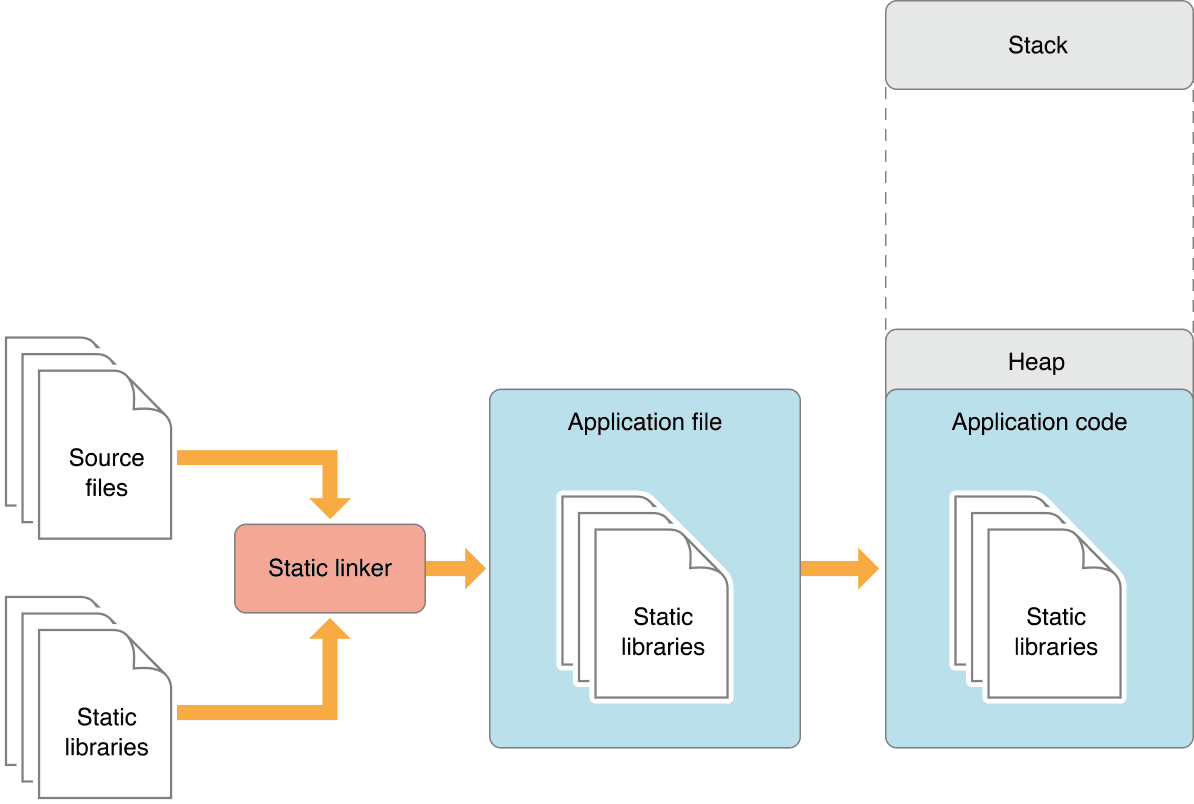
Static vs. Dynamic Linking: Code Size vs. Flexibility
Static linking bakes library code into your app, creating a large but self-contained executable. Dynamic linking loads libraries at runtime, saving space. This choice impacts app size, launch time, and updates.
fastlane for React Native: Automating Native Builds
fastlane automates the native build and release steps for your React Native app. It scripts Xcode and Gradle tasks like code signing and uploading to stores, letting you ship from one command. The footgun: it only automates native toolchains, not JS bundling.
Swift Library Evolution: Shipping Break-Proof Frameworks
Library Evolution lets you update a Swift framework without breaking apps that use it, even if they don't recompile. It's crucial for shipping binary SDKs. The footgun is that many seemingly safe changes, like adding a struct property, are binary-breaking by…
UI Automator: Black-Box UI Testing for Android
Think of UI Automator as a robot that tests your app by looking at the screen, not your code. It's for end-to-end tests that cross app boundaries, like interacting with the system Settings. The footgun: tests are powerful but can be slow and brittle.
CI/CD for React Native: Automating App Releases
CI/CD for React Native is an assembly line for your app, taming the complexity of managing JS, Android, and iOS code. It automates builds on every push and deploys to stores. The main footgun is storing signing keys directly in your repo instead of using.
Custom Frameworks: Best Practices for Sharing Code
A custom framework is a private toolkit, bundling shared code and resources for use across multiple apps. Use them for common logic in an app suite, but always prefix public symbols to avoid name collisions and static link errors.
Dart FFI: Calling C Code from Dart
Dart FFI is a bridge to the C world, letting you call native C libraries directly from Dart. Use it to access OS APIs or high-performance C/C++ code. The footgun: you must manually manage native memory, risking crashes or leaks if you forget to free.
Flutter Add-to-App: Embedding Flutter in Native Apps
Think of Add-to-App as embedding the Flutter engine inside your existing native app, like a super-powered web view. It's for incrementally migrating a large Android or iOS codebase to Flutter without a full rewrite.
BasicMessageChannel: A Coded Pipe to Native
A BasicMessageChannel is a raw data pipe between Dart and native code that uses a "codec" to translate objects into binary. Use it for streaming data or custom types not handled by MethodChannel. The footgun is a codec mismatch, which causes runtime crashes.
Background Execution and Services in Flutter
Think of background execution as a helper doing heavy lifting off-screen. It keeps your app's UI smooth by running tasks like data processing on a separate thread (Isolate). The footgun is that isolates don't share memory; you must pass data explicitly.
Android Baseline Profiles: Pre-compiling for Speed
A Baseline Profile is a cheat sheet for the Android runtime, telling it which code to pre-compile for faster performance. This speeds up app startup and reduces UI jank in critical flows.
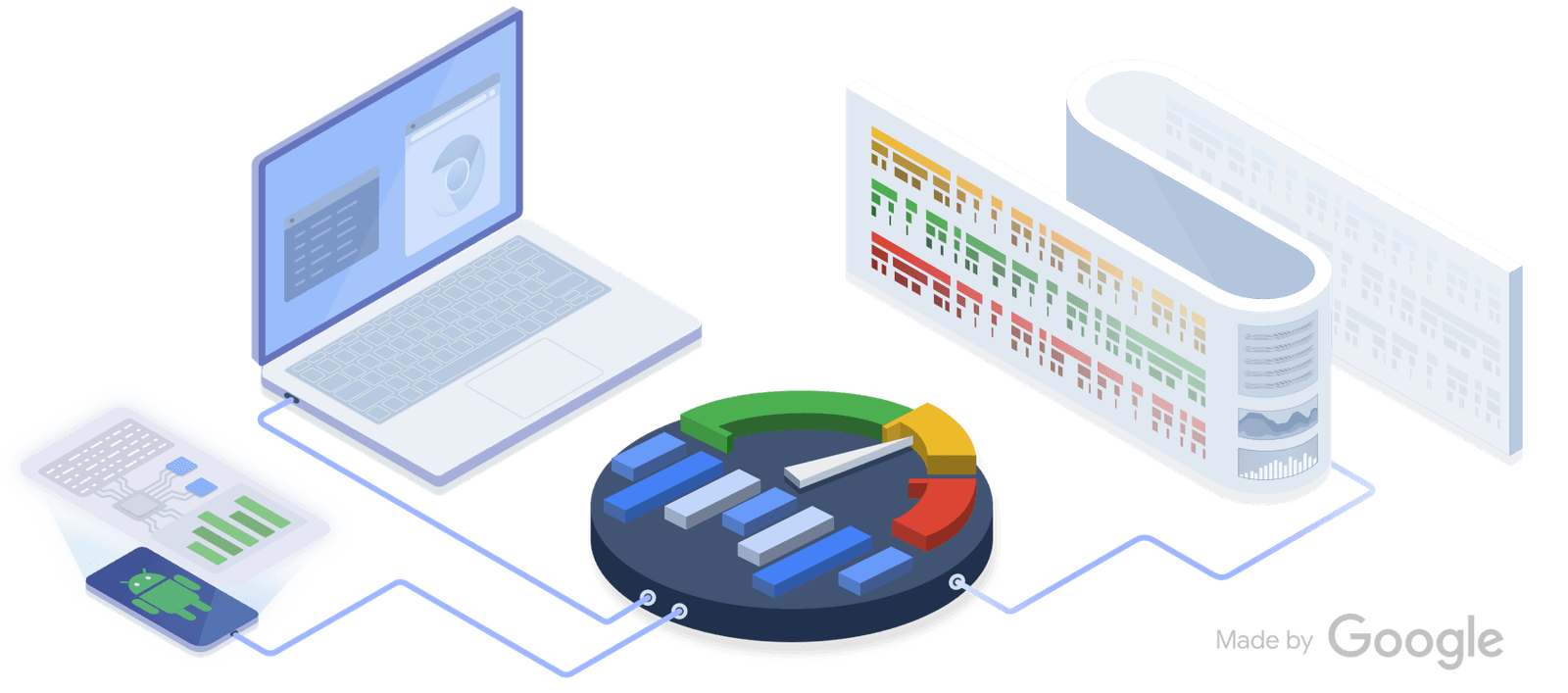
Perfetto: See Your Whole System on One Timeline
Perfetto is a flight recorder for your system, capturing kernel and app events on a single timeline. Use it to diagnose complex issues like jank by correlating app behavior with system activity.

App Thinning: Ship Only What's Needed
App Thinning shrinks your app's download by delivering only the assets a specific device needs. The App Store uses Slicing for device-specific art and code, and you can use On-Demand Resources for assets downloaded after installation.

On-Demand Resources: Keep Your App Bundle Slim
On-Demand Resources (ODR) host app assets on the App Store, not in your bundle, shrinking your initial download. Use it for game levels or tutorials not needed at first launch. The OS downloads assets by "tag" when requested, but can also purge them to save.
We are hiring for this. Every open role lists the topics its interview covers, so you can prepare for the real thing rather than guessing.
See open roles