Advanced everything in Mobile Dev, page 15
Flutter's State Lifecycle: From Creation to Disposal
A Flutter State object outlives its widget configuration. The framework manages its journey from creation (initState) to permanent removal (dispose), calling methods like build along the way. This governs all StatefulWidgets.
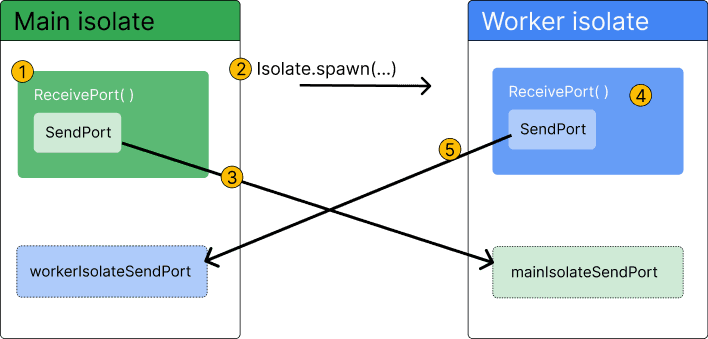
Dart Isolates: True Parallelism Without Shared Memory
Dart isolates provide true parallelism by running code in a separate thread with its own memory. Use them to offload heavy tasks like parsing huge JSON files or complex calculations that would otherwise freeze your Flutter UI.
StreamTransformer: Building Custom Stream Operators
A StreamTransformer is a factory for custom stream operators like map or where. Use it to build reusable logic, like parsing data chunks, that can be applied to any stream.
Dart Streams: Single-Subscription vs. Broadcast
A single-subscription stream is a private channel for one listener; a broadcast stream is a public radio station for many. Use single-subscription for one-off data like a file download and broadcast for shared events like UI updates.
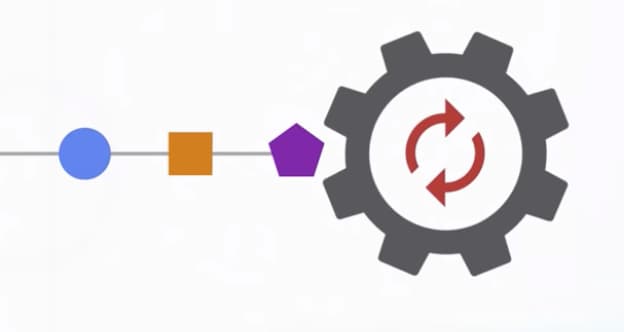
Dart's Microtask Queue vs. Event Queue
Dart's event loop prioritizes a 'microtask' queue for immediate async tasks over the main 'event' queue for I/O and user input. This ensures high-priority code runs first, but risks starving the event queue and freezing the UI if overused.
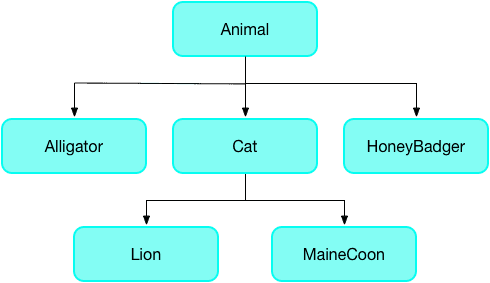
The `covariant` Keyword: Loosening Type Rules
The covariant keyword tells Dart's analyzer to relax its strict rules for method overriding, letting a subclass method accept a more specific parameter type. It's often used in Flutter widgets.
Extension Methods: Add to Classes You Don't Own
Extension methods let you add functionality to existing classes you don't control. Use them to create fluent APIs, like calling '42'.parseInt() instead of int.parse('42').
Dart Mixins: Constraining Reusable Code with `on`
A Dart mixin is like a plugin of methods for a class. The on keyword acts as a gatekeeper, ensuring the class using the mixin already has specific base features. This is used for sharing UI logic only among Widget subclasses.
Dart Streams: Asynchronous Data Sequences
A Dart Stream is like a conveyor belt for asynchronous data, delivering events or file chunks as they arrive. Use them for continuous data flows like button clicks or reading large files.
Dart Generics: Type-Safe Containers and Reusable Code
Generics let you define code that works with multiple types without sacrificing type safety. A List<String> is a list that only accepts strings. This is essential for collections.

Play Asset Delivery: Beyond the APK Size Limit
Think of Play Asset Delivery as Google Play managing a CDN for your game's large assets, letting you bypass the initial download size limit. It delivers textures and levels at install, right after, or on-demand. The footgun is assuming delivery succeeds.
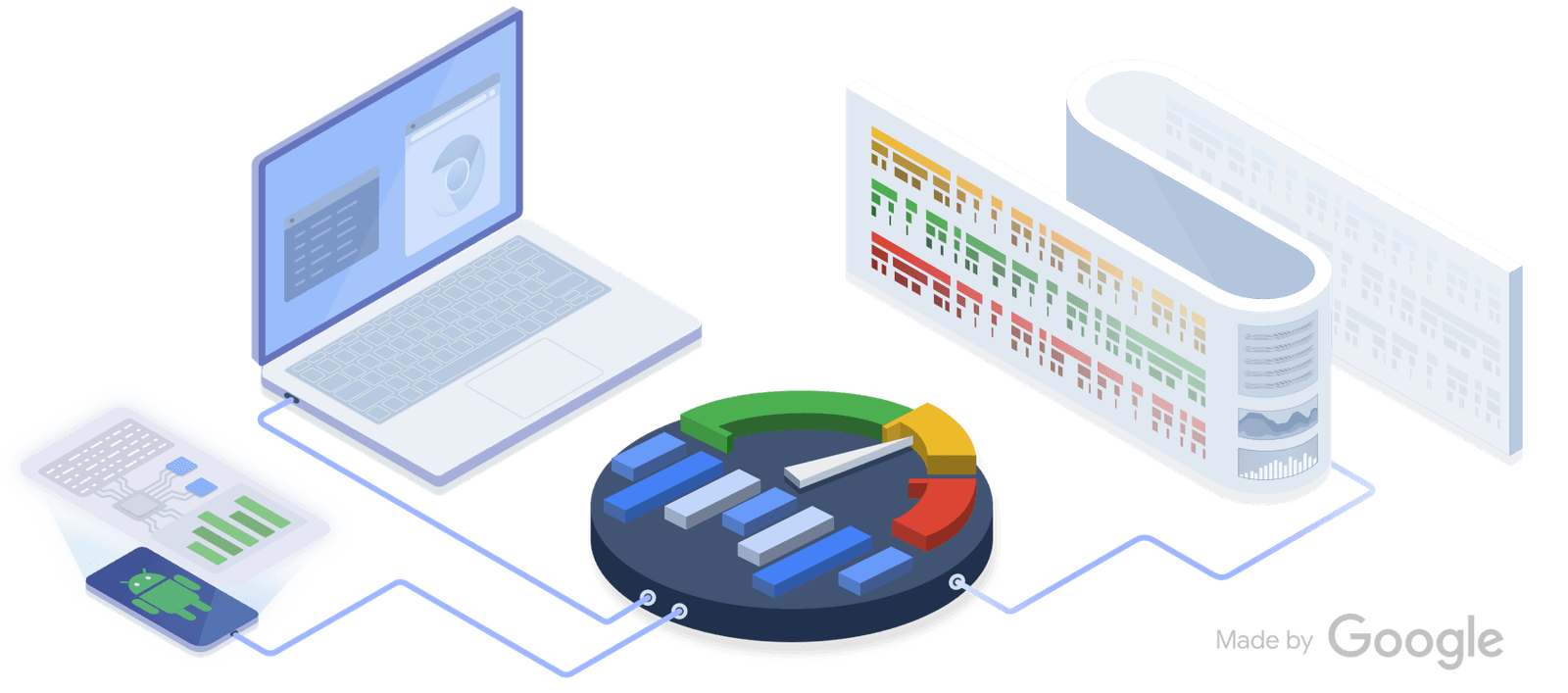
Perfetto: See Your Whole System on One Timeline
Perfetto is a flight recorder for your system, capturing kernel and app events on a single timeline. Use it to diagnose complex issues like jank by correlating app behavior with system activity.
Android Baseline Profiles: Pre-compiling for Speed
A Baseline Profile is a cheat sheet for the Android runtime, telling it which code to pre-compile for faster performance. This speeds up app startup and reduces UI jank in critical flows.
UI Automator: Black-Box UI Testing for Android
Think of UI Automator as a robot that tests your app by looking at the screen, not your code. It's for end-to-end tests that cross app boundaries, like interacting with the system Settings. The footgun: tests are powerful but can be slow and brittle.
Testing Coroutines: Control Time with `runTest`
Test asynchronous coroutine code as if it were synchronous. The kotlinx-coroutines-test library lets you control a virtual clock. Use runTest to wrap tests calling suspend functions, ensuring your test waits for async work before asserting results.
Handler and Looper: Android's Threading Backbone
A Looper is a worker that endlessly processes a queue of tasks for a thread. A Handler is how you give that worker a new task from another thread, like updating the UI. The footgun is blocking the main thread's Looper, which freezes your app.
JobScheduler: Efficient, Deferrable Background Tasks
Think of JobScheduler as Android's smart alarm for tasks. You specify conditions like 'Wi-Fi only' or 'charging,' and the OS runs your job efficiently to save battery. Use it for deferrable work like data syncs. Footgun: It's not for exact timing.
Expedited Work: High-Priority Background Tasks in Android
Expedited work is for important, short tasks that must run quickly. It gets higher priority than regular background work without requiring a persistent notification. Use it for sending messages or saving notes.
Testing with Hilt: Swapping Dependencies for Isolation
Hilt testing swaps real app components for fakes, isolating your code under test without manual setup. It's used in UI and unit tests to replace production dependencies like network clients with test doubles.
OkHttp Caching: Beyond Simple Hits and Misses
OkHttp's cache acts like a browser's, saving network trips by storing responses on disk. It handles not just full hits and misses, but also validates stale data with the server. Use it for repeatable requests.
We are hiring for this. Every open role lists the topics its interview covers, so you can prepare for the real thing rather than guessing.
See open roles