Everything in Mobile Dev, page 44

Expo Application Services (EAS): The Cloud Toolchain for React Native
EAS provides hosted builds, submissions, and updates for Expo and React Native projects. Use eas build for installable binaries, eas submit for store uploads, and eas update only for compatible JavaScript or asset changes.
The React Native Bridge: Why It's Being Replaced
Think of the React Native Bridge as an asynchronous JSON message queue between your JavaScript code and the native UI. This design is the source of its core limitation: communication delays that cause visible UI jank and prevent modern React features.
Hermes: The JS Engine for Faster React Native Apps
Hermes is a JavaScript engine optimized for React Native that prioritizes fast startup and low memory use. It's the default for new apps, pre-compiling JS to bytecode at build time. The footgun: don't just check a global variable; benchmark release builds.
React Native: Platform-Specific Code
React Native lets you write platform-specific logic without ejecting. Use the Platform module for small style tweaks, and file extensions (.ios.js) for swapping entire components. The footgun is overusing Platform.select for complex UI, creating clutter.
Metro: The JavaScript Bundler for React Native
Metro bundles your React Native app's JavaScript, finding all modules, transpiling them for the device, and merging them into one file. It's what powers npx react-native start.
Flexbox: Responsive Layouts in React Native
Flexbox arranges components along a primary axis, creating responsive UIs without manual calculations. It's used for nearly all layout needs, from centering items to building complex grids.
Styling in React Native with StyleSheet
StyleSheet is React Native's answer to CSS, defining styles in JavaScript to separate presentation from logic. Use StyleSheet.create() to define reusable style objects that get static type checking. The footgun is styling inline, which hurts performance.
React Native Core Components: Your UI Building Blocks
Think of Core Components as React Native's built-in LEGO bricks for UIs, translating your code into native Android and iOS views. Use them for layouts (View), text (Text), and lists (FlatList). The footgun: never use ScrollView for long lists.
The Package.swift Manifest File
Think of Package.swift as a recipe for your code, telling the Swift Package Manager (SPM) what to build, what it needs, and where it can run. You use it to define libraries, list dependencies, and set minimum OS versions.
Swift Property Wrappers: Reusable Logic for Properties
A Swift Property Wrapper is a template for a property's get/set logic, letting you reuse behaviors like data validation without boilerplate. It powers SwiftUI's @State and is great for managing UserDefaults.

Refining Objective-C APIs for Swift with NS_SWIFT_NAME
NS_SWIFT_NAME gives Objective-C code a Swifty alias without changing the original API. Use it to modernize legacy frameworks by removing prefixes for Swift consumption.
Optimizing iOS App Launch Time
An app launch is a race against the system's watchdog timer. The OS loads your app in two phases: pre-main and main. Optimizing both is key. The biggest footgun is ignoring the pre-main phase, where bloated dynamic libraries can kill performance.
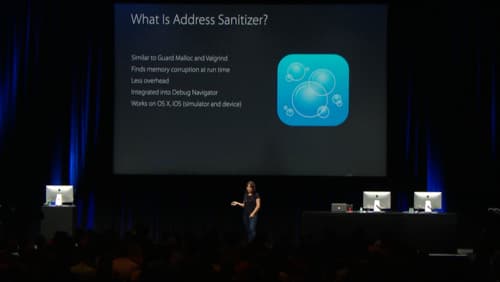
Address Sanitizer: Find Memory Bugs at Runtime
Address Sanitizer (ASan) is a runtime debugging tool that finds memory corruption bugs. Enable it in Xcode to catch buffer overflows and use-after-free errors as they happen, preventing crashes that are hard to trace back to their source.
Swift Errors and the NSError Bridge
Swift's modern Error protocol and Objective-C's NSError are different, but Swift automatically "bridges" them. This is key when calling older Apple APIs, which throw NSErrors.
Lightweight Generics: Type Safety for Objective-C
Lightweight generics bolt type safety onto Objective-C collections like NSArray. This lets Swift see an NSArray<NSString *> as a type-safe [String] instead of [Any], preventing runtime crashes.
Objective-C Nullability: Bridging to Swift's Optionals
Nullability annotations are like adding ? or ! to your Objective-C pointers, telling Swift how to handle nil. They're essential in mixed codebases to bridge Objective-C's pointers to Swift's safe Optionals.
Autorelease Pools: Managing Temporary Object Memory
Think of an autorelease pool as a temporary holding pen for objects. It defers their deallocation until a code block ends. UI frameworks handle this, but you'll add one in tight loops with many temporary objects to reduce peak memory, or on background threads.
Selectors: Objective-C's Function Pointers in Swift
A selector is a lightweight name for a method, not a direct pointer. Swift uses it to call Objective-C code dynamically at runtime. It's common in UIKit for target-action patterns, like button taps. The footgun: forgetting @objc causes a runtime crash.
Bridging Header: Mixing Objective-C and Swift
A bridging header is a translation list for Xcode, letting your new Swift code call old Objective-C code. It's essential when migrating a legacy codebase or using an Objective-C library. The footgun: it only exposes Objective-C to Swift, not vice-versa.
Main Thread Checker: Keep Your UI Responsive
The Main Thread Checker is an Xcode tool that catches UI updates on background threads, which cause crashes or glitches. It runs during debugging, flagging AppKit, UIKit, or SwiftUI calls made off the main thread.
We are hiring for this. Every open role lists the topics its interview covers, so you can prepare for the real thing rather than guessing.
See open roles