Intermediate everything in UI Design & Figma, page 5
How do Hug, Fill, and Fixed resizing behaviors interact?
This tests constraint-based size propagation. Define Hug as shrink-wrapping, Fill as stretching to the parent, and Fixed as explicit; note a Hug parent expands for Fixed or Hug children, but Fill needs a defined parent size.
How do you pin a Close icon to a modal's top-right corner?
This tests Figma constraint knowledge for responsive resizing. A strong answer sets horizontal to Right and vertical to Top so the icon pins to the corner as the modal resizes.
How do you build a responsive card with Auto Layout?
Tests nested Auto Layout and resizing logic. Answer: vertical hug frame, nested vertical text stack with hug height, image set to fill width, plus padding. Red flag: fixed-height text or absolute positioning breaks responsiveness.
How do you enforce proximity with Figma Auto Layout and spacing variables?
Tests translating Gestalt proximity into systematic spacing. Strong answers map t-shirt scales to Auto Layout gap and padding, then bind them to Figma spacing variables. Red flag: confusing proximity with alignment or manual nudging.
How do you build a responsive Figma component across breakpoints?
Tests Figma auto layout and constraint logic for responsive components. Strong answers mention nested frames, hug/fill modes, breakpoint variants or variables, and resizing previews. Red flag: copying static frames instead of using constraints.

How would you optimize and implement a full-bleed responsive hero image?
Use srcset with AVIF/WebP, CSS object-fit cover, and width/height to prevent CLS.
Assess WCAG AA contrast for light grey text on off-white
Tests your fluency in WCAG relative luminance and design collaboration. A strong answer extracts sRGB values, computes contrast ratio, checks 4.5:1 or 3:1 by text size, and suggests a darker tint preserving hue.

How would you establish a modular typographic scale for a design system?
This tests systems thinking and contextual ratio choice. A strong answer picks a ratio by contrast—high for marketing, low for dashboards—rounds values, adds sizes for dense UIs, adjusts base size across breakpoints.
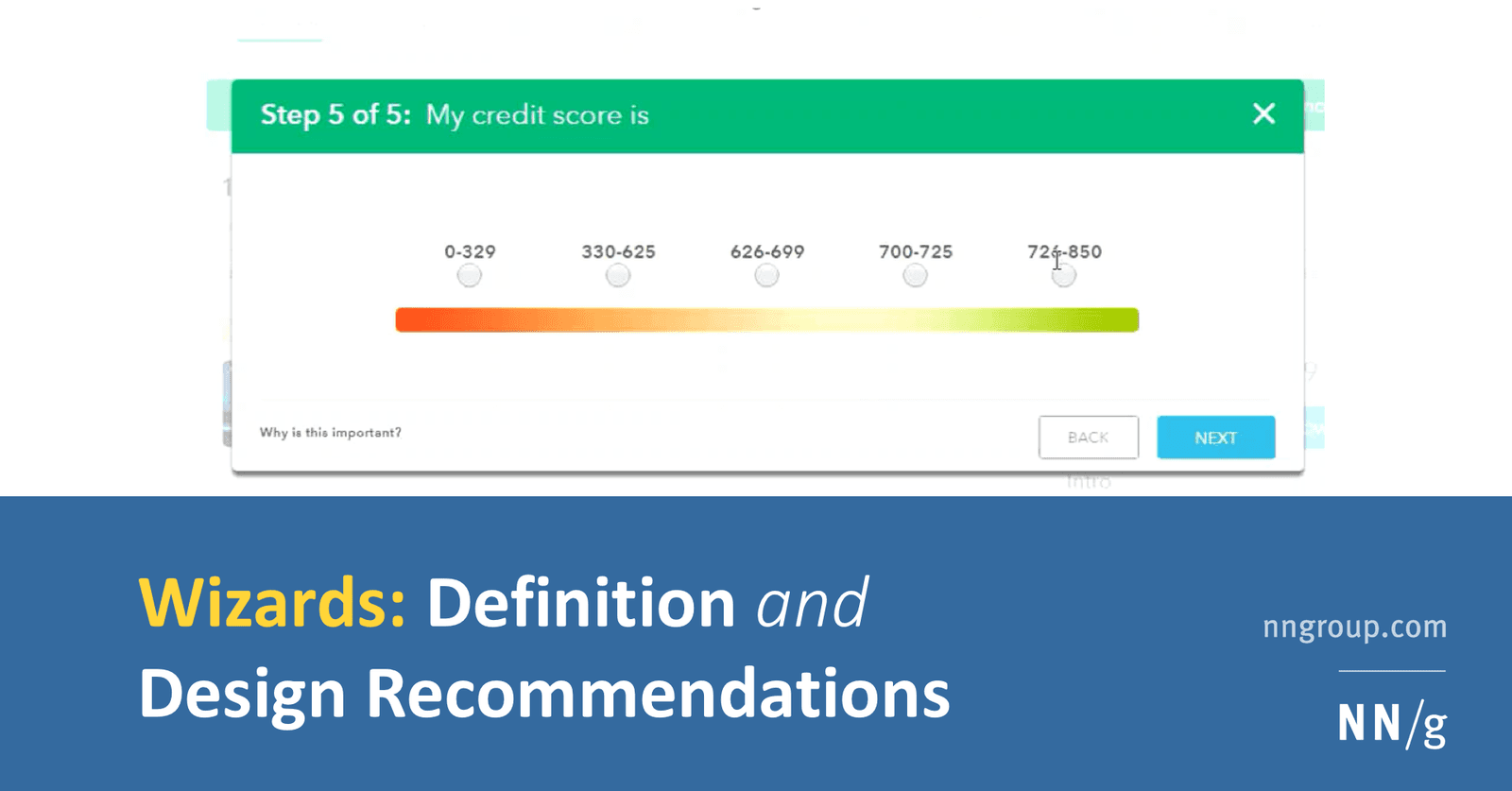
How do you design a low-cognitive-load wizard and implement it technically?
Pairing progressive disclosure with solid architecture. A strong answer hits step validation, URL-synced navigation, and isolated step components.
How does affordance guide choosing a native button over a styled div?
This tests if you see affordance as built-in behavior, not only looks. A strong answer picks the native button for free keyboard, focus, and reader support, noting a div needs tabindex, role, and keydown logic. A red flag is treating it as purely visual.

How do you apply progressive disclosure and hierarchy in complex data tables?
This tests layered UI decomposition. Strong answer: default to essential columns with horizontal dividers; disclose sort and filter on interaction; paginate at 48-56px row height; apply contrast and color cues sparingly.
How would you show system status during a multi-megabyte file upload?
Tests turning Nielsen's heuristic into concrete frontend patterns for uncertain waits. Cover granular progress like percent and bytes, distinct states for upload versus processing, time estimates, and error recovery.
Section-Scoped Variable Modes in Figma
A Figma section acts as a local variable mode override, letting you park dark-mode beside light-mode on the same page. Watch out for nested sections: conflicting mode overrides stack silently, and the deepest scope always wins without warning.
Generative AI Plugins in Figma
Figma AI plugins are a junior designer on demand: prompt for UI, copy, or images and get editable layers. Use them to unblock frames. Never ship raw output; generated layers break auto-layout and ignore accessibility, so treat them as scratchpads, not specs.
Real Data Exposes Design Flaws Early
Real data replaces lorem ipsum to stress-test layouts before code exists. A 60-character German product name breaks your card, or a portrait photo lands in a landscape frame. Designers curate perfect data and miss edge cases real content surfaces.
Multi-Edit: Type Once, Update Everywhere
Multi-edit lets you type into several text layers at once, like a keyboard wired to multiple screens. Use it to rename buttons across a flow or update labels before componentizing. It is a one-off bulk edit, not a persistent link, so missed layers stay stale.
Figma Command Palette: A Universal Remote
Figma's Command Palette is a searchable speed dial: press Cmd/Ctrl + P to jump pages, run plugins, or tweak layers without the mouse. It rescues you from nested submenus mid-flow. The footgun is memorizing shortcuts you could simply type to find.
Gamified Prototypes: Test Loops Before Code
A gamified prototype tests motivation loops without code. In Figma, you simulate points and badges with variants and Smart Animate to validate reward timing before engineers build scoring logic.
Simulate Form Validation in Figma
A form prototype is an interactive script, not a picture. You pre-build every state — empty, typing, error, success — and link them so stakeholders feel validation timing before engineers code it. The trap is logic you cannot maintain across design changes.
Figma Variable Modes for Multi-Context Theming
Variable modes let a single token hold different values for different contexts, like light and dark themes. Apply a mode to a frame and every token inside swaps instantly. The footgun is treating modes as component states, which creates a combinatorial mess.
We are hiring for this. Every open role lists the topics its interview covers, so you can prepare for the real thing rather than guessing.
See open roles