Easy everything in CI/CD & Automation, page 3
Kustomize: Template-Free Kubernetes Configs
Kustomize manages environment-specific Kubernetes configs by layering patches on a base YAML, avoiding complex templating. Use it to tweak deployments for dev, staging, or prod. The footgun: the kubectl version can lag, causing unexpected behavior.
Bug Tracking Systems: The Central Log for Software Defects
A bug tracker is the central log for a project's known defects. It’s used in software development to keep track of reported bugs, coordinate fixes, and manage the lifecycle of an issue. The footgun is undervaluing the quality of bug reports.
Structured Logging: Logs as Data, Not Strings
Treat logs as structured data (like JSON), not just plain text. This makes them machine-readable and queryable, letting you filter, search, and create dashboards on specific fields (e.g., user_id, trace_id).
Observability: Seeing Inside Your System
Observability is the ability to ask new questions about your system's health without shipping new code. It's crucial for debugging distributed systems and is the first step in triaging an outage.
Software Composition Analysis (SCA): Know Your Dependencies
Software Composition Analysis (SCA) is like checking the ingredient list for your software. It scans the open-source libraries you use for known vulnerabilities, license issues, and outdated versions.
SAST: A Security Spellchecker for Your Code
SAST is like a spellchecker for security, scanning your source code for vulnerabilities before it ever runs. It integrates into your CI/CD pipeline to give feedback on every commit. The main footgun is noise: false positives can overwhelm developers.
Threat Modeling: Thinking Like an Attacker
Threat modeling is thinking like an attacker to find security flaws before they're exploited. It systematically analyzes your system to prioritize defenses against the most likely threats. The footgun is treating it as a one-off task, not a continuous process.
Deployment Rollbacks: Your CI/CD Undo Button
A rollback strategy is your CI/CD's undo button, letting you revert to a known good state when a new deployment fails. It's essential for production environments. The biggest mistake is not having one, forcing a frantic 'hotfix' under pressure.

Rolling Deployment: Update Servers Without Downtime
A rolling deployment upgrades servers one by one, like swapping train cars while the train moves. A load balancer directs users to active servers, keeping the app online. The main footgun is incompatibility between old and new code running at the same time.
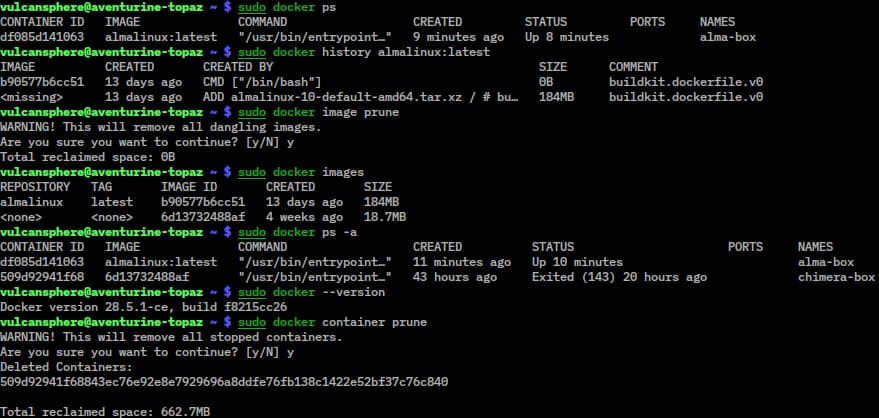
Docker Compose: A Tool for Containerized Applications
Docker Compose is a tool in the Docker suite for running applications in containers. It ensures your app runs the same everywhere by packaging it with its dependencies, solving the 'works on my machine' problem.
Container Image: A Blueprint for Your Application
A container image is a static blueprint for your application, bundling code, runtime, and settings. You build images to ship software for Docker or Kubernetes, which then run them as live containers.
Dockerfile: The Recipe for Your Container
A Dockerfile is a recipe for building a container image. It's a text file of commands that automates an application's environment setup, ensuring it runs identically anywhere. The footgun is creating bloated images with unnecessary build tools.
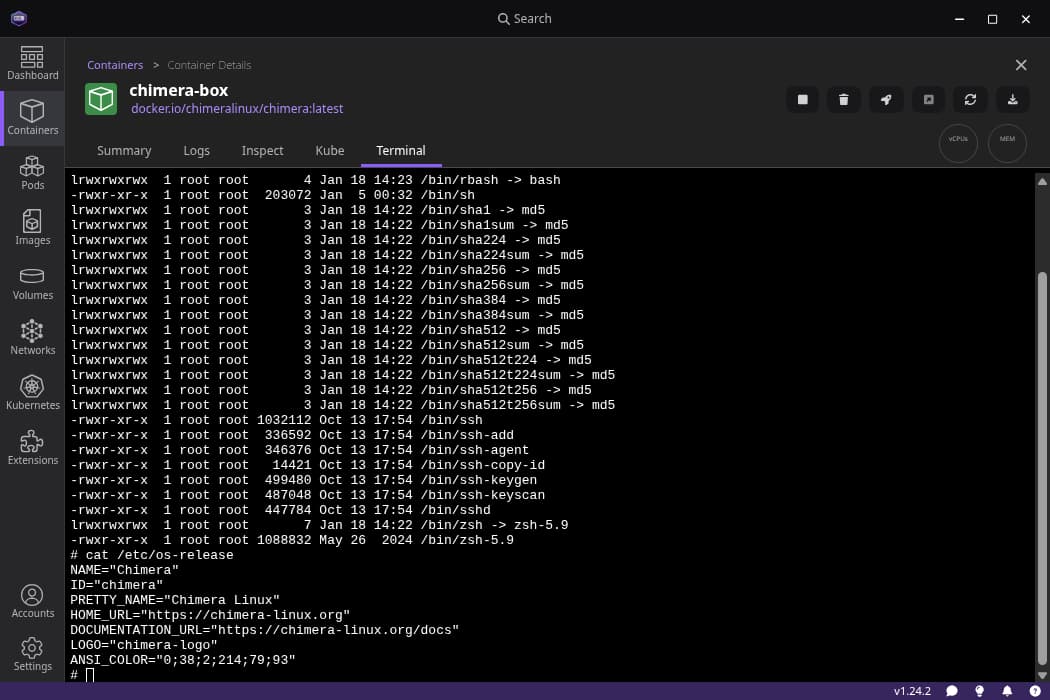
Software Containers: Portable, Isolated Applications
Think of a container as a standardized box for your app, bundling its code and all dependencies. This lets you run it consistently anywhere, from your laptop to the cloud.
The Twelve-Factor App: Store Config in the Environment
Your app's code is the blueprint; its config is the specific address and utility hookups. Store config—database URLs, API keys—in environment variables, not in the code. The footgun is hardcoding secrets, making your code base impossible to open-source safely.
Configuration Files: Separating Code from Settings
A config file separates a program's behavior from its code, allowing you to change settings like database URLs without recompiling. They're used for API keys, feature flags, and environment-specific values. The footgun is committing secrets to version control.
Environment Variables: Configuration Outside Code
Environment variables are settings passed to your app from the outside world, letting you change behavior without touching code. Use them for API keys or database URLs. The biggest footgun is committing secrets to version control instead of using variables.
Vagrant: Your Dev Environment as Code
Vagrant is a scriptable remote for virtual machines, defining a dev environment in one text file. It ensures teams have identical, isolated setups, solving "it works on my machine" problems.
AWS CloudFormation: Your AWS Infrastructure as a Blueprint
AWS CloudFormation is your infrastructure's blueprint. Declare AWS resources in a YAML/JSON file, and AWS builds it. This is perfect for creating repeatable, version-controlled environments.
Terraform: Manage Infrastructure as Code
Terraform lets you define cloud infrastructure—servers, databases, networks—in a text file, like a blueprint. It reads this file and builds everything for you, making setups on AWS, GCP, or Azure repeatable.

Pipeline Triggers: The 'If This, Then That' of CI/CD
Pipeline triggers are the "if this, then that" for automation. They kick off builds on a code push (CI), run tests for a pull request (PR), or execute jobs on a schedule. The footgun: many systems enable triggers on all branches by default, causing unwanted.
We are hiring for this. Every open role lists the topics its interview covers, so you can prepare for the real thing rather than guessing.
See open roles