Intermediate everything in CSS & Design Systems, page 6
Automated Accessibility Testing: Your First Line of Defense
Think of it as a linter for usability, scanning your code for machine-detectable issues like missing alt text or poor color contrast. It's often run in CI pipelines to catch regressions. The footgun is relying on it exclusively, as it misses most issues.
Design System Build Pipeline: Automating UI Consistency
A design system pipeline treats UI rules like code, syncing design tokens from a single source of truth (like Figma) to your codebase. It prevents drift between design and code, but the biggest footgun is not starting one, leading to manual, error-prone…
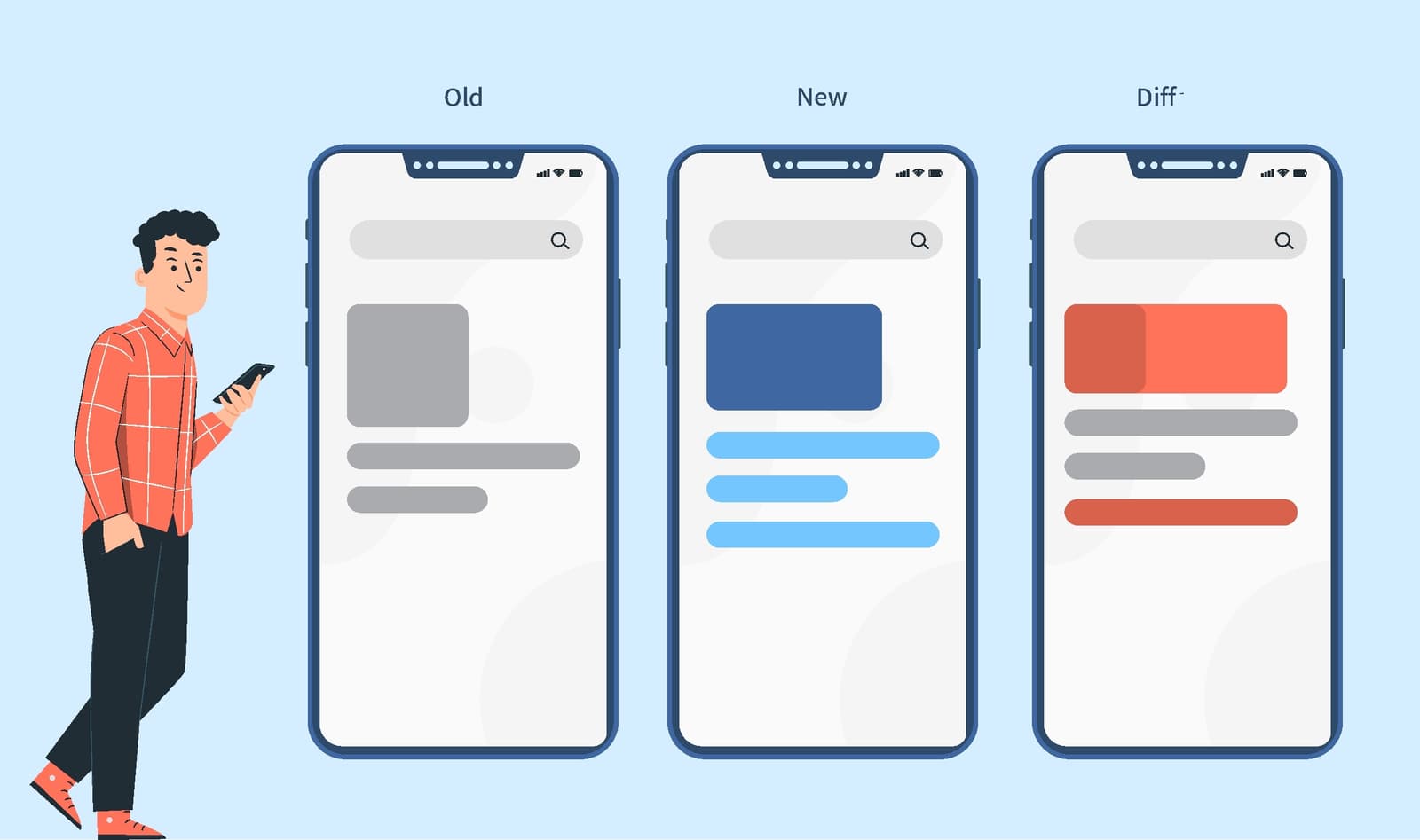
Visual Regression Testing: Spot the Difference for UIs
Visual regression testing is like an automated 'spot the difference' for your UI, catching visual bugs functional tests miss. It's used in CI/CD to compare screenshots before and after a code change.
Monorepo: Managing Multiple Projects in One Repository
A monorepo puts multiple projects into one repository, creating a single source of truth. It's great for design systems, allowing atomic updates to shared components and consuming apps.

CSS :focus-visible: Smart Focus for Accessibility
:focus-visible is a smart focus ring that only appears when needed, like during keyboard navigation. This lets you style accessible focus indicators for keyboard users without showing an outline on every mouse click.
Accessible Name Computation: The UI Naming Algorithm
Browsers follow a strict algorithm to find a name for UI elements to announce to screen readers. It runs on every interactive element, creating the data source for assistive tech.
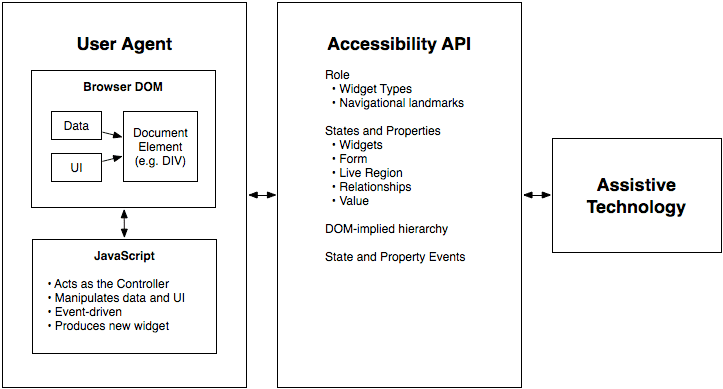
WAI-ARIA Roles: Semantics for Custom Components
WAI-ARIA roles are job titles for HTML elements, telling assistive tech what a generic <div> is meant to be, like a tab or button. Use them for custom UI components that lack a native HTML equivalent.
tabindex: Control Element Focus and Tab Order
The tabindex attribute lets you control an element's keyboard focus. Use tabindex="0" to make custom components tabbable in document order, or tabindex="-1" to make an element focusable only by script, like for a modal.

Storybook: A Workshop for UI Components
Storybook is a workshop for UI components, letting you build and test them in isolation without running your entire app. It's used to develop component libraries, document design systems, and test hard-to-reach states.
CSS ::part(): Style Inside a Web Component's Shadow DOM
The ::part() pseudo-element lets you style specific elements inside a web component's Shadow DOM. It's a contract allowing consumers to theme designated "parts" of a component without breaking encapsulation. The main footgun: it only styles one level deep.
::slotted(): Style Content Passed into Web Components
The ::slotted() pseudo-element lets a Web Component style external content passed into its slots. It's how a component's internal CSS can style the "light DOM" elements it receives.
CSS :host: Style a Web Component from Within
The :host pseudo-class lets a web component style itself from the inside out. Use it inside a shadow DOM to apply styles to the host custom element, making components self-contained. The key footgun: it only works inside a shadow DOM; it has no effect in.
Shadow DOM: A Private Bubble for Your Components
Shadow DOM gives a component a private bubble, keeping its styles and structure isolated from the main page. This is key for building reusable Web Components and microfrontends.
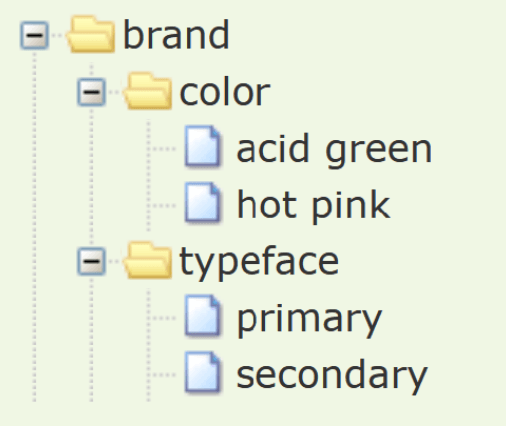
Composite Design Tokens: Bundling Style Properties
A composite design token bundles multiple style values into a single, semantic unit, like a "style kit" for shadows or typography. Use them to apply complex, multi-property styles like borders or text styles with one reference.
Style Dictionary: A Build Tool for Design Tokens
Think of Style Dictionary as a compiler for your design system. It takes abstract design tokens (like brand colors and fonts) and automatically generates platform-specific style files for web, iOS, and Android, ensuring consistency everywhere.
UI Patterns: Reusable Recipes for Interfaces
UI patterns are reusable recipes for common interface problems, like tabs or accordions. They create a shared language for building predictable, accessible components. The biggest footgun is creating a component that looks right but lacks accessible behaviors.
Stylelint: Your CSS Guardian for Rules, Not Just Formatting
Stylelint is a linter that guards your CSS logic and conventions, not just its formatting. Use it to catch errors like misspelled properties or enforce team rules. The footgun is confusing it with a formatter; Stylelint enforces rules, Prettier handles style.
PostCSS: The 'Babel for CSS' Transformer
PostCSS is like Babel for CSS, transforming styles with JavaScript plugins. Use it to add vendor prefixes, enable future CSS features, or lint styles. The footgun: it's not a preprocessor like Sass, but a tool that enhances CSS, often used alongside it.
Sass @extend: Inherit Styles, Not HTML Classes
@extend lets one selector inherit styles from another, grouping them in the final CSS without adding classes to your HTML. Use it for modifier classes to keep markup clean. The footgun: overusing it can generate long, complex selectors, bloating your CSS.
Sass Modules: Using @use for Clean, Scoped Styles
Think of @use as importing a JavaScript module. It loads Sass variables and mixins into a private namespace, preventing global style conflicts. Use it to structure large CSS codebases by breaking styles into logical partials.
We are hiring for this. Every open role lists the topics its interview covers, so you can prepare for the real thing rather than guessing.
See open roles